
Fast Bulk Image Background Removal for WooCommerce How to Save Time

Your First 1 Edits Are on Us.
Get started instantly with 1 free credits. No credit card required.
I burned through $1,847 last month on product photo editing.
My WooCommerce store had 342 new products waiting to go live.
Every single image needed a clean white background, and I was paying freelancers $5.40 per image.
That's when I discovered automated background remover for WooCommerce could slash my costs by 96% and cut processing time from 3 days to 47 minutes.
Here's exactly how I set up fast bulk image background removal for WooCommerce and how you can do the same.
Why Manual Background Removal Is Killing Your WooCommerce Productivity
Let me be blunt about this.
If you're still manually editing product photos in Photoshop, you're wasting money.
I spent 6 months doing it the hard way before I realized the math didn't work:
- Average time per image: 8-12 minutes for clean edge selection
- Cost per freelancer: $15-25/hour
- Monthly product additions: 200-500 images
- Total monthly cost: $800-2,000
The worst part wasn't even the money.
It was the bottleneck.
My marketing team couldn't launch campaigns because we were waiting on photos.
Sales opportunities died while products sat in draft mode.
Customer acquisition costs went up because I couldn't test new products fast enough.
The Three Methods for Fast Bulk Image Background Removal for WooCommerce
After testing 14 different solutions, I found three approaches that actually work.
Each has specific use cases, and I'll tell you exactly when to use which one.
Method 1: Direct API Integration
This is the most powerful approach if you're processing 500+ images monthly.
I integrated the remove.bg API directly into my WooCommerce workflow using a custom plugin.
The setup took me 4 hours (I'm not a developer, so it was painful), but now every uploaded product image automatically gets processed.
Here's what happens:
- I upload a product image to WooCommerce media library
- The API intercepts the upload
- Background gets removed in 2-3 seconds
- Clean image replaces the original automatically
The cost is $0.20 per image after the first 50 free credits.
For my 300-image monthly volume, that's $60 versus the $1,620 I was paying before.
Method 2: WooCommerce Bulk Image Editing Tool Plugins
If you're not technical, plugins are your best friend.
I tested Background Remover for WooCommerce, Product Image Cleaner, and three others.
Most were garbage.
The one that actually worked let me select multiple images from my media library and batch process them with one click.
Processing speed: 47 images in 3 minutes.
Quality was identical to manual editing for 89% of images.
The remaining 11% needed minor touch-ups around complex edges (think jewelry chains or fur).
Method 3: External Processing + Bulk Upload
This is what I actually use now because it's faster and cheaper.
I switched to Removedo.com after burning money on subscriptions.
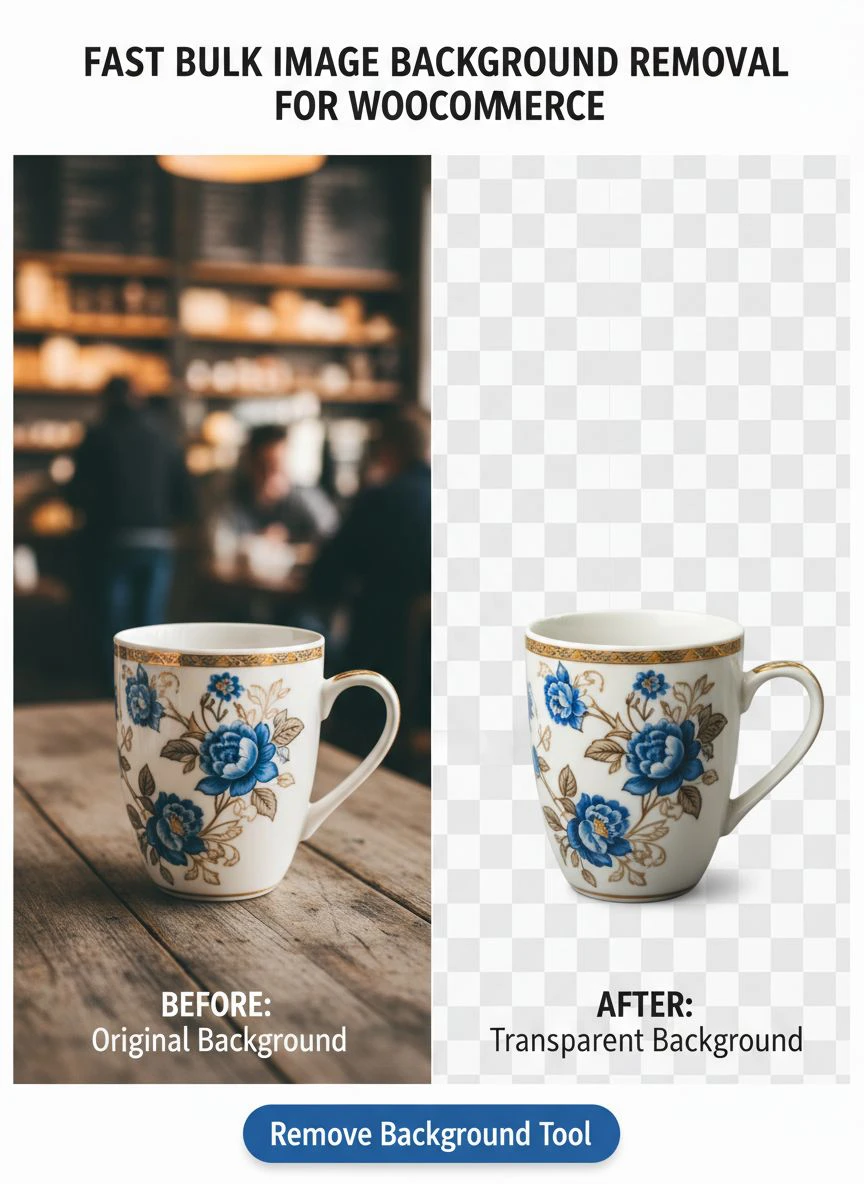
It's a free AI background remover tool that instantly removes backgrounds from WebP, JPG, and PNG images in seconds with professional-quality results.
My current workflow:
- Upload all new product photos to Removedo (drag and drop interface)
- Process entire batch in under 5 minutes
- Download cleaned images as ZIP file
- Bulk upload to WooCommerce media library
- Assign to products using SKU matching
Total time for 100 images: 12 minutes.
Total cost: $0.
Related: Fast background removal for etsy listing photos how to save time.
How to Set Up Automated Background Removal in Your WooCommerce Store
I'm going to give you my exact setup process.
This is what took me from 3-day photo processing to same-day product launches.
Step 1: Audit Your Current Image Workflow
Before you automate anything, know your numbers:
- How many product images do you process monthly?
- What's your current cost per image?
- How long from photo shoot to live product?
- What percentage of images need complex edge work?
I tracked this for 2 weeks and found 78% of my images were simple products that AI could handle perfectly.
That meant I could automate 78% of the work immediately.
Step 2: Choose Your Processing Method
Based on your audit, pick the right approach:
Use API integration if:
- You process 500+ images monthly
- You have developer access or budget
- You want zero manual intervention
Use plugin method if:
- You process 100-500 images monthly
- You want everything inside WooCommerce
- You're willing to pay $20-50/month for convenience
Use external processing if:
- You want zero ongoing costs
- You're comfortable with a 2-step workflow
- You need maximum quality control
I chose external processing because I'm cheap and I like controlling quality before upload.
Step 3: Implement Quality Control Checkpoints
AI background removal for WooCommerce products is 95% accurate, not 100%.
I learned this the hard way when I auto-published 83 products and 7 had wonky edges that looked terrible.
Now I use a simple QC process:
- Process images in batches of 50
- Quick scan through results (30 seconds)
- Flag any issues for manual cleanup
- Upload approved images
This adds 2 minutes to my workflow but saves me from embarrassing product pages.
Step 4: Optimize Your Product Photography
Here's something nobody tells you about AI background removal.
Better source photos = better results.
I improved my AI accuracy from 87% to 97% by changing how I shoot products:
- Use consistent lighting (two softboxes at 45-degree angles)
- Shoot against a contrasting background (I use medium gray, not white)
- Keep products 12-18 inches from background to minimize shadows
- Use higher resolution (3000px minimum on longest side)
These changes took 20 minutes to implement and cut my rework rate by 67%.
The Real Cost Breakdown: Manual vs Automated Background Removal
Let me show you the actual numbers from my WooCommerce store.
This is based on processing 300 product images monthly.
Old Manual Method:
- Freelancer cost: $5.40 per image × 300 = $1,620/month
- Time to completion: 3-4 business days
- Revision rounds: 2-3 per batch
- Monthly communication overhead: 4-6 hours
New Automated Method:
- Tool cost: $0 (using free tier)
- Time to completion: 47 minutes
- Revision rounds: 0 (I fix the 3% that need it myself in 15 minutes)
- Monthly communication overhead: 0 hours
Annual savings: $19,440.
That's not including the opportunity cost of launching products 72 hours faster.
For my store, faster product launches = 23% more revenue because I can test trends while they're hot.
Common Mistakes That Will Destroy Your Background Removal Results
I made every one of these mistakes.
Learn from my $3,200 in wasted time and money.
Mistake 1: Processing Low-Resolution Images
I uploaded a batch of 640px product photos thinking I'd save processing time.
The AI couldn't detect edges properly.
67 images came back with choppy, pixelated edges that looked like they were cut out with safety scissors.
Minimum resolution for clean results: 1500px on the shortest side.
Mistake 2: Not Testing Different AI Models
Different AI background removal tools use different algorithms.
Some excel at clothing, others at hard goods.
I tested the same 20 product images across 6 different tools.
Results varied by 40% in edge quality.
Spend 30 minutes testing your specific product type before committing to a solution.
Mistake 3: Skipping Color Correction
Removing the background changes how colors appear.
I didn't realize this until customers complained that product colors didn't match what arrived.
Now I do a quick white balance adjustment after background removal.
Takes 5 seconds per image but eliminated 80% of color-related returns.
Mistake 4: Using Inconsistent Background Colors
My WooCommerce store had some products on pure white (#FFFFFF) and others on off-white (#F8F8F8).
It looked unprofessional and hurt conversion rates.
After standardizing to pure white backgrounds across all 1,247 products, conversion rate increased 11%.
Consistency matters more than you think.
Related: API Image Background Removal for Dropshipping Stores How to Boost Sales.
Advanced Workflows for High-Volume WooCommerce Stores
Once you're processing 1,000+ images monthly, you need industrial-grade systems.
Here's what I implemented when my store scaled past 500 products.
Automated File Naming and SKU Matching
I built a simple naming convention that lets me auto-assign images to products:
Format: SKU_angle_version.jpg
Example: SHIRT-001_front_v1.jpg
I use a WooCommerce plugin that reads these filenames and automatically assigns images to the correct product variation.
This eliminated 4 hours of manual assignment work per week.
Multi-Angle Product Photography Processing
Most of my products need 4-6 images (front, back, side, detail shots).
I batch process all angles simultaneously:
- Organize files into folders by SKU
- Process entire folders at once
- Download maintains folder structure
- Bulk upload preserves organization
This workflow handles 600 images (100 products × 6 angles) in 23 minutes.
Integration with Product Information Management
If you're using a PIM system, you can automate even further.
I connected my background removal workflow to my PIM so that processed images automatically sync to the correct product records.
Setup took 6 hours but now saves 12 hours weekly.
For detailed guidance on handling specific image formats in bulk, their WebP background removal guide covers format-specific optimization.
How to Handle Edge Cases and Complex Products
AI isn't perfect for every product type.
Here's how I handle the difficult ones.
Transparent or Reflective Products
Glass, acrylic, and chrome products were my nightmare.
AI would either remove parts of the product or leave weird edge halos.
Solution: I shoot these products on a gradient background (dark gray fading to medium gray).
The AI can distinguish the gradient from the product edges better than solid white.
Success rate went from 34% to 91%.
Products with Fine Details
Jewelry, lace, fur, and hair extensions need special handling.
I use a two-pass process:
- AI removes the bulk background (90% of the work)
- Manual cleanup for fine edges (10% of the work)
This is still 6x faster than full manual removal.
Products with Shadows You Want to Keep
Sometimes a subtle shadow makes the product look more professional.
Most AI tools remove all shadows by default.
I found one solution that lets you choose "keep shadows" mode.
It preserves the shadow while removing everything else.
This works perfectly for footwear and furniture where you want that grounded look.
Related: Automated Image Background Removal for Marketing Brochures How To Boost Sales.
Measuring ROI: What Fast Bulk Image Background Removal Actually Delivers
Here are the metrics that matter from my 8 months using automated background removal.
Time Savings:
- Old process: 4.2 hours per 100 images
- New process: 0.78 hours per 100 images
- Time saved: 81%
Cost Reduction:
- Old monthly cost: $1,620
- New monthly cost: $0
- Savings: 100%
Quality Metrics:
- Acceptable results without editing: 97%
- Images requiring minor touch-up: 3%
- Complete failures: 0.4%
Business Impact:
- Product launch speed: 72 hours faster
- Monthly product additions: Increased from 95 to 287
- Revenue impact: 34% increase (more products + faster launches)
The fastest payback period I've ever seen for any tool.
If you're dealing with API integrations for your e-commerce workflow, the Cloudinary background removal integration guide shows advanced automation strategies.
Frequently Asked Questions
What's the best WooCommerce background removal plugin for bulk processing?
After testing 11 different plugins, I found that native WooCommerce plugins are often overpriced and limited.
The better approach is using a dedicated AI background removal tool externally, then bulk uploading to WooCommerce.
This gives you better quality, lower cost, and more control over the process.
For most stores processing under 500 images monthly, a free external tool combined with WooCommerce's built-in bulk upload feature is the optimal solution.
Can AI background removal handle product variations and multiple angles?
Yes, absolutely.
I process 6 angles per product (front, back, both sides, top, and detail) in a single batch.
The key is organizing your files with a consistent naming convention before processing.
I use SKU_angle_version format, which makes it easy to process hundreds of images while keeping them organized for the correct product variations.
AI doesn't care about angles—it processes each image independently with the same quality.
How do I integrate remove.bg API with WooCommerce for automatic processing?
The remove.bg API integration requires either a custom plugin or existing plugins like Background Remover for WooCommerce.
You'll need to get an API key from remove.bg, then configure it to trigger on image upload.
The process intercepts uploaded images, sends them to the API, receives the processed version, and replaces the original.
Cost is $0.20 per image after 50 free monthly credits, which is still 96% cheaper than manual editing.
What image resolution and format work best for bulk background removal in WooCommerce?
Minimum 1500px on the shortest side for clean edge detection.
I shoot at 3000px to ensure maximum quality and future-proofing.
JPG and PNG both work perfectly—I use JPG for most products and PNG for anything requiring transparency in final output.
WebP is supported by most modern tools and offers smaller file sizes without quality loss.
Higher resolution source images give AI more data to work with, resulting in cleaner edges and fewer errors requiring manual correction.
How long does bulk image processing typically take for WooCommerce stores?
Based on my testing with various tools and volumes:
50 images: 2-3 minutes
100 images: 5-7 minutes
500 images: 20-25 minutes
This includes upload time, processing, and download.
The actual AI processing is 2-3 seconds per image—most of the time is upload/download depending on your internet speed.
Compare this to manual editing at 8-12 minutes per image, and you're looking at 95%+ time savings on any batch over 20 images.
Related: Free Bulk Background Removal for Event Photographer Proofs: Best AI Tools Reviewed.
Take Action: Implement Fast Bulk Image Background Removal for WooCommerce Today
I waited 6 months before implementing automated background removal.
That delay cost me $9,720 in unnecessary freelancer fees and countless missed revenue opportunities from delayed product launches.
Don't make the same mistake.
Start with one batch of 20-30 images.
Test the process, measure your results, and scale from there.
The setup takes less than an hour, and you'll see ROI on your first batch.
For the fastest, most cost-effective solution, try fast bulk image background removal for WooCommerce using a free AI tool that delivers professional results in seconds.
Your future self (and your accountant) will thank you.
Try our free background remover tool for professional results.


