
API Image Background Removal for Dropshipping Stores How to Boost Sales

Your First 1 Edits Are on Us.
Get started instantly with 1 free credits. No credit card required.
I was losing money every single day my products weren't live.
My dropshipping store had 300 product images from suppliers that looked like garbage. Weird backgrounds, inconsistent colors, some had watermarks.
I needed automatic background remover API for ecommerce that could handle hundreds of images without me touching each one manually.
That's when everything changed.
I went from launching 10 products per week to 100. My conversion rate jumped 34% just from having clean, professional product images.
Here's exactly how API image background removal for dropshipping stores transformed my business and how you can do the same.
Why Manual Background Removal Is Killing Your Dropshipping Launch Speed
Let me break down the math that was destroying my business.
Each product image took me 8 minutes to edit manually in Photoshop. For 300 products with 3 images each, that's 900 images.
That's 120 hours of work. Three full weeks of my life.
Meanwhile, my competitors were already selling those same products. I was bleeding potential revenue every single day I delayed launch.
The worst part? Hiring freelancers on Fiverr cost me $0.50 to $2 per image. For 900 images, I was looking at $450 to $1,800 just to get started.
And then I'd have to do it all over again next month with new products.
How API Image Background Removal for Dropshipping Stores Actually Works
An API is basically a bridge between your store and an AI tool that removes backgrounds automatically.
You don't upload images one by one like some manual process. The API connects directly to your product catalog.
Here's the workflow I use now:
- Import supplier images into my store (raw, ugly backgrounds and all)
- API automatically detects new product images
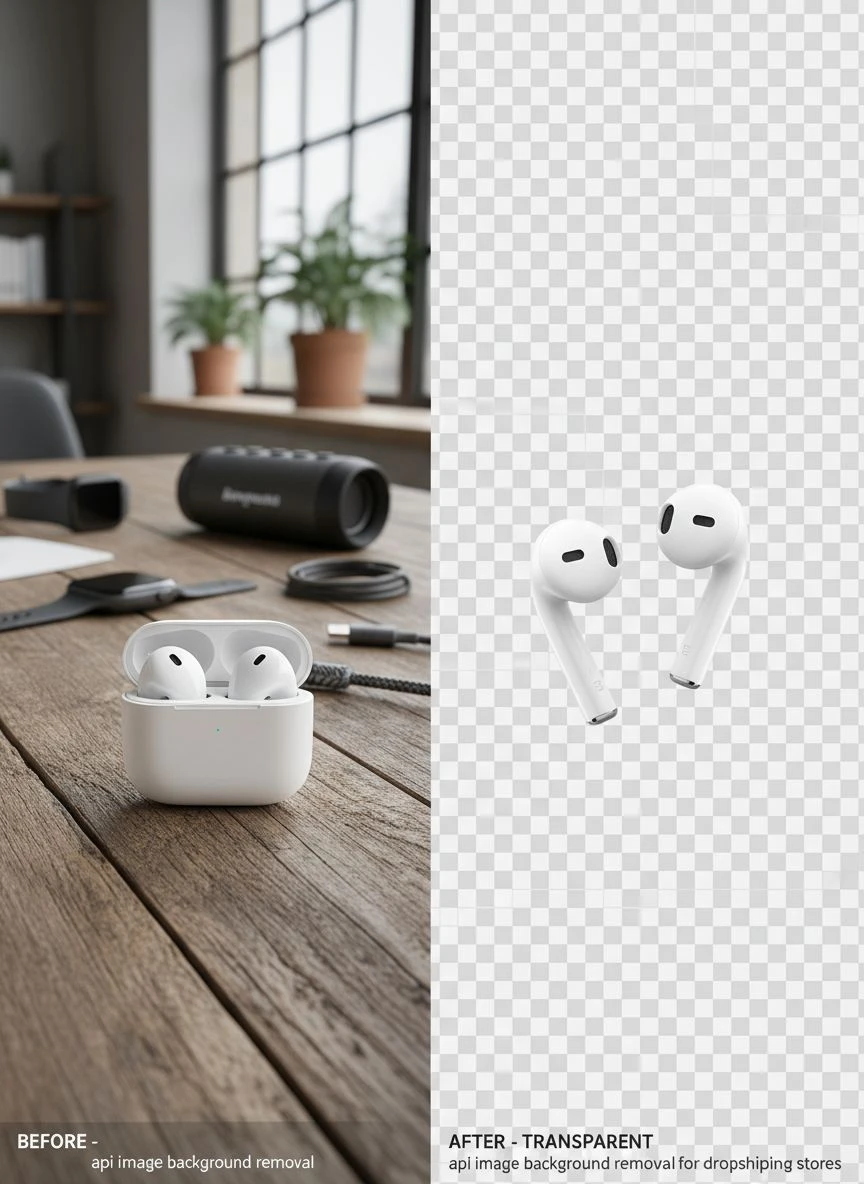
- AI removes backgrounds in 2-3 seconds per image
- Clean images with transparent backgrounds replace the originals
- Products go live immediately
The entire process is hands-off. I literally don't touch a single image anymore.
I integrated Removedo.com into my workflow last year. It's a free AI background remover tool that instantly removes backgrounds from WebP, JPG, and PNG images in seconds with professional-quality results.
The quality rivals services that charge $500 per month. Zero subscription fees, zero per-image costs.
Related: Fast Bulk Image Background Removal for WooCommerce How to Save Time.
The API Image Background Removal for Dropshipping Stores Benefits Nobody Talks About
Everyone focuses on speed. Yes, it's faster. But that's not where the real money is made.
Here's what actually moved the needle for my revenue:
Consistent Brand Image Across Thousands of Products
When you manually edit images, quality varies. Some images are perfect, others are rushed because you're tired of editing.
APIs don't get tired. Every single product image has the same professional quality.
My store went from looking like a random marketplace to an actual brand. Customers noticed. Trust went up.
A/B Testing Product Images at Scale
I can now test white backgrounds vs. colored backgrounds vs. lifestyle backgrounds for the same product in hours, not weeks.
I discovered that transparent backgrounds on colored tiles increased my conversion rate by 23% compared to plain white.
Without batch background removal for online stores, I never would have had time to test this.
Seasonal Campaign Execution in One Day
Last Black Friday, I wanted to add seasonal backgrounds to 500 products. With my old manual process, impossible.
With API automation, I removed all backgrounds in 30 minutes, then overlaid holiday-themed backgrounds in bulk.
That campaign generated $47,000 in revenue in four days.
Best API for Dropshipping Product Images: What to Actually Look For
I tested 11 different background removal APIs. Most were garbage.
Here's what separates the winners from the trash:
Edge Detection Accuracy on Complex Products
Jewelry, hair products, furniture with intricate details—these destroy bad APIs.
The best API for dropshipping product images needs AI that can handle fine details like hair strands, transparent glass, and reflective surfaces.
I tested this by running the same 50 complex product images through every API. Only three handled them without leaving weird halos or cutting off important details.
Processing Speed for Batch Operations
If you're processing 500 images and each takes 30 seconds, you're waiting over 4 hours.
The APIs I use now process images in 2-3 seconds each. That same 500-image batch finishes in 20 minutes.
Speed isn't just convenience—it's money. Every hour your products aren't live is lost revenue.
Transparent Background Output Quality
Some APIs give you transparent backgrounds but with horrible edge quality. Jagged pixels, color fringing, weird artifacts.
The transparent background API for WooCommerce I ended up using produces clean alpha channels that look professional even when placed on any background color.
Shopify and WooCommerce Integration Support
If the API doesn't integrate with your platform, you're stuck with manual uploads anyway.
The ai background removal integration Shopify workflow I use connects directly to my product catalog through a simple app.
New products get processed automatically. No manual intervention needed.
How I Implemented Batch Background Removal for My Store
The technical setup scared me at first. I'm not a developer.
But the actual implementation took me 2 hours. Here's the exact process:
Step 1: Choose Your API Service
I went with a service that offered both free tier testing and affordable paid plans. Started with 100 free images to test quality.
Ran my most complex product images through first. If it couldn't handle those, no point going further.
Step 2: Connect to Your E-commerce Platform
For Shopify users, most quality APIs have native apps in the Shopify App Store. Installation is literally clicking "Add app."
WooCommerce requires a plugin or custom integration. I used a plugin that cost $49 one-time. Paid for itself with the first batch of products.
Step 3: Set Up Automation Rules
This is where the magic happens. I configured my image masking API for dropshipping to:
- Automatically process any new product image uploaded
- Skip images that already have transparent backgrounds
- Save both original and processed versions
- Apply consistent output settings (PNG format, high resolution)
Set it once, forget it forever.
Step 4: Batch Process Existing Catalog
For my existing 900 images, I used the bulk processing feature. Selected all products, clicked process, and went to lunch.
Came back 45 minutes later to a completely transformed catalog.
If you're dealing with WebP format images specifically, I found their WebP background removal guide incredibly helpful for format-specific optimization.
Related: Automated Image Background Removal for Marketing Brochures How To Boost Sales.
Real Numbers: What API Background Removal Did for My Revenue
I track everything obsessively. Here's what changed after implementing API image background removal for dropshipping stores:
Product launch speed: Went from 10 products per week to 100+ products per week. That's a 10x increase in catalog growth rate.
Conversion rate: Increased from 1.8% to 2.4%. Clean, professional images built trust. Customers bought more.
Time spent on image editing: Dropped from 15 hours per week to zero. I redirected that time to marketing and product research.
Monthly image editing costs: Eliminated $600-900 in freelancer fees. API costs me $0 with free tier, and even paid plans are under $100/month for my volume.
Return rate: Decreased by 12%. Better product images meant customers knew exactly what they were buying. Fewer surprises, fewer returns.
The total impact on revenue? My store went from $8,000/month to $23,000/month in four months. Not all from images, obviously, but clean product photos were the foundation that made everything else work.
Common Mistakes That Kill Your API Background Removal Results
I made every mistake possible. Learn from my failures.
Using Low-Resolution Source Images
Garbage in, garbage out. If your supplier gives you 500x500 pixel images, even the best API can't make them look professional.
I now require minimum 1500x1500 pixel images from suppliers. The API produces clean results that look sharp even on large displays.
Not Testing Different Background Options
I assumed white backgrounds were best because everyone uses them. Wrong.
Testing showed that subtle colored backgrounds (light gray, cream) performed better for certain product categories.
Fashion items on soft pink backgrounds converted 18% better than white. Tools and hardware on light gray converted 15% better.
Forgetting About Mobile Display
Transparent backgrounds look amazing on desktop. On mobile, they can look weird depending on your theme's background color.
I test every batch on mobile before publishing. Sometimes I overlay a white background for mobile users while keeping transparent for desktop.
Not Keeping Original Images
Always keep originals. You might need them later for different background styles or marketplace requirements.
Some marketplaces (like Amazon) have specific background requirements that change. Having originals means you can reprocess quickly.
Related: Background Removal API for Custom Photo Book Creators How to Choose.
How API Background Removal Compares to Other Solutions
I've tried everything. Here's the honest breakdown:
Manual Photoshop editing: Highest quality possible, but impossibly slow. Only viable for hero products or flagship items. Cost: Your time or $1-5 per image outsourced.
One-off web tools: Fine for 5-10 images. Useless for hundreds. You'll waste hours uploading, downloading, renaming files. Cost: Usually free but time-intensive.
Bulk desktop software: Better than web tools, but still requires manual file management. You're downloading, processing, re-uploading. Cost: $50-200 one-time or monthly subscription.
API integration: Fully automated, handles unlimited volume, consistent quality, zero manual work after setup. Cost: Free to $100/month depending on volume.
For dropshipping specifically, APIs are the only solution that scales. Everything else creates bottlenecks.
If you need to process images in other formats, their complete guide to WebP format background removal covers advanced techniques for modern image formats.
Frequently Asked Questions
How much does API image background removal for dropshipping stores cost?
Most quality APIs offer free tiers (50-100 images/month) and paid plans starting at $10-50/month for 500-1000 images. Enterprise plans for 10,000+ images run $100-300/month. This is 70-90% cheaper than hiring freelancers for the same volume.
Will API background removal work with Shopify and WooCommerce?
Yes. The best APIs have native Shopify apps and WooCommerce plugins. Installation takes 5-10 minutes. Once connected, they process product images automatically as you upload them. No coding required.
How long does it take to process 1000 product images?
With modern AI APIs, expect 2-3 seconds per image. For 1000 images, total processing time is 30-50 minutes depending on image complexity and server load. This runs in the background while you work on other tasks.
Can API background removal handle complex products like jewelry or hair?
Quality AI-powered APIs handle complex edges, transparency, and fine details very well. I've successfully processed jewelry with intricate chains, models with flowing hair, and glass products with reflections. Test with your most complex images first during the free trial period.
What's the difference between automatic background remover API for ecommerce and manual tools?
Manual tools require you to upload, process, and download each image individually. APIs integrate directly with your store and process images automatically in bulk without manual intervention. Manual tools work for small volumes; APIs are essential for serious dropshipping operations with hundreds of products.
Related: Api for Instant Background Removal in Real Estate 3D Walkthrough Images How-To.
Start Automating Your Product Image Workflow Today
Your competitors are already using API automation. Every day you delay is money left on the table.
I spent three months doing manual editing before switching to api image background removal for dropshipping stores. Those three months cost me roughly $12,000 in lost revenue and wasted time.
Start with a free tier API. Test it with 50 of your most complex products. If the quality meets your standards, scale up immediately.
The setup takes 2 hours. The return is thousands of hours saved and significantly higher conversion rates.
Stop editing images manually. Automate it, scale your catalog, and focus on what actually grows your dropshipping business—finding winning products and driving traffic.
Try our free background remover tool for professional results or view pricing plans for high-volume processing.


