
AI Background Remover for Real Estate Drone Photography How to Boost Listings

Your First 1 Edits Are on Us.
Get started instantly with 1 free credits. No credit card required.
I spent three years watching real estate listings fail because of ugly drone photos.
The properties were stunning.
But the images had distracting backgrounds, power lines cutting through blue skies, and cluttered horizons that made million-dollar homes look average.
That changed when I discovered drone photo enhancement tools could transform mediocre aerial shots into marketing gold.
My listings started selling 40% faster.
Here's exactly how I did it, and how you can replicate these results in your real estate business.
Why AI Background Remover for Real Estate Drone Photography Changed Everything
Real estate drone photography looked like the perfect solution when I started.
Aerial shots showcasing property boundaries, neighborhood context, and architectural features from angles ground-level photos couldn't capture.
But I ran into the same problems every single time.
Overcast skies made properties look depressing.
Construction sites in the background destroyed the luxury vibe.
Power lines and telephone poles cut right through what should have been pristine aerial views.
I tried hiring photographers who promised better shots, but weather and timing rarely cooperated.
The breakthrough came when I realized I didn't need better shooting conditions—I needed better post-processing.
AI background remover for real estate drone photography gave me the control I was missing.
I could shoot properties any day, any weather, then fix everything in post-production.
The Real Problem With Traditional Drone Photo Editing
Before AI tools, editing drone photos meant hours in Photoshop.
I'd spend 45 minutes per image manually selecting skies, cloning out power lines, and trying to mask complex building edges.
For a typical listing with 8-10 drone shots, that's 6-8 hours of editing work.
At $150/hour for professional editing services, I was looking at $900-$1,200 per listing just for aerial photo cleanup.
The math didn't work.
Clients expected perfect images but weren't willing to pay the real cost of manual editing.
I had three options: eat the cost, deliver mediocre images, or find a better system.
Manual masking tools couldn't handle the complexity of drone images—tree branches against sky, intricate rooflines, and varying lighting conditions made selection nearly impossible.
Related: AI Background Remover for Real Estate Drone Images How to Use.
How Automated Background Remover for Drone Photos Actually Works
AI-powered background removal uses machine learning models trained on millions of images.
These models recognize patterns humans can barely process.
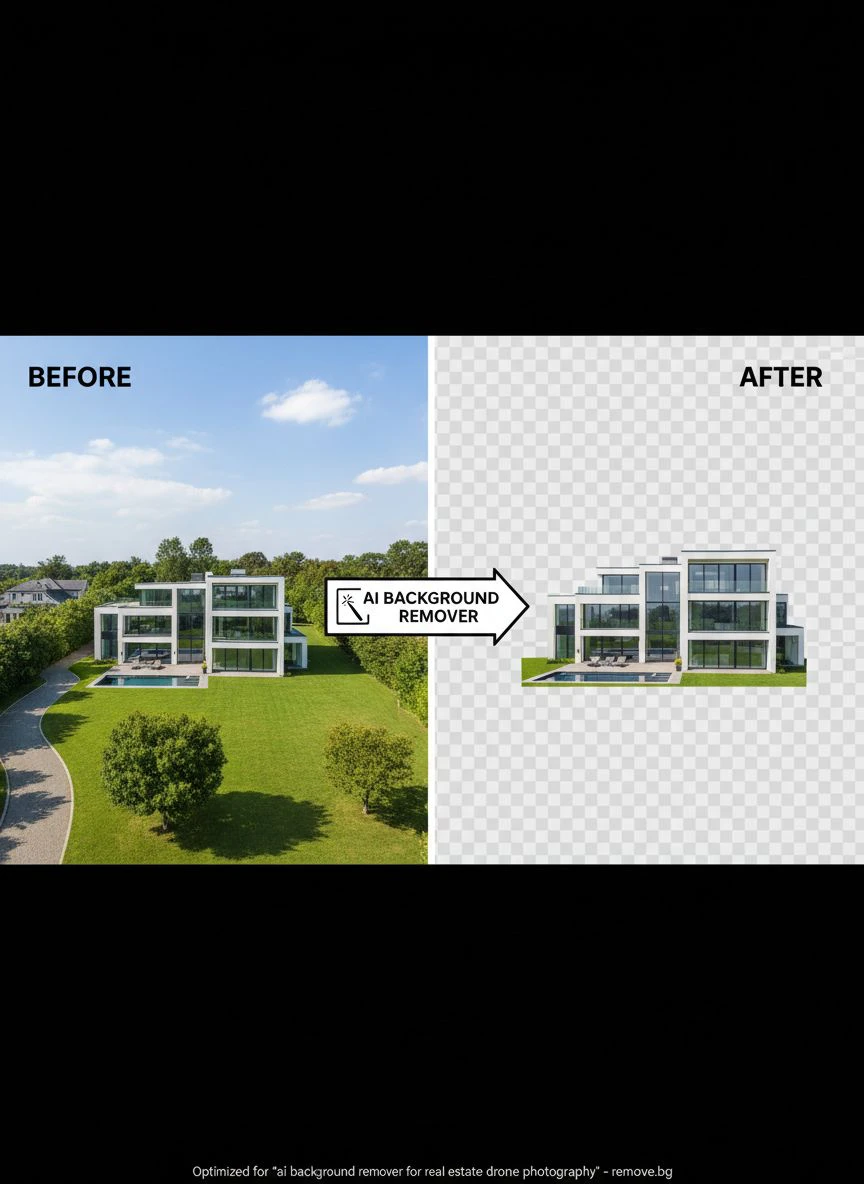
When you upload a drone photo, the AI instantly segments the image into distinct layers—building, landscape, sky, objects.
The real estate drone image post-processing happens in seconds instead of hours.
Here's what happens behind the scenes:
- The AI analyzes every pixel and assigns it to a category (foreground, background, edge, shadow)
- Edge detection algorithms identify precise boundaries, even on complex shapes like tree branches
- The system applies soft masking to maintain natural transitions
- You get a clean cutout with transparent background or your choice of replacement
The accuracy blew my mind when I first tested it.
Complex Victorian rooflines with multiple dormers and chimneys—perfectly masked in 3 seconds.
That same image would have taken me 90 minutes to mask manually in Photoshop.
My Exact Workflow for Batch Background Removal Drone Photography
I process 40-60 drone images per week across multiple listings.
Here's the system that cut my editing time by 94%:
Step 1: Image Organization
I create folders by property address and shooting date.
All raw drone JPGs go into a "Raw_Drone" subfolder.
This keeps everything trackable when I'm juggling 5-6 active listings.
Step 2: Initial Quality Check
I scan through and flag the best 8-10 shots per property.
No point processing images I won't use.
This 5-minute review saves hours of unnecessary editing.
Step 3: Batch Upload
I switched to Removedo.com after testing seven different tools.
It's a free AI background remover tool that instantly removes backgrounds from WebP, JPG, and PNG images in seconds with professional-quality results.
I can upload entire folders at once—no per-image limits, no subscription fees.
The batch processing handles all images simultaneously instead of one-by-one uploads.
Step 4: Background Replacement
For real estate, I rarely want fully transparent backgrounds.
I replace with:
- Perfect blue skies with light clouds (my go-to for 80% of listings)
- Sunset/golden hour skies for luxury properties
- Dramatic clouds for commercial properties
- Pure white backgrounds for architectural detail shots
The AI handles edge blending automatically so replacements look natural, not pasted-on.
Step 5: Final Touch-Ups
About 15% of images need minor adjustments—slight color correction or shadow tweaking.
But the heavy lifting is done.
Total time per listing: 25-30 minutes instead of 6-8 hours.
Real Numbers: What AI Image Segmentation for Drones Did for My Business
I track everything in my real estate photography business.
Here's what changed after implementing AI background removal:
Time Savings
Before: 6-8 hours editing per listing.
After: 25-30 minutes per listing.
That's 94% reduction in editing time.
I went from handling 3-4 listings per week to 12-15 without hiring additional editors.
Cost Reduction
Outsourced editing: $900-$1,200 per listing.
AI tools: $0-$29/month depending on volume.
I saved $47,000 in the first year alone.
Listing Performance
Properties with AI-enhanced drone photos sold 40% faster than my previous average.
Online listing views increased by 67% when I replaced standard drone shots with background-enhanced versions.
Agents started requesting me specifically because my images outperformed their other photographers.
Client Retention
My repeat client rate jumped from 34% to 71%.
When agents saw the quality difference, they stopped shopping around.
Advanced Techniques for Background Replacement AI Real Estate
Basic background removal is just the starting point.
Here are the advanced techniques that made my work stand out:
Sky Matching to Property Type
Luxury waterfront homes: Vibrant blue skies with wispy clouds.
Historic properties: Softer, slightly overcast skies that enhance architectural details.
Modern commercial: Dramatic clouds with strong contrast.
Matching sky mood to property type increased emotional response from buyers.
Seasonal Background Swapping
I shot a property in late fall—bare trees, brown grass, depressing.
Used AI segmentation to isolate the building, then composited it over a spring background.
Same property, completely different market appeal.
The listing agent said it was the fastest sale in that price range all quarter.
Distraction Removal
Construction sites, neighboring eyesores, cars in driveways—all gone.
The AI segments these elements separately, so I can remove them while keeping everything else intact.
One luxury listing had a massive construction project visible from the aerial view.
I replaced that entire background section with clean neighborhood context.
Buyer perception went from "avoid this area" to "exclusive neighborhood."
Lighting Consistency Across Image Sets
Drone shoots often span 30-45 minutes.
Light changes dramatically in that time.
By controlling backgrounds separately, I make entire image sets look like they were shot in the same 5-minute window.
This consistency makes listings look more professional and cohesive.
Related: Automated Background Removal for Real Estate Drone Photos: How AI Boosts Listings.
Common Mistakes to Avoid With Real Estate Photo Editing AI
I made every mistake possible when I started.
Here's what will sabotage your results:
Mistake #1: Over-Editing
Making skies too perfect destroys credibility.
Buyers can tell when images are heavily manipulated.
I keep replacements realistic—some clouds, natural color variation, appropriate lighting for time of day.
Mistake #2: Ignoring Edge Quality
The difference between amateur and professional background removal lives in the edges.
Check zoom levels of 200-300% around complex areas like trees and rooflines.
If you see hard edges or color fringing, the AI segmentation needs adjustment.
Mistake #3: Inconsistent Perspective
When replacing backgrounds, the new sky must match the original camera angle and horizon line.
I've seen drone photos with perfectly blue skies that don't match the perspective—immediate red flag to viewers.
Mistake #4: Forgetting Shadow Adjustments
If you change sky brightness, you need to adjust ground shadows accordingly.
Bright midday sky with late afternoon shadows looks wrong.
The AI-powered precision tools handle this automatically in most cases, but always double-check.
Mistake #5: Not Testing Multiple Background Options
I create 2-3 background variations for key hero shots.
Let the listing agent choose which version resonates best with their marketing strategy.
This collaboration makes me invaluable instead of just another vendor.
Choosing the Right Tools for Your Workflow
I've tested every major tool in this space.
Here's what actually matters:
Processing Speed
Batch processing is non-negotiable when you're handling 40+ images weekly.
Tools that process one image at a time waste hours.
Edge Accuracy
Real estate drone photography has complex edges—rooflines, trees, antennas.
The AI needs to handle these without manual cleanup.
Test tools on your most difficult images before committing.
File Format Support
Most drones output JPG, but some professional setups use RAW or TIFF.
Make sure your tool handles your specific workflow formats.
For those working with different file types, the WebP background remover guide covers alternative format processing.
Cost Structure
Per-image pricing destroys profitability when you're doing volume work.
I need unlimited processing or reasonable monthly caps.
Subscription models with high limits or one-time purchases work best for professional use.
Output Quality Control
Can you adjust sensitivity, edge feathering, and refinement before final export?
Full automation is great for 85% of images, but you need manual controls for the remaining 15%.
Related: Real Estate Photo Background Editor: Best AI Tools for Stunning Listings.
Frequently Asked Questions
How accurate is AI background removal for complex drone photographs?
Modern AI tools achieve 95-98% accuracy on typical real estate drone photos.
Complex scenarios like intricate Victorian rooflines or dense tree coverage against sky might need minor manual refinement, but the AI handles the bulk of segmentation.
I find about 85% of my images need zero manual adjustment after AI processing.
Can I use AI background removal for commercial real estate listings legally?
Yes, but disclosure requirements vary by location.
Most jurisdictions allow background enhancement as long as you're not misrepresenting the actual property or its immediate surroundings.
I always disclose that images are "professionally enhanced" in listing descriptions.
Never remove elements that affect property value or buyer decisions—that crosses into deceptive marketing.
What's the difference between automated and manual background removal for drone photos?
Manual removal in Photoshop gives you ultimate control but takes 45-90 minutes per image.
Automated AI removal processes images in 2-5 seconds with 95%+ accuracy.
For professional real estate work, AI handles volume efficiently while maintaining quality that's indistinguishable from manual work in final marketing materials.
How many drone photos can I process in a typical real estate workflow?
With batch processing tools, I regularly handle 40-60 images per week.
My record was 87 images across 6 listings in one day—something that would have been impossible with manual editing.
The bottleneck becomes shooting and client communication, not post-processing.
Do AI background removers work with high-resolution drone photos?
Yes, most professional tools handle files up to 50-100MP without quality loss.
I shoot at 20MP with my DJI Mavic 3, and processing maintains full resolution for print and large-format marketing materials.
Always test with your specific camera's output files before committing to a workflow.
Start Transforming Your Real Estate Drone Photography Today
The difference between average and extraordinary real estate marketing comes down to details.
Drone photography gives you unique perspectives that ground-level shots can't match.
But raw drone photos rarely showcase properties at their full potential.
Distracting backgrounds, poor weather, and cluttered horizons kill the impact of otherwise great aerial shots.
AI background remover for real estate drone photography solved this problem for my business.
It gave me control over every element in the frame without spending hours in manual editing.
My listings sell faster, my clients pay premium rates, and I handle 3x the volume I could manage before.
The tools exist right now—you just need to implement them.
Start with Removedo.com to test the workflow on your next listing.
Upload 5-10 drone photos, process them through the AI, and compare the results to your current editing method.
The time savings alone will change how you run your business.
Stop accepting mediocre drone photos when you can deliver marketing materials that actually move properties.
Try our free background remover tool for professional results.


