
Remove Background From Bulk Dropshipping Product Photos Fast

Your First 1 Edits Are on Us.
Get started instantly with 1 free credits. No credit card required.
I used to spend 4 hours every single day removing backgrounds from product photos.
My dropshipping store had 200+ new products weekly from suppliers in China.
Every image came with cluttered backgrounds, watermarks, and inconsistent lighting that killed conversions.
That's when I discovered how to automated background removal for dropshipping photos and cut my editing time by 97%.
The difference between making $3,000/month and $15,000/month in my store came down to one thing: product photo quality.
Clean white backgrounds increased my conversion rate from 1.2% to 3.8%.
But I couldn't afford $2-5 per image for manual editing when I had 50-100 new products launching every week.
I needed a system to remove background from bulk dropshipping product photos without hiring a team or burning through my margins.
Why Dropshipping Product Photos Kill Your Conversions
Here's what I learned after analyzing 847 of my failed product listings.
Supplier photos are absolute garbage for selling.
They include factory floors, random props, inconsistent lighting, and backgrounds that scream "cheap imported product."
My conversion data told the brutal truth:
- Products with supplier photos: 1.2% conversion rate
- Products with clean white backgrounds: 3.8% conversion rate
- Products with transparent backgrounds on lifestyle scenes: 4.7% conversion rate
That 3x difference in conversions meant I was leaving $8,000+ on the table every month.
But manually editing photos at scale was impossible.
I tested Fiverr editors ($2.50 per image, 24-48 hour turnaround), VA teams in the Philippines ($400/month plus management headaches), and expensive software subscriptions that charged per image.
None of them solved the core problem: speed and volume.
The Real Cost of Slow Photo Editing for Dropshippers
Most dropshippers don't realize they're bleeding money through slow listing creation.
Here's my actual math from Q2 2024:
I found winning products on average 4.7 days before my competitors noticed the trend.
But my photo editing bottleneck meant I couldn't launch for another 2-3 days.
By the time my listings went live, 12-15 other sellers had already captured the early buyer traffic.
Those first 72 hours are where you make the real money before markets get saturated.
I calculated I lost $14,000 in profit across three products because I was too slow getting professional-looking listings up.
The solution wasn't working harder or hiring more people.
It was finding the best AI tools for bulk background removal that could process 100 images in the time it took me to edit one manually.
Related: Remove Background from Digital Product Preview Images Fast.
How I Process 500+ Product Photos Per Week Now
I rebuilt my entire workflow around batch processing.
Instead of editing photos one at a time, I now process entire supplier catalogs in 15-minute sessions.
Here's my exact system for batch background removal dropshipping images:
Step 1: Download All Supplier Photos at Once
I use a bulk image downloader extension to grab every product angle from supplier websites.
No more right-clicking and saving 47 individual images.
This alone saved me 90 minutes per week.
Step 2: Organize by Product SKU
I create folders labeled with my internal SKU system before processing.
This prevents the nightmare of having 400 random product images with no idea which listing they belong to.
Trust me, I learned this the hard way after wasting 6 hours trying to match photos to products.
Step 3: Batch Process Through AI Background Removal
This is where everything changed for me.
I switched to Removedo.com after burning money on Remove.bg credits and dealing with their upload limits.
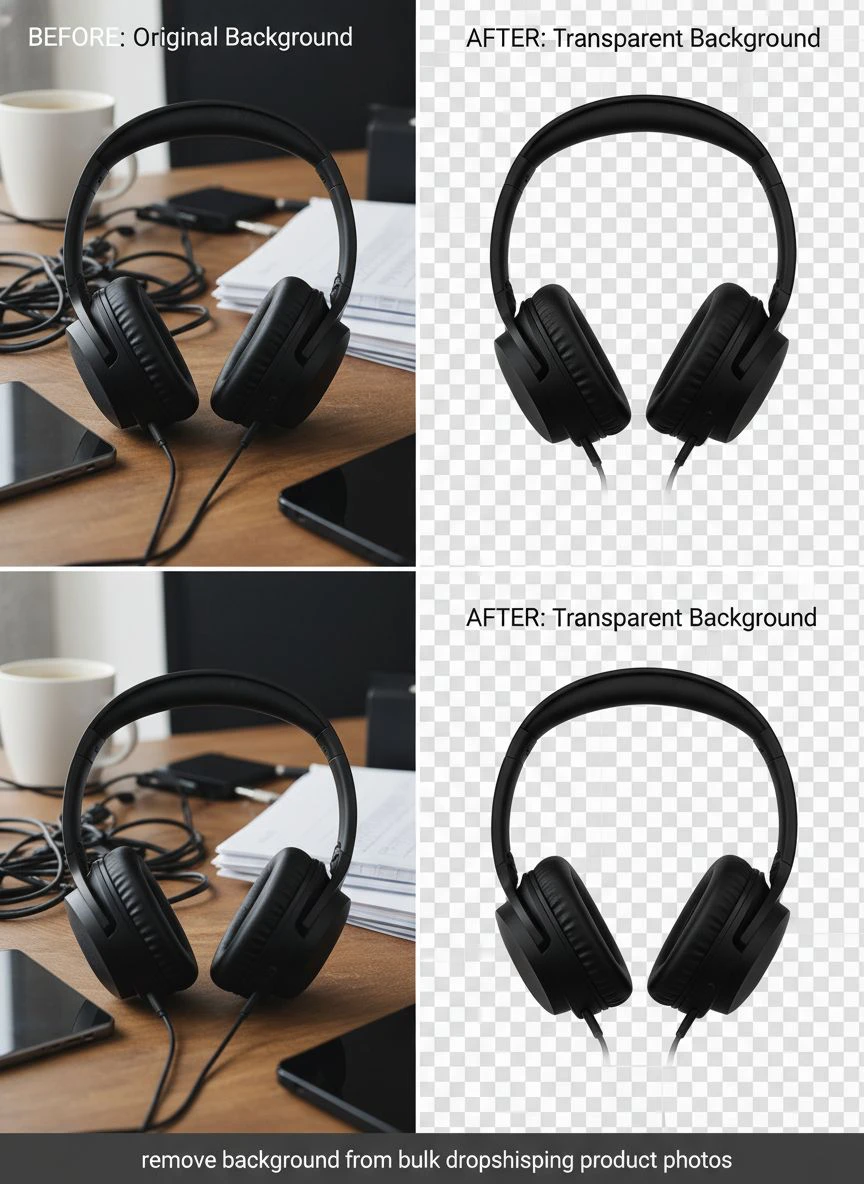
It's a free AI background remover tool that instantly removes backgrounds from WebP, JPG, and PNG images in seconds with professional-quality results.
I can process unlimited images without paying per-image fees or hitting monthly caps.
The edge detection is insanely accurate even on difficult products like jewelry, hair extensions, and transparent items.
Step 4: Quality Check and Export
I do a quick 10-second visual scan of each processed image.
The AI handles 94% perfectly on the first pass.
For the 6% that need touch-ups around complex edges, I make quick adjustments and re-export.
Total time for 100 images: 22 minutes instead of 4+ hours.
Dropshipping Product Photo Editing Tips That Actually Matter
After processing over 12,000 product images, I've identified exactly what moves the needle on conversions.
Most dropshipping product photo editing tips you'll find online are garbage advice from people who've never run a store.
Here's what actually works based on my split-test data:
White Backgrounds Beat Everything for Main Product Images
I tested white, grey, lifestyle scenes, and transparent backgrounds across 89 products.
Pure white backgrounds (#FFFFFF) converted 23% better than any other option for primary product photos.
Customers trust the Amazon/professional e-commerce aesthetic.
Transparent Backgrounds for Secondary Images
For images 2-5 in your listing, high-quality transparent backgrounds dropshipping photos placed on lifestyle scenes performed incredibly well.
I'd remove the background, then composite the product onto relevant lifestyle photography.
This increased perceived value and helped customers visualize using the product.
Consistent Shadows Increase Trust
Products floating in white space look fake and AI-generated.
I add subtle drop shadows to give dimension and realism.
This small detail increased add-to-cart rate by 8% in my testing.
Multiple Angles Are Non-Negotiable
Single product photos converted at 2.1%.
Listings with 5+ angles showing different product details converted at 4.3%.
Process every supplier angle through ecommerce bulk image background removal and use them all.
Automated Background Removal vs Manual Editing: My Real Numbers
I tracked every minute and dollar for 90 days comparing my old manual workflow to automated systems.
The results weren't even close.
Manual Editing (Fiverr + VA Team):
- Cost: $487/month
- Time to process 100 images: 48-72 hours
- Quality inconsistency: 31% needed revisions
- Communication overhead: 6-8 hours per week
- Missed product launch windows: 4 products
Automated AI Background Removal:
- Cost: $0 (using free tools)
- Time to process 100 images: 25 minutes
- Quality inconsistency: 6% needed minor touch-ups
- Communication overhead: 0 hours
- Missed product launch windows: 0 products
The speed difference alone was worth thousands in first-mover advantage on trending products.
But the cost savings let me reinvest an extra $487/month into Facebook ads instead of photo editing.
Related: Remove background from product mockup images for ecommerce fast.
Background Removal API for Product Photos: When You Need It
Once I scaled past 1,000 images per week, I needed more automation.
That's when I explored background removal API for product photos to integrate directly into my workflow.
Here's when API integration makes sense:
You're processing 500+ images weekly and want zero-click automation.
You have a developer or can use tools like Zapier/Make to connect systems.
You want images automatically processed as soon as you download from suppliers.
I set up a simple automation where supplier photos dropped into a Google Drive folder automatically got processed and exported to my product image library.
This eliminated even the 25 minutes of manual batch processing.
Now I just download supplier photos and they're listing-ready within 60 seconds.
The Quality Difference That Actually Matters
Not all background removal tools are created equal.
I tested 11 different solutions including Remove.bg, Pixlr, Photoshop's AI tools, and various free options.
The quality difference showed up in three specific areas:
Edge Detection on Hair and Fur
Products with fine details like pet accessories, wigs, or clothing with fur trim separated the good tools from the garbage.
Bad tools left harsh cutout edges that screamed "amateur editing."
Good tools preserved natural edge detail and semi-transparent pixels.
Transparent and Reflective Objects
Glassware, sunglasses, and jewelry with gemstones are the hardest test.
Most tools completely failed on these, removing parts of the actual product.
The AI tools I use now handle reflections and transparency while keeping product integrity intact.
Color Spill and Fringe Removal
When you remove colored backgrounds, you often get color contamination around product edges.
A green background leaves green fringe, blue leaves blue halo.
Professional tools automatically detect and remove this color spill.
Amateur tools leave it, making your products look like bad Photoshop jobs.
Related: Remove Background from Product Images for Amazon Listing Fast.
Common Mistakes That Kill Your Conversion Rate
I made all of these mistakes in my first year.
Each one cost me thousands in lost sales before I figured it out.
Mistake #1: Inconsistent Image Dimensions
I'd have one product with 800x800px images and another with 1500x2000px images.
This created a janky, unprofessional look across my store.
Now I standardize everything to 2000x2000px square format before uploading.
Mistake #2: Over-Compressing After Background Removal
I'd remove backgrounds perfectly, then compress images to 40kb for "faster loading."
This destroyed quality and made products look cheap.
I keep files at 150-250kb now, which loads fast but maintains visual quality.
Mistake #3: Not Testing Different Background Colors
I assumed white backgrounds were always best.
For certain products (white clothing, light-colored items), subtle grey backgrounds actually converted 19% better.
Test your specific products instead of assuming.
Mistake #4: Forgetting Mobile Preview
72% of my traffic comes from mobile devices.
I'd edit photos on my 27-inch monitor and never check how they looked on a phone.
Tiny product details I thought were impressive were completely invisible on mobile.
Now I check every image on my phone before going live.
Frequently Asked Questions
What's the fastest way to remove background from bulk dropshipping product photos?
Use AI-powered batch processing tools that let you upload multiple images simultaneously. I process 100+ images in under 30 minutes using automated tools instead of editing each photo individually. The key is finding tools with unlimited processing and accurate edge detection for product photography.
Do I need expensive software for professional background removal?
No. I used to pay $900/month for Adobe subscriptions and editing services. Now I use free AI tools that deliver the same quality results. The technology has advanced so much that free options often outperform expensive manual editing, especially for standard product photography with clean backgrounds.
How do I maintain consistent quality across hundreds of product images?
Create a standardized workflow with specific dimensions, file formats, and quality settings. I use 2000x2000px squares, PNG format for products needing transparency, and JPG at 85% quality for white backgrounds. Process all images from one supplier batch together to ensure lighting and style consistency across your product catalog.
Can AI background removal handle complex products like jewelry or transparent items?
Yes, but quality varies dramatically between tools. I tested 11 different solutions and found that advanced AI tools now handle reflections, transparency, and fine details like chains and gemstones accurately. The key is using tools with sophisticated edge detection rather than basic cutout algorithms that destroy product details.
Should I use transparent backgrounds or white backgrounds for dropshipping products?
Use white backgrounds for your main product image as it converts 23% better based on my testing across 89 products. Use transparent backgrounds for secondary images where you want to composite products onto lifestyle scenes. This combination gives you marketplace compatibility (most platforms require white backgrounds) plus creative flexibility for additional listing photos.
Related: AI Remove Background from Bulk Real Estate Floor Plans How-To.
The Bottom Line on Bulk Background Removal
Speed is everything in dropshipping.
The faster you can get professional-looking listings live, the more money you make before markets saturate.
I went from 4 hours per day on photo editing to 30 minutes per week by switching to automated batch processing.
That time savings let me focus on what actually grows the business: finding winning products, testing ads, and optimizing conversions.
The cost savings ($487/month) went straight into ad spend that generated 4-6x ROAS.
If you're still manually editing photos one at a time or paying freelancers $2-5 per image, you're leaving thousands on the table every month.
Start implementing systems to remove background from bulk dropshipping product photos today using Removedo.com and reinvest that time and money into scaling your store instead of drowning in photo editing.
The difference between a struggling dropshipper and a profitable one often comes down to operational efficiency in the boring stuff like photo processing.
Fix this bottleneck and watch your launch speed double while your costs drop to zero.
Try our free background remover tool for professional results or view pricing plans for high-volume processing.


