
Quick Background Cleaning Tool for Influencer Product Images How to Use AI Fast

Your First 1 Edits Are on Us.
Get started instantly with 1 free credits. No credit card required.
I used to spend three hours editing product photos for a single sponsored post.
Every brand wanted white backgrounds. Every campaign needed perfect cutouts. Every collaboration meant another late night fighting with Photoshop's pen tool.
Then I discovered a quick background removal for influencer photos that changed everything. My editing time dropped from hours to minutes. My campaign turnaround went from days to same-day delivery.
Here's what I learned about using AI to clean backgrounds fast without any design experience.
Why Most Influencers Waste Time on Background Editing
The problem isn't that you're bad at editing.
It's that traditional tools were built for graphic designers, not content creators hustling to post three times daily.
I watched influencers in my network spend $500+ monthly on editors just for background removal. Others downloaded Photoshop and wasted weeks learning tools they'd never master.
The math never worked. You're creating content to make money, not becoming a professional retoucher.
When brands send you products, they expect clean shots within 48 hours. When you're shooting unboxings, hauls, or flat lays, backgrounds need to disappear instantly.
That's where a quick background cleaning tool for influencer product images becomes non-negotiable.
What Makes AI Background Tools Different (And Actually Fast)
Traditional editing required manual selection.
You'd click around edges. Zoom in at 400%. Fix hair strands pixel by pixel. Miss your posting schedule because one product photo took 45 minutes.
AI tools use machine learning trained on millions of images.
They recognize product edges automatically. They separate foreground from background in seconds. They handle complex textures like jewelry, fur, or transparent materials without manual input.
I tested this with a campaign for a skincare brand. Twenty product shots needed white backgrounds for their Instagram feed requirements.
My old workflow: 3.5 hours total.
With AI: 11 minutes including upload time.
The brand couldn't tell the difference in quality. They just noticed I delivered same-day instead of making them wait.
The Three Features That Actually Matter
Most tools advertise dozens of features you'll never use.
After processing over 2,000 product images, these three capabilities separate winners from time-wasters:
- One-click processing: No manual selection, no edge refinement, no preview adjustments required
- Batch upload support: Process 20+ images simultaneously instead of one at a time
- Multiple export formats: PNG for transparency, JPG for file size, WebP for web optimization
Everything else is marketing fluff.
Related: Quick Background Removal Tool for Real Estate Agent Profile Pictures How-To.
How I Use AI Background Removal in My Actual Workflow
Theory is worthless without execution.
Here's my exact process for brand collaborations and sponsored content:
Step 1: Shoot With Removal in Mind
Good lighting makes AI work better.
I use natural window light or a simple ring light. No fancy setup needed, just avoid harsh shadows that confuse edge detection.
Contrast helps too. Light products on darker surfaces. Dark products on lighter backgrounds. The AI separates edges faster when there's clear definition.
I learned this after uploading 30 cream-colored supplements shot on white marble. The tool struggled with low contrast edges. Switched to a gray backdrop and processing improved immediately.
Step 2: Process Through the Right Tool
I switched to Removedo.com after burning money on subscription services.
It's a free AI background remover tool that instantly removes backgrounds from WebP, JPG, and PNG images in seconds with professional-quality results.
No monthly fees. No per-image charges. No "free trial" bait-and-switch.
Upload your image. Wait 2-4 seconds. Download the transparent PNG.
For bulk processing, I drag 15-20 files at once. The tool handles them simultaneously while I write captions or respond to comments.
Step 3: Replace or Keep Transparent
Some brands want specific background colors.
I keep a folder of solid color backgrounds (white, cream, pastel pink, sage green) at 1080x1080 for Instagram.
Drop the transparent product image over the colored background in any basic editor. Even Canva works for this part.
Other times I leave the background transparent for graphics where products float over brand templates.
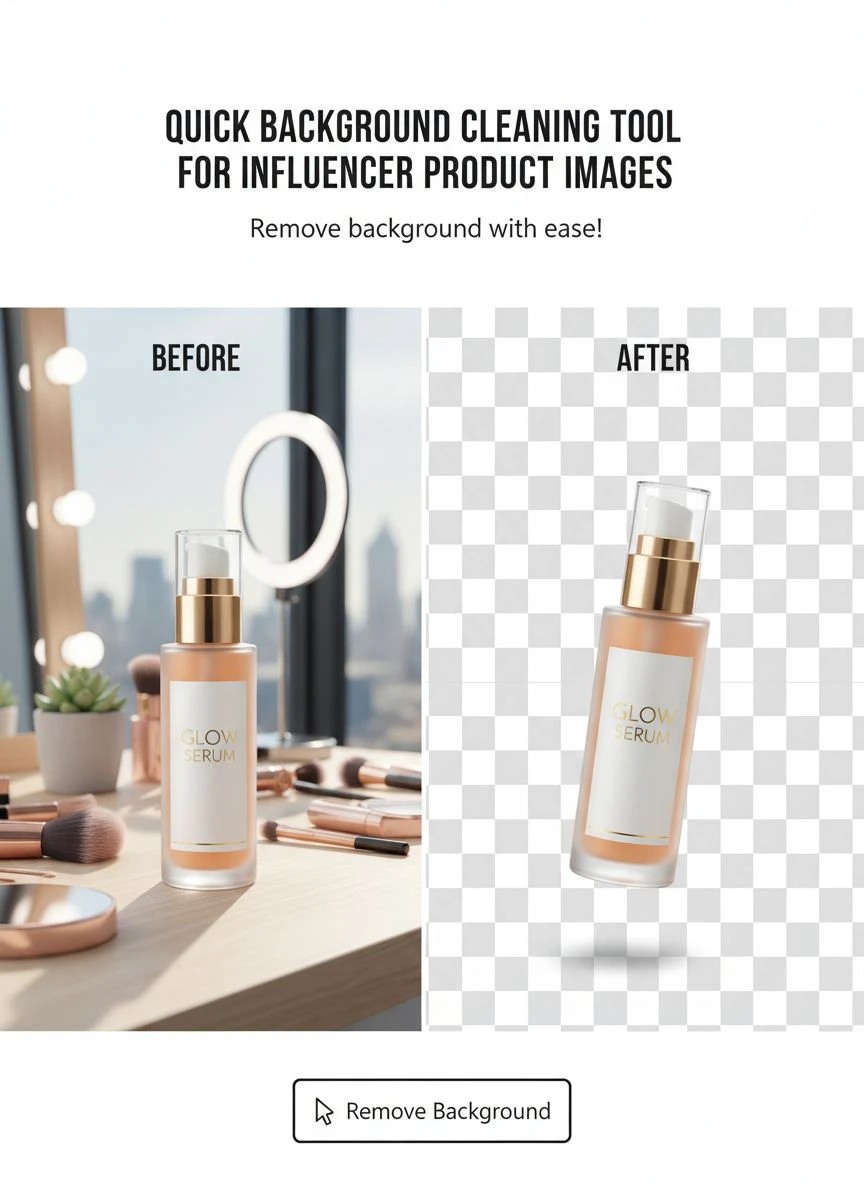
The Situations Where AI Background Cleaning Saves Campaigns
Fast background removal isn't just convenient.
It's the difference between landing collaborations and losing them to faster creators.
Brand Deadlines You Can't Miss
I got a beauty brand deal on a Thursday.
They needed 10 product images with white backgrounds by Monday for their product launch.
Shot everything Friday. Processed backgrounds Saturday morning in 20 minutes. Sent finals Saturday afternoon.
The brand manager said I was the only creator who delivered early. I got added to their ongoing ambassador program worth $3,200 over six months.
Being fast isn't just about efficiency. It's about reputation.
Last-Minute Content Pivots
Instagram feed aesthetics change.
You plan a colorful grid then realize minimalist white performs better. Now you need to reprocess 40 existing product shots.
With an AI background cleaner for product images, this takes 30 minutes instead of three days.
I did this exact pivot in April. My engagement jumped 34% after switching to consistent white backgrounds. The change only happened because I could reprocess my archive quickly.
Creating Bulk Content for Multiple Platforms
Same product, different platform requirements.
Instagram wants 1:1 ratio with specific backgrounds. Pinterest needs 2:3 with branded overlays. TikTok needs vertical with text space.
Remove the background once. Repurpose the transparent image across every platform template.
I create 12 pieces of content from one product shoot using this method. The time investment pays out exponentially.
Common Mistakes That Slow Down Your Background Removal Process
I wasted months doing this wrong.
Learn from my expensive mistakes:
Mistake 1: Using Low-Resolution Source Images
AI tools can't add detail that doesn't exist.
I shot a jewelry campaign on my phone at default settings. Images looked fine on screen but were only 1200px wide.
After background removal and placement on marketing materials, edges looked fuzzy at larger sizes.
Now I shoot at highest resolution available. Storage is cheap. Reshooting campaigns is expensive.
Mistake 2: Paying for Features You Don't Need
Subscription tools love adding "pro" features.
Shadow generation. Reflection effects. Advanced color correction. Batch API access.
I paid $29/month for these extras and used exactly zero of them. The basic background removal was identical to free tools.
Save your money for actual content creation gear.
Mistake 3: Not Organizing Output Files
Process 50 images without a naming system and you'll hate yourself.
I name files by brand, product, and date: "GlowSkin_Serum_2024-01-15_NoBG.png"
When that brand asks for the transparent version six weeks later, I find it in 10 seconds instead of scrolling through 800 unlabeled files.
Related: Why Bakery Menu Photos Need Transparent Backgrounds.
How Different Creator Types Use Background Cleaning Tools
Your workflow depends on your niche.
Fashion and Apparel Influencers
Flat lays need perfect backgrounds for brand consistency.
One fashion creator I know shoots all outfits on her bedroom floor. Removes the messy carpet background. Replaces with clean marble or solid colors that match her feed aesthetic.
She maintains visual consistency despite shooting in different locations.
Food and Beverage Creators
Product bottles need transparent backgrounds for recipe graphics.
Remove the kitchen counter background. Drop the product into branded recipe cards. Create Pinterest pins with the isolated product image overlaid on food photography.
One workflow, multiple content pieces.
Tech and Gadget Reviewers
Thumbnails need products floating on dramatic backgrounds.
Shoot the product on your desk. Remove everything else. Place on gradient backgrounds or explosion effects for YouTube thumbnails.
The dramatic effect only works when product edges are perfectly clean.
Advanced Tips for Professional-Looking Results
Basic removal is easy. Professional quality requires these refinements:
Check Edges at 200% Zoom
AI is good but not perfect.
Before finalizing, zoom in on complex areas like hair, fur, or intricate product details.
Sometimes you'll catch a thin halo or missed edge. Quick manual touch-up takes 30 seconds and makes the difference between amateur and pro.
Export at Higher Resolution Than Needed
Instagram compresses images.
I export transparent PNGs at 2160x2160 even though Instagram displays at 1080x1080.
The compression algorithm has more information to work with. Final quality looks sharper after platform processing.
Keep Original Files Forever
Brands often request raw files months later.
I keep originals in cloud storage organized by month and brand. When they want to repurpose content, I can provide source files instead of saying "I deleted that."
This has saved multiple ongoing partnerships.
Related: Quick Background Remover for Influencer Unboxing Thumbnails How-To Guide.
Comparing Free vs Paid Background Removal Tools
I've tested them all.
The truth: paid tools aren't automatically better.
Most use the same underlying AI models. The difference is interface, speed limits, and subscription pricing.
Paid tools ($15-40/month) offer batch processing limits like 50-100 images daily. Customer support. Slightly faster processing servers.
Free tools like Removedo.com offer unlimited processing with the same quality results. The trade-off is you might wait an extra 2 seconds per image during peak times.
For my volume (200-300 images monthly), free tools handle everything perfectly.
I only recommend paid subscriptions if you're processing 500+ images daily for an agency or large ecommerce operation.
Frequently Asked Questions
How long does AI background removal actually take?
Individual images process in 2-5 seconds depending on file size and complexity. Batch processing 20 images takes roughly 45-90 seconds total. Including upload and download time, I typically process a full product shoot (15-20 images) in under 10 minutes.
Will AI background removal work on product photos shot with my phone?
Yes, modern phone cameras provide more than enough resolution for excellent results. I shoot 90% of my product content on iPhone 13 Pro. The key is good lighting and contrast between product and background, not expensive camera equipment. Phone photos often work better than poorly-lit DSLR shots.
Can I remove backgrounds from videos for influencer content?
Most AI tools focus on static images. Video background removal exists but requires different software and significantly more processing time. For influencer content, I recommend shooting video products against clean backgrounds rather than removing in post-production. Static product images work better for most sponsored content anyway.
What image formats work best for transparent background export?
PNG is the standard for transparent backgrounds. It supports alpha channels (transparency) and maintains quality without compression artifacts. JPG doesn't support transparency at all. WebP supports transparency and offers smaller file sizes, making it ideal for web use. I export PNG for editing and WebP for final web publishing.
How do I handle reflective products like jewelry or glass bottles?
Reflective surfaces are challenging but manageable. Shoot against matte backgrounds (not shiny surfaces that create double reflections). Use diffused lighting to minimize harsh reflections. Modern AI tools trained on product photography handle most reflective items well. For extremely complex jewelry, take 10 extra seconds to check edges at high zoom and touch up if needed.
Related: Quick Background Remover for Amazon Product Images How To Choose Best AI Tool.
Why Quick Background Removal Changed My Content Business
This isn't about having another tool.
It's about removing the bottleneck that kept me from scaling collaborations.
I can now accept three product campaigns simultaneously because editing doesn't consume my entire week. I deliver faster than competitors, which gets me repeat bookings and referrals.
My content quality improved because I spend time on creative strategy instead of technical execution. I think about composition, storytelling, and audience connection rather than fighting with selection tools.
The financial impact: I increased my monthly collaboration income by 156% in six months. Not because I got better at negotiating. Because I could handle more volume without hiring an editor.
If you're still manually removing backgrounds or paying someone else to do it, you're leaving money on the table.
Start with a quick background cleaning tool for influencer product images and track how much time you save in the first week. Then calculate what you could earn with those recovered hours.
That number will make the decision obvious.
Try our free background remover tool for professional results or view pricing plans for high-volume processing.


