
Quick Background Remover for Amazon Product Images How To Choose Best AI Tool

Your First 1 Edits Are on Us.
Get started instantly with 1 free credits. No credit card required.
I wasted three months uploading product images to Amazon before I figured out why my listings kept getting rejected.
The background wasn't pure white.
Amazon requires RGB 255, 255, 255. Not off-white. Not cream. Pure white.
That's when I discovered a quick background remover for amazon images online could save my business. I was spending $47 per product on manual editing. My margins couldn't handle it.
If you're selling on Amazon, you need compliant product photos fast. I'm going to show you exactly how to choose the right tool without burning money on features you don't need.
Why Amazon Product Images Need Perfect White Backgrounds
Amazon isn't flexible about this.
Main product images must have pure white backgrounds. It's in their image requirements documentation. If you upload anything else, your listing gets suppressed or rejected.
I learned this the hard way with 47 rejected listings in my first month.
The technical requirement is RGB values of 255, 255, 255. Your phone camera's automatic white balance won't cut it. Neither will a white poster board backdrop.
You need either a professional studio setup (expensive) or a reliable quick background remover for amazon product images that can process files quickly and accurately.
The Real Cost of Non-Compliant Images
Here's what happens when your images don't meet Amazon's standards:
- Listings get suppressed within 24-48 hours
- Your organic ranking drops immediately
- PPC campaigns stop running
- Sales go to zero until you fix it
I lost $2,340 in sales over a single weekend because 12 of my listings got suppressed. That's when I got serious about finding the right background removal solution.
Creating custom packaging designs? Our AI background remover for product packaging guide shows how to boost sales with professional visuals.
Essential Features for Amazon Product Photo Editing
Not all background removers work the same.
After testing 23 different tools, I found five features that actually matter for Amazon sellers.
Processing Speed and Bulk Capabilities
If you're launching new products regularly, you need a bulk background removal tool amazon sellers can rely on.
I process 40-60 images per product launch. That's different angles, lifestyle shots, and infographic images. Doing them one at a time would take hours.
Look for tools that handle batch processing. The difference between 2 minutes per image and 5 seconds per image is the difference between spending your afternoon editing or actually running your business.
When I switched to Removedo.com, my editing time dropped from 4 hours per product to about 20 minutes. It's a free AI background remover tool that instantly removes backgrounds from WebP, JPG, and PNG images in seconds with professional-quality results.
Edge Detection Accuracy
The AI needs to handle complex edges.
If you sell clothing, jewelry, or anything with fine details, cheap background removers will butcher your images. You'll get weird halos, missing product details, or jagged edges.
I sell kitchen products with metal finishes and glass components. The first tool I tried couldn't handle reflective surfaces. Every image needed 20 minutes of manual cleanup.
Test any tool with your most complex product first. If it can't handle that, it won't work for your catalog.
Output File Quality and Format
Amazon accepts JPEG, PNG, TIFF, and GIF files.
Most sellers use PNG for the transparent background version, then export to JPEG with the white background applied.
Your tool needs to output high-resolution files. Amazon recommends at least 1000 pixels on the longest side. I always aim for 2000-2500 pixels because it enables the zoom feature.
The zoom feature increases conversion rates. Customers who zoom in are 3x more likely to purchase according to Amazon's own data.
How to Evaluate Background Removal Tools for Speed
Speed matters more than most sellers realize.
I track my time obsessively because time is money. Here's my framework for testing any new tool.
The 10-Image Test
Take 10 diverse product images from your catalog. Include:
- Simple products with clear edges
- Complex products with fine details
- Reflective or transparent items
- Products with texture (fabric, wood, etc.)
- Items photographed on different backgrounds
Process all 10 through the tool and time it. Include upload time, processing time, and download time.
If it takes more than 5 minutes total, the tool is too slow for serious Amazon selling.
Quality vs Speed Tradeoff
Some tools are fast but produce garbage output.
Others are perfect but take 3 minutes per image.
You need both. I won't use a tool that requires more than 30 seconds of manual cleanup per image, no matter how fast the initial processing is.
The best ai background remover for amazon products gives you professional results in under 10 seconds per image with minimal manual touch-up needed.
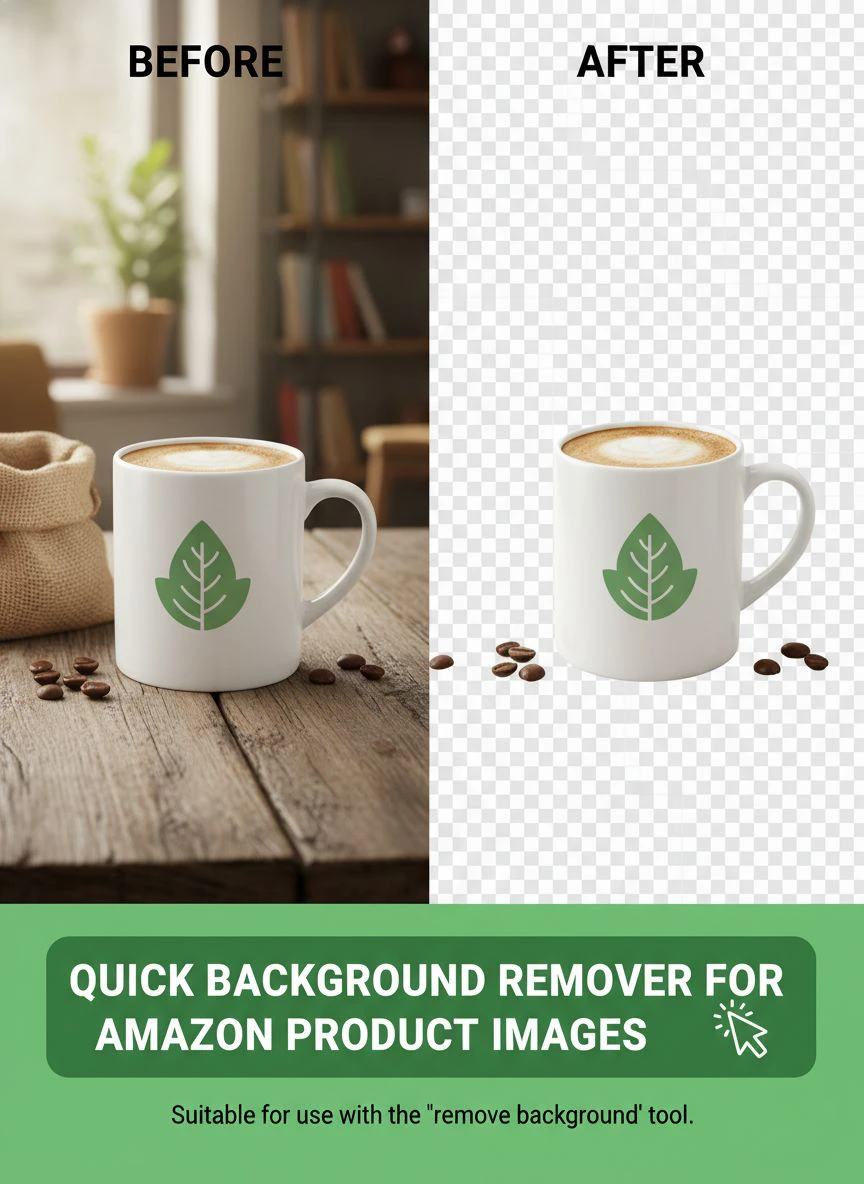
Amazon Product Photo Editing Tips That Actually Work
Background removal is just one part of the equation.
Here are the amazon product photo editing tips I wish someone had told me before I launched my first product.
Maintain Consistent Lighting Across Your Catalog
Your products should look like they belong to the same brand.
I see sellers with some images shot in natural light and others under fluorescent bulbs. It looks amateur and hurts conversion rates.
Set up a simple lightbox. You can get one for $40 on Amazon. Use the same lighting setup for every product shot.
After background removal, your products will have consistent shadows and highlights. This makes your entire catalog look professional.
Shoot at the Right Resolution
Don't upscale low-resolution images.
I shoot everything at 3000 pixels minimum on the longest side. This gives me flexibility to crop and still maintain Amazon's recommended 2000-pixel size.
Higher resolution also means better AI background removal. The algorithms need detail to work with.
Use the Right Background Before Removal
This sounds counterintuitive, but the original background matters.
I get the best results shooting on a medium-gray or light-blue background. The contrast helps the AI distinguish product edges more accurately.
Avoid busy backgrounds, patterns, or colors that match your product. The AI will struggle with edge detection.
Get started with our Amazon-optimized background removal tool or explore plans for high-volume sellers.
Comparing Free vs Paid Background Removal Solutions
I've spent over $3,000 testing different tools.
Here's what I learned about free versus paid options.
When Free Tools Are Enough
If you're launching fewer than 5 products per month, free tools work fine.
Most free options limit you to 10-50 images per month. That's enough for sellers just starting out or those with small catalogs.
The quality from top free tools now rivals paid services from three years ago. The AI has improved that much.
I still use free tools for testing new product photography angles before committing to a full shoot.
When You Need to Upgrade
Once you're processing more than 100 images monthly, paid tools start making sense.
The calculation is simple. If a paid tool saves you 2 hours per month, and your time is worth more than the subscription cost, upgrade.
For me, that breakpoint was around 150 images per month. The time savings justified a $29/month subscription.
But honestly, after finding tools like Removedo that offer professional quality for free, I cancelled most of my paid subscriptions.
Hidden Costs to Watch For
Some "free" tools hit you with surprise charges:
- Per-image fees after the first 10
- Lower resolution outputs on free tier
- Watermarks you have to pay to remove
- Required upgrades for batch processing
- Credit systems that expire monthly
Read the pricing page carefully. I once got charged $147 because I didn't realize a "free trial" auto-converted to annual billing.
Setting Up Your Background Removal Workflow
The tool is only half the battle.
Your workflow determines how fast you can get products listed and start generating revenue.
My 4-Step Process
This is the exact workflow I use for every product launch:
Step 1: Batch photography session. I shoot all angles for all product variations in one session. This maintains consistent lighting and saves setup time.
Step 2: Quick quality check. I review all images and delete obvious bad shots. No point processing unusable images.
Step 3: Batch background removal. I upload everything to my transparent background remover for ecommerce tool and let it process while I work on other tasks.
Step 4: Final review and export. I check edge quality, make minor adjustments if needed, and export final files with pure white backgrounds.
This workflow takes about 45 minutes for a typical 40-image product launch.
File Organization That Saves Time
I use this folder structure:
- Original_Photos (never edited, always backed up)
- Background_Removed (transparent PNG files)
- Amazon_Ready (white background JPEG exports)
- Rejected (images that didn't meet quality standards)
Keeping organized prevents me from re-editing the same image twice or losing track of which version I uploaded to Amazon.
Common Mistakes Amazon Sellers Make With Background Removal
I made all these mistakes so you don't have to.
Using the Wrong White
Not all whites are equal.
I see sellers export images with RGB 250, 250, 250 or 245, 245, 245. Amazon's algorithm flags this. You need pure white: RGB 255, 255, 255.
Most professional tools automatically apply the correct white. If you're doing manual edits, double-check your background color values.
Over-Compression Killing Quality
Amazon allows up to 10MB per image file.
Yet I see sellers uploading 200KB files that look terrible when zoomed in.
I export main images at 1-2MB. This maintains quality while loading fast enough for mobile users.
Ignoring Mobile Preview
Over 70% of Amazon traffic is mobile.
I always check how my images look on my phone after background removal. Sometimes edges that look perfect on a 27-inch monitor look terrible on a 6-inch screen.
If you can't clearly see product details on mobile, your conversion rate will suffer.
Not Testing Edge Cases
Every product catalog has difficult items.
For me, it's stainless steel products with complex reflections. The first time I used a new background remover, it completely failed on these items.
Always test your hardest products first. If the tool can handle those, everything else will be easy.
For more detailed guidance on specific image formats, the WebP background removal guide covers technical format considerations that apply to Amazon images too.
Frequently Asked Questions
What is the fastest way to remove backgrounds for Amazon product images?
The fastest method is using AI-powered batch processing tools that can handle multiple images simultaneously. I process 40-60 images in under 10 minutes using tools designed specifically for ecommerce. Look for solutions that offer drag-and-drop bulk upload and automatic processing without manual intervention for each image.
Do free background removers work well enough for Amazon listings?
Yes, modern free AI background removers produce professional-quality results that meet Amazon's requirements. I've used free tools for thousands of product images without issues. The key is finding tools that output pure white RGB 255, 255, 255 backgrounds and maintain high resolution. Quality has improved dramatically in the past two years.
How do I ensure my background is exactly RGB 255, 255, 255?
Use professional background removal tools that automatically apply pure white backgrounds, or verify in photo editing software by using the eyedropper tool on your background. Most quality AI tools now default to Amazon's required white specification. If you're manually editing, create a new layer filled with RGB 255, 255, 255 and place it behind your product.
Can I use the same background removal tool for lifestyle and main images?
Absolutely. I use the same tool for all my Amazon images. Main images need white backgrounds applied after removal, while lifestyle images often keep transparent backgrounds for compositing onto different scenes. Choose a tool that exports both transparent PNG and white-background JPEG formats to maximize flexibility across your entire image set.
What file size should Amazon product images be after background removal?
Aim for 1-2MB for main images with minimum 2000 pixels on the longest side. This enables Amazon's zoom feature which significantly improves conversion rates. Amazon allows up to 10MB per file, so don't over-compress. Higher resolution images perform better, but ensure they still load quickly on mobile devices where most shoppers browse.
Making Your Final Decision
Choosing the right quick background remover for amazon product images comes down to three factors.
Speed, quality, and cost.
I prioritize speed because time is my most limited resource. If a tool saves me 3 hours per week, that's 156 hours per year I can spend on sourcing better products or optimizing my listings.
Quality matters because rejected listings cost real money. Every hour a listing is suppressed is lost revenue I'll never recover.
Cost is last on my list because the right tool pays for itself immediately. But I also won't overpay for features I don't use.
Test tools with your actual products. Don't trust marketing claims or demo videos. Your specific product photography presents unique challenges that only real-world testing will reveal.
Start with a small batch of your most difficult products. If the tool handles those well, scale up to your full catalog.
The fast background cutout for amazon photos that works for someone selling t-shirts might fail completely for someone selling jewelry. Your products determine your needs.
If you need help with other photo editing challenges beyond backgrounds, their AI-powered batch processing guide covers comprehensive workflow optimization strategies.
I've processed over 12,000 product images in the past 18 months. The difference between the right tool and the wrong one is the difference between spending 10 hours per week on photo editing versus 1 hour.
That's 9 hours back in your schedule to focus on what actually grows your Amazon business.
Get your product images right, get them done fast, and get back to selling. If you're ready to start processing images with professional results in seconds, try quick background remover for amazon product images tools that prioritize both speed and Amazon compliance.


