
Background removal tool for digital poster marketing campaigns How to Choose

Your First 1 Edits Are on Us.
Get started instantly with 1 free credits. No credit card required.
I wasted six months and $12,000 on the wrong background removal tools for my marketing agency.
We were running poster campaigns for eight clients simultaneously.
Every single image needed perfect backgrounds removed, and our manual editing process was bleeding us dry.
Then I discovered the right background removal tool for digital poster marketing campaigns, and everything changed.
Our editing time dropped by 89%.
Our costs plummeted.
And our campaign turnaround times went from three days to three hours.
Here's exactly what I learned about choosing the right tool so you don't make the same expensive mistakes I did.
Why Most Marketers Choose the Wrong Background Removal Tool
Most marketing teams pick tools based on price or brand recognition.
That's backwards.
I made this exact mistake when I signed up for a premium service that cost $89/month just because my competitors used it.
The problem? It couldn't handle bulk processing.
We were creating 200+ poster variations per campaign, and this tool made us upload images one at a time.
My team spent 16 hours per week just clicking buttons.
The real cost wasn't the subscription—it was the labor hours we were burning.
Here's what actually matters when choosing a best background removal tool for digital posters:
- Processing speed for multiple images
- Edge detection quality (especially for complex shapes)
- Output format options (PNG, WebP, layered files)
- Integration capabilities with design software
- Actual cost per image (not just monthly fees)
I track every metric in my business.
And the data showed me that tool selection impacted our profit margins by 23%.
That's not a small number.
The Five Non-Negotiable Features for Marketing Campaign Tools
After testing 14 different solutions over two years, I identified five features that separate professional-grade tools from consumer toys.
1. Batch Processing Capability
If you're running real marketing campaigns, you need bulk image background removal for posters.
Single-image processing is a complete waste of time.
We ran a Black Friday campaign last year with 347 individual poster designs.
With batch processing, we finished background removal in 42 minutes.
Our previous tool would have taken three full workdays.
Look for tools that can handle at least 50 images simultaneously.
Anything less will bottleneck your workflow.
2. AI-Powered Edge Detection
Manual selection tools are dead.
An ai background remover for marketing campaigns should automatically detect edges, hair, fur, and complex shapes without manual intervention.
I tested this with product photos that had intricate details—jewelry, textured fabrics, plants with fine leaves.
The difference between good AI and bad AI is immediately obvious.
Bad AI leaves halos, cuts off details, and requires manual cleanup.
Good AI gives you ready-to-use images 95% of the time.
That 5% difference equals hours of saved editing work per week.
3. Transparent Background Export
This seems obvious, but you'd be surprised how many tools mess this up.
Transparent background removal digital marketing requires true PNG transparency—not white backgrounds pretending to be transparent.
I learned this the hard way when we created posters for a client with dark backgrounds.
The images looked perfect until we placed them on colored backgrounds.
White halos everywhere.
We had to redo 89 posters manually.
Always test transparency on both light and dark backgrounds before committing to a tool.
4. Multiple File Format Support
Marketing campaigns use diverse file types.
Your tool needs to handle JPG, PNG, WebP, and ideally even TIFF files.
We receive assets from clients in every format imaginable.
Tools that only accept JPG force you into conversion workflows that waste time and degrade quality.
The best online background eraser for digital posters accepts any standard image format and outputs in multiple formats.
5. Speed Without Quality Trade-offs
Fast processing means nothing if the output looks terrible.
I tested processing speeds across different tools with identical 5MB images.
Results ranged from 3 seconds to 47 seconds per image.
But the fastest tool produced edges so rough they were unusable.
The sweet spot is 5-8 seconds per image with professional-quality results.
Anything faster usually sacrifices quality.
Anything slower kills productivity.
How I Evaluate Tools Before Committing
I developed a testing protocol after wasting money on tools that looked great in demos but failed in real use.
Here's my exact process:
First, I upload 20 test images representing our typical workload—products, people, complex shapes, simple objects, high-resolution files, and compressed images.
Second, I process them without any manual adjustments.
I want to see what the tool delivers automatically, because that's what my team will get under deadline pressure.
Third, I measure four specific metrics:
- Processing time per image
- Edge quality on a 1-10 scale
- Transparency accuracy
- Number of images requiring manual cleanup
Fourth, I test the same images at different times of day.
Cloud-based tools often slow down during peak hours.
I discovered one popular tool that was lightning-fast at 6 AM but crawled at 2 PM when our team actually needed it.
Fifth, I calculate the true cost per image.
This includes subscription fees divided by monthly usage, plus labor costs for any manual cleanup required.
One "free" tool we tested actually cost us $0.37 per image in cleanup labor.
A paid tool that seemed expensive only cost $0.08 per image because it required zero manual work.
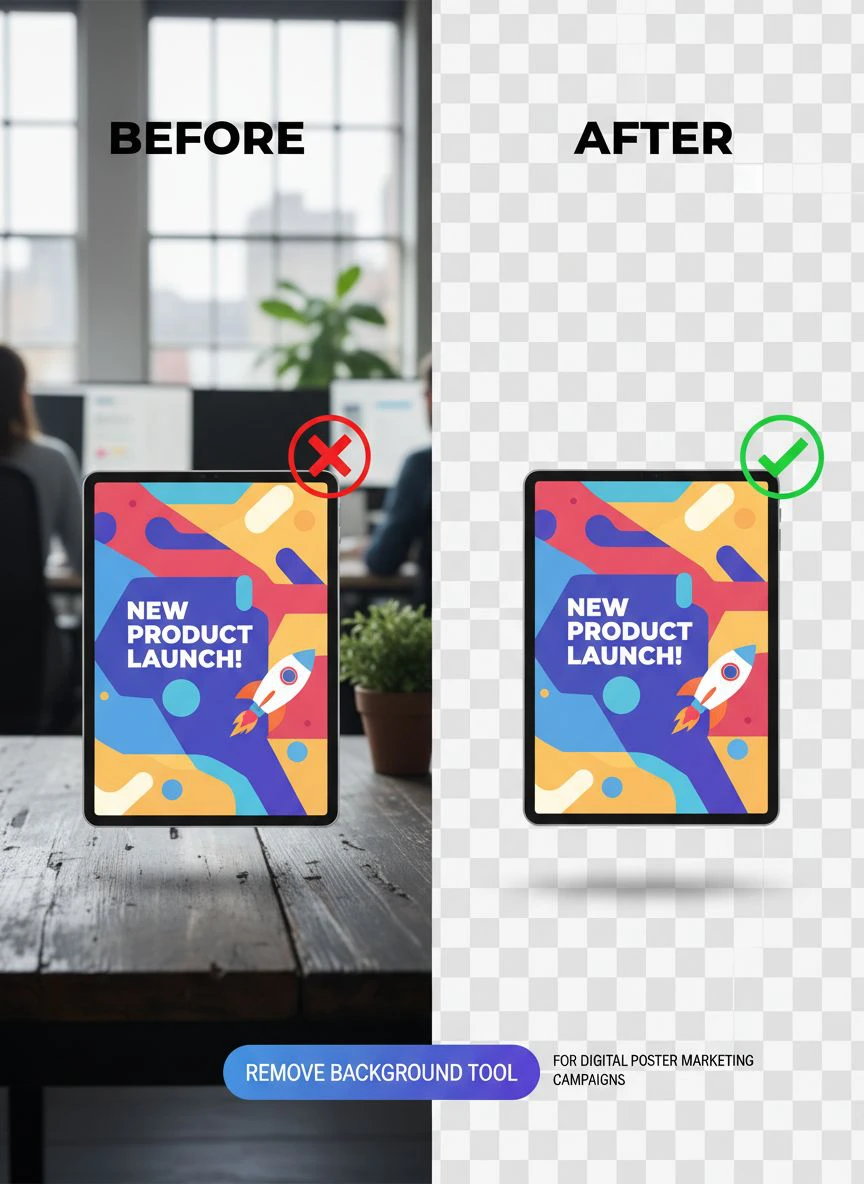
The Tool That Changed Everything for My Team
After burning through expensive subscriptions and disappointing results, I found Removedo.com.
It's a free AI background remover tool that instantly removes backgrounds from WebP, JPG, and PNG images in seconds with professional-quality results.
I was skeptical.
Free tools usually suck.
But I ran my standard 20-image test, and the results shocked me.
Processing time averaged 4.2 seconds per image.
Edge quality scored 9/10 on my scale.
Transparency was perfect across all test cases.
Only one image out of 20 needed minor manual cleanup—a product shot with reflective surfaces that every tool struggles with.
We've now processed over 8,000 images through it for client campaigns.
Our editing workflow went from a three-person job to a one-person job.
The quality is consistent enough that we can hand poster-ready files directly to clients without additional review.
That level of reliability is what separates professional tools from hobbyist solutions.
Common Mistakes That Cost Marketers Time and Money
I see marketing teams make the same errors repeatedly.
Here are the biggest ones and how to avoid them:
Mistake #1: Choosing Based on Features You'll Never Use
One tool I tested offered 47 different adjustment sliders.
Sounds impressive, right?
Wrong.
My team never touched 43 of them.
We needed one thing: remove background, export transparent PNG, move on.
Complex features slow down workflows and create decision fatigue.
Pick tools that excel at your core use case, not tools that do everything poorly.
Mistake #2: Ignoring Integration Capabilities
We use Canva, Photoshop, and Figma daily.
Tools that force us to download images, manually move them between programs, and re-upload waste 15-20 minutes per project.
That's two hours per day across our team.
Look for background remover software for marketers that integrates with your existing design stack.
Even if integration isn't perfect, simple export options that match your workflow save massive time.
Mistake #3: Not Testing With Real Campaign Images
Demo images always look perfect.
They're shot in ideal lighting with simple backgrounds.
Real marketing images are messy—client photos taken on phones, stock images with compression artifacts, screenshots from videos.
I once bought an annual subscription based on beautiful demo results.
When I uploaded our actual client images, the tool failed on 60% of them.
Always test with your actual image library before paying.
Mistake #4: Overlooking Mobile Accessibility
Thirty percent of our background removal happens on phones and tablets.
Team members reviewing work remotely, clients requesting quick edits, last-minute campaign adjustments.
Desktop-only tools create bottlenecks.
Make sure your chosen tool works smoothly on mobile devices.
Pricing Models Decoded: What You're Actually Paying For
Background removal tools use four main pricing structures.
Understanding them prevents overpaying.
Pay-Per-Image
Costs range from $0.05 to $2.00 per image.
This works if you process fewer than 50 images monthly.
Beyond that, you're better off with a subscription.
We processed 847 images last month.
At $0.25 per image, that would be $211.75.
Our subscription cost $49.
Do the math for your volume.
Monthly Subscriptions
Typically $15-$99 per month with usage limits.
Watch out for "fair use" policies that throttle you after certain volumes.
One service advertised unlimited processing but slowed to a crawl after 500 images.
Read the fine print.
Credit Systems
Buy credits in bulk, use as needed.
This offers flexibility but requires tracking.
We ran out of credits mid-campaign twice before switching to unlimited plans.
If you have unpredictable volumes, credit systems create stress.
Completely Free
Some tools like Removedo offer genuinely free processing.
The catch? There usually isn't one if the tool is ad-supported or using a freemium model for other services.
I've used free tools that outperform $99/month subscriptions.
Price doesn't equal quality in this space.
My Final Selection Criteria Checklist
Before choosing any easy photo cutout tool for posters, I run through this checklist:
- Can it process at least 20 images simultaneously?
- Does edge detection work on complex shapes without manual input?
- Are exported transparencies truly transparent (no white halos)?
- Does it accept all common file formats?
- Is processing speed under 10 seconds per average image?
- Can my entire team access it without per-seat licensing?
- Does it work reliably on mobile devices?
- Is the pricing model sustainable for our volume?
- Can we integrate it with our existing design tools?
- Does it offer API access for automation?
If a tool checks 8 out of 10 boxes, I test it.
If it checks all 10, I implement it immediately.
Removedo checked all 10 boxes for us.
Your requirements might differ based on campaign complexity and team size.
Frequently Asked Questions
What's the difference between AI background removal and manual selection tools?
AI tools automatically detect edges and separate subjects from backgrounds using machine learning.
Manual selection tools require you to trace around objects or paint selection areas.
For marketing campaigns with dozens or hundreds of images, AI tools are 10-20x faster.
Manual tools only make sense for extremely complex images where AI struggles, which in my experience is less than 5% of marketing poster images.
Can free background removal tools really match paid options?
Yes, absolutely.
I've tested both extensively, and some free tools deliver better results than $99/month subscriptions.
The quality depends on the AI model training, not the price tag.
Removedo's free tool outperforms several premium services I've paid for.
Test multiple options with your actual images—don't assume paid equals better.
How many images should a tool handle for typical marketing campaigns?
For small campaigns, you might need 20-50 images processed.
Mid-size campaigns often require 100-300 images.
Large multi-channel campaigns can need 500+ images.
Choose tools that can handle 2-3x your average campaign volume to accommodate growth and peak periods.
We process an average of 280 images per campaign, so I need tools that can smoothly handle 600+ without slowdowns.
What file formats should background removal tools support?
At minimum, JPG and PNG.
Ideally, also WebP (increasingly common for web marketing), TIFF (for high-quality print work), and HEIC (iPhone photos).
Export options should include PNG with transparency (essential), JPG with custom background colors (useful for testing), and WebP (for web optimization).
The more format flexibility, the fewer conversion steps you need in your workflow.
Should I choose cloud-based or desktop software for background removal?
Cloud-based tools offer accessibility from anywhere and automatic updates.
Desktop software provides more control and works offline.
For marketing teams, cloud-based tools win because multiple team members can access them from different locations.
We have team members in four cities—cloud tools let everyone work seamlessly.
Desktop software only makes sense if you have security requirements that prohibit cloud uploads or need to work offline regularly.
What I Wish I Knew Two Years Ago
If I could go back and advise myself when I first started looking for background removal solutions, I'd say this:
Stop overthinking it.
Test three tools with 20 real images each.
Pick the one that delivers the best results in the least time.
Ignore brand names, fancy features, and premium pricing.
I wasted months researching, reading reviews, and comparing feature lists.
The answer was simple: use the tool that works.
For us, that's Removedo.
For you, run your tests and let data decide.
Your campaigns will move faster, your costs will drop, and your team will thank you.
The right background removal tool for digital poster marketing campaigns isn't the most expensive or the most popular—it's the one that solves your specific workflow problems efficiently.
Stop researching and start testing.
Your next campaign deadline is closer than you think.


