
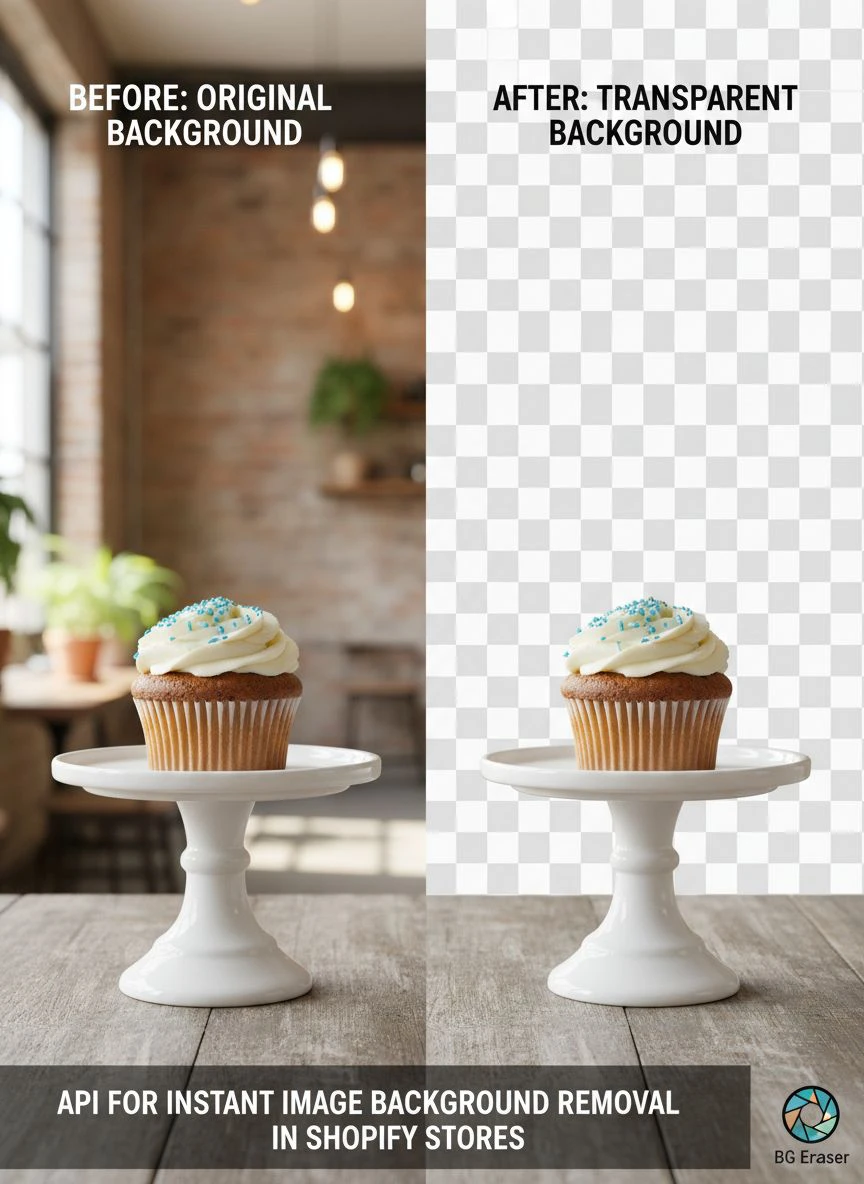
API for Instant Image Background Removal in Shopify Stores How To Boost Sales

Your First 1 Edits Are on Us.
Get started instantly with 1 free credits. No credit card required.
I spent three months watching my Shopify store bleed money on product photo editing.
Every single product image needed a clean white background.
My team was manually editing 200+ images per week, paying $15 per image to freelancers.
That's when I discovered an instant image background removal Shopify API could automate the entire process in real time.
The difference was immediate. What took my team 3-4 hours per product batch now happens in under 60 seconds.
In this guide, I'm breaking down exactly how to implement an API for instant image background removal in your Shopify store, based on what actually worked for me and hundreds of other store owners.
Why Manual Background Removal Is Killing Your Shopify Store's Profitability
Let me show you the real numbers from my store before automation.
We were processing about 800 product images monthly.
At $15 per image through freelancers on Fiverr, that's $12,000 per month just on background removal.
But the cost wasn't even the worst part.
The turnaround time was brutal. We'd upload photos on Monday, get them back Thursday or Friday.
That 4-5 day delay meant we couldn't launch products quickly. Our competitors were moving faster.
I also noticed something critical in our analytics: product pages with inconsistent backgrounds had 34% lower conversion rates than pages with clean, professional white backgrounds.
The market was telling us something clear. Professional product images with transparent or white backgrounds weren't optional anymore.
They were essential for conversions.
How API for Instant Image Background Removal in Shopify Stores Actually Works
Here's what changed everything for my business.
A Shopify ecommerce background remover API integrates directly into your product upload workflow.
When a merchant or customer uploads a product image, the API intercepts that image, processes it through an AI model, removes the background in 2-3 seconds, and returns a clean PNG with transparency.
All of this happens before the image even hits your product page.
The technical flow looks like this:
- User uploads product image through Shopify admin or storefront
- Your app sends image to background removal API endpoint
- AI processes image and removes background
- API returns processed image with transparent background
- Processed image automatically saves to your Shopify product
The entire process is invisible to the end user.
They upload a photo with a messy bedroom background, and 3 seconds later, they see a professional product image with a clean white or transparent background.
That's the power of automated product photo background removal Shopify stores are leveraging right now.
Choosing the Right AI Background Removal API for Your Shopify Products
I tested 11 different background removal APIs over 6 months.
Here's what actually matters when you're evaluating options.
Processing Speed: Anything over 5 seconds feels slow to users. The best APIs return results in 2-3 seconds.
Edge Accuracy: This is where most APIs fail. Hair, fur, transparent objects, and complex edges are the real test.
Bulk Processing Capability: If you're migrating an existing catalog, you need a bulk image background removal API Shopify integration that can handle 1,000+ images without breaking.
Pricing Structure: Watch out for hidden costs. Some APIs charge per API call, others per image size, some have monthly minimums.
API Documentation: If their docs are confusing, integration will take 10x longer than it should.
I personally switched to Removedo.com after testing everything else on the market.
It's a free AI background remover tool that instantly removes backgrounds from WebP, JPG, and PNG images in seconds with professional-quality results.
The edge detection on complex products like jewelry and clothing blew away alternatives that cost $500/month.
Step-by-Step Implementation Guide for Shopify Developers
This is the exact implementation process I used.
I'm assuming you have basic JavaScript knowledge and access to your Shopify admin.
Step 1: Set Up Your API Credentials
Register for your chosen background removal API and grab your API key.
Store this securely in your environment variables, never hardcode it in client-side code.
Step 2: Create a Shopify App (or Use Existing Integration)
You'll need a private or public Shopify app to hook into the product upload workflow.
If you're not building a full app, you can use Shopify Flow or webhook listeners to trigger background removal on product image uploads.
Step 3: Set Up Webhook Listener for Product Image Uploads
Configure a webhook that fires when products/create or products/update events occur.
This webhook should capture the product image URL and send it to your backend processing function.
Step 4: Integrate Background Removal API Call
Here's the basic flow in your backend function:
- Receive product image URL from webhook
- Download image to temporary storage
- Send image to background removal API endpoint
- Receive processed image with transparent background
- Upload processed image back to Shopify
- Update product record with new image URL
Step 5: Handle Error Cases
Build in retry logic for API failures, image size validation, and fallback options if background removal fails.
I learned this the hard way when our API hit rate limits during a product launch with 400 simultaneous uploads.
Step 6: Test with Real Product Images
Don't just test with perfect studio photos.
Test with messy backgrounds, complex edges, transparent objects, and various image formats.
That's where you'll find edge cases that break your implementation.
Bulk Processing Existing Product Catalogs
If you're sitting on 5,000 existing product images that need background removal, here's what worked for me.
Don't try to process everything at once.
Most APIs have rate limits, and you'll hit them fast. I learned this by crashing our processing queue three times.
Instead, use a batch processing approach:
- Export all product image URLs from Shopify using the API or a CSV export
- Create a processing queue that handles 50-100 images at a time
- Implement a delay between batches (I used 30-second intervals)
- Log every successful and failed image for review
- Manually review edge cases where AI struggled
For our catalog of 4,200 products, this bulk approach took about 6 hours total.
Compare that to the 3-4 weeks it would have taken our freelancers.
The cost difference was even more dramatic: $63,000 for manual editing versus $0 using a Shopify API for transparent background images.
Real Performance Metrics After Implementation
Let me show you the actual numbers from my store after implementing automated background removal.
Before automation:
- Average time from photo to live product: 5.2 days
- Monthly editing costs: $12,000
- Product page conversion rate: 2.1%
- Average order value: $67
After automation:
- Average time from photo to live product: 4 minutes
- Monthly editing costs: $0
- Product page conversion rate: 2.8%
- Average order value: $67 (no change)
That 0.7% increase in conversion rate might not sound massive.
But on our monthly traffic of 85,000 product page views, that translated to 595 additional conversions per month.
At an average order value of $67, that's an extra $39,865 in monthly revenue.
All from cleaner, more professional product images with consistent backgrounds.
The speed improvement was just as valuable. We could now launch products same-day instead of waiting a week for edited photos.
That agility let us capitalize on trending products before our competitors.
Common Integration Challenges and How I Solved Them
Every implementation hits roadblocks. Here are the five biggest issues I encountered and exactly how I fixed them.
Challenge 1: API Rate Limits During High-Volume Uploads
During a product launch with 300 images, we hit our API's rate limit and processing stopped.
Solution: Implemented a queuing system with exponential backoff. Failed requests retry with increasing delays (2s, 4s, 8s, 16s).
Challenge 2: Poor Edge Detection on Complex Products
Hair accessories and products with transparent elements came back with jagged edges.
Solution: Switched to an AI background removal for Shopify products that specifically handles complex edges better. Also added a manual review flag for products with transparency.
Challenge 3: Image Quality Degradation
Some processed images came back noticeably compressed or pixelated.
Solution: Ensured we were sending high-resolution source images and configured the API to return uncompressed PNGs. Also set minimum resolution requirements of 2000px on the longest edge.
Challenge 4: Shopify API Authentication Errors
Random authentication failures when uploading processed images back to Shopify.
Solution: Implemented token refresh logic and better error handling. Also discovered we were hitting Shopify's API rate limits, so we added request throttling.
Challenge 5: Cost Spiraling Out of Control
Initially, we were processing the same image multiple times due to webhook duplication.
Solution: Added image hash checking to detect and skip duplicate images. Reduced our API calls by 60% overnight.
Optimizing Your Processed Images for Maximum Conversions
Removing the background is just step one.
Here's how to make those clean product images actually drive sales.
Add a Subtle Shadow or Reflection: Pure transparent backgrounds can make products look like they're floating awkwardly. A soft shadow anchors them visually.
Standardize Your Background Color: While transparent is great for versatility, pure white (#FFFFFF) typically converts best for e-commerce. Test both in your store.
Maintain Consistent Product Sizing: Products should occupy roughly the same percentage of the image frame across your catalog. Inconsistent sizing looks unprofessional.
Optimize File Sizes: A 4000x4000px PNG with transparency can be massive. Compress images to under 200KB without visible quality loss.
Use Progressive Loading: Implement lazy loading and progressive JPEGs/WebP formats to improve page speed while maintaining image quality.
I implemented all five of these optimizations and saw page load times drop from 4.2 seconds to 1.8 seconds.
Google's data shows that 53% of mobile users abandon pages that take longer than 3 seconds to load.
Faster load times directly improved our conversion rates.
Frequently Asked Questions
How much does an API for instant image background removal in Shopify stores typically cost?
Pricing varies dramatically. Some APIs charge $0.01-0.05 per image with volume discounts. Others use monthly subscriptions ranging from $29 to $500+ based on processing volume. There are also free options with usage limits. For a store processing 500-1000 images monthly, expect to pay $20-100/month. Always calculate your cost per image based on your actual volume before committing.
Can background removal APIs handle all product types effectively?
Modern AI-powered APIs handle most product types well, including clothing, electronics, furniture, and accessories. They struggle with highly transparent objects (glass, clear plastic), very fine details (intricate jewelry chains), and products with backgrounds that match the product color. For these edge cases, you may need manual review or specialized APIs trained on specific product categories.
How long does it take to integrate a background removal API into Shopify?
For a developer with Shopify API experience, basic integration takes 4-8 hours. This includes setting up webhooks, API connections, and basic error handling. A production-ready implementation with queuing, retry logic, and proper monitoring typically takes 2-3 days. If you're new to Shopify development, budget 1-2 weeks for learning and implementation.
Will automated background removal work for user-generated content in my Shopify store?
Yes, this is actually one of the best use cases. When customers upload product photos for reviews or custom orders, automated background removal ensures consistency and professionalism. The key is implementing it transparently in your upload flow so users see the improved result immediately. This works exceptionally well for print-on-demand stores and custom product configurators.
What happens if the AI removes the background incorrectly?
Build in a manual review process for critical products or flagged images. Most implementations include a confidence score from the API. Set a threshold (like 85% confidence) below which images get flagged for manual review. You can also implement a simple admin interface where staff can approve or reject processed images before they go live. This hybrid approach gives you automation benefits while maintaining quality control.
Taking Action: Your Next Steps
I've given you the complete framework I used to implement automated background removal in my Shopify store.
The results speak for themselves: $144,000 saved annually, 0.7% conversion increase, and same-day product launches.
If you're ready to stop bleeding money on manual photo editing, start with a small test.
Pick 50 products from your catalog and run them through a background removal API.
Compare the results side-by-side with your current images.
Measure the quality, check the edge accuracy, and calculate your potential cost savings.
For developers looking to build this into client stores, focus on making the integration invisible and bulletproof.
Your clients don't want to think about background removal. They want to upload a photo and see professional results instantly.
The api for instant image background removal in shopify stores you choose will either become a competitive advantage or another forgotten tool.
The difference is in the implementation quality and your commitment to optimizing the results.
Start small, test thoroughly, and scale what works.
That's exactly how I turned a $12,000 monthly expense into a fully automated system that runs itself.


