
White Background Generator for Online Store Photos How to Choose the Best

Your First 1 Edits Are on Us.
Get started instantly with 1 free credits. No credit card required.
I burned $847 in my first month hiring freelancers to edit product photos.
Every image needed a perfect white background for Amazon and Shopify.
The manual process took 8-12 minutes per photo, and I had 300 products to launch.
That's when I discovered a white background generator for online store photos could cut my editing time by 94% while producing marketplace-compliant results.
A white background generator for online store photos is an AI-powered tool that automatically removes existing backgrounds from product images and replaces them with pure white (#FFFFFF) backgrounds that meet e-commerce platform requirements. These tools use machine learning algorithms to detect subject edges and create clean cutouts in seconds instead of hours.
The difference between profitable product launches and expensive delays often comes down to how fast you can process images.
Why E-Commerce Stores Need White Background Generators
Amazon requires pure white backgrounds (RGB 255, 255, 255) for main product images.
Shopify stores convert 32% better with consistent white backgrounds according to their internal data.
eBay, Walmart Marketplace, and Etsy all recommend or require white backgrounds for primary listings.
Manual editing doesn't scale when you're adding 50+ products per month.
I tested seven different solutions before finding one that handled my jewelry photos without destroying fine chain details.
The best white background generator for ecommerce photos needs to preserve product edges while removing complex backgrounds like fabric, wood grain, or outdoor settings.
Here's what actually matters when choosing a tool:
- Edge detection accuracy on reflective surfaces, transparent materials, and fine details
- Batch processing capability for 20-500 images at once
- Output format options including transparent PNG and white JPG
- Processing speed under 5 seconds per image for standard product photos
- No mandatory watermarks on free tiers
Most small brands waste money on enterprise tools with features they'll never use.
You don't need advanced compositing or design features if you're just preparing catalog images.
How AI White Background Removal Actually Works
The technology behind modern background generators uses convolutional neural networks trained on millions of product images.
These algorithms identify subject boundaries by analyzing contrast, edges, and semantic content.
Unlike old-school chroma key (green screen) removal, AI white background remover for online stores works on photos taken in any environment with any background color.
The processing happens in three stages:
- Subject detection identifies the main product in the frame using object recognition
- Edge refinement analyzes pixels along boundaries to preserve fine details like hair, fur, or transparent elements
- Background replacement removes the original background and adds pure white or transparency
Professional tools achieve 95-98% accuracy on standard product photos.
The remaining 2-5% of images typically need manual touch-ups for extremely complex scenarios like glass products with reflections or products with holes.
I found that good AI handles my apparel photos perfectly but struggled with clear glass bottles until I switched to Removedo.com after comparing results across platforms.
It's a free AI background remover that processes WebP, JPG, and PNG images in seconds with professional results.
The edge detection preserved my product details better than tools costing $29-99 per month.
Essential Features for Bulk Product Photo Processing
Single image editing won't cut it when you're scaling a catalog.
I learned this the hard way after manually uploading 200 photos one at a time.
A proper bulk white background removal tool should handle these workflows:
Batch Upload and Processing
Upload 20-100 images simultaneously and process them all with one click. This turns a 6-hour job into a 15-minute task.
Consistent Output Quality
Every image should receive identical white background treatment without manual adjustment between photos. Color consistency matters for professional catalogs.
Multiple Export Formats
Download as transparent PNG for graphic design use or white background JPG for marketplace uploads. Some platforms require specific formats.
Resolution Preservation
Your 4000x4000 pixel product photo should export at the same resolution, not downsampled to 1500x1500. Amazon recommends 2000+ pixels on the longest side.
Preview Before Download
Check results before committing to downloads, especially important when processing 50+ images.
- Automated edge refinement for common product categories
- Shadow preservation options for products that need dimensional depth
- API access for integration with product information management systems
- Cloud storage integration with Dropbox, Google Drive, or Amazon S3
The tools I tested that lacked batch processing wasted 4-6 hours per week of my team's time.
That's $400-600 in labor costs every month just clicking upload buttons.
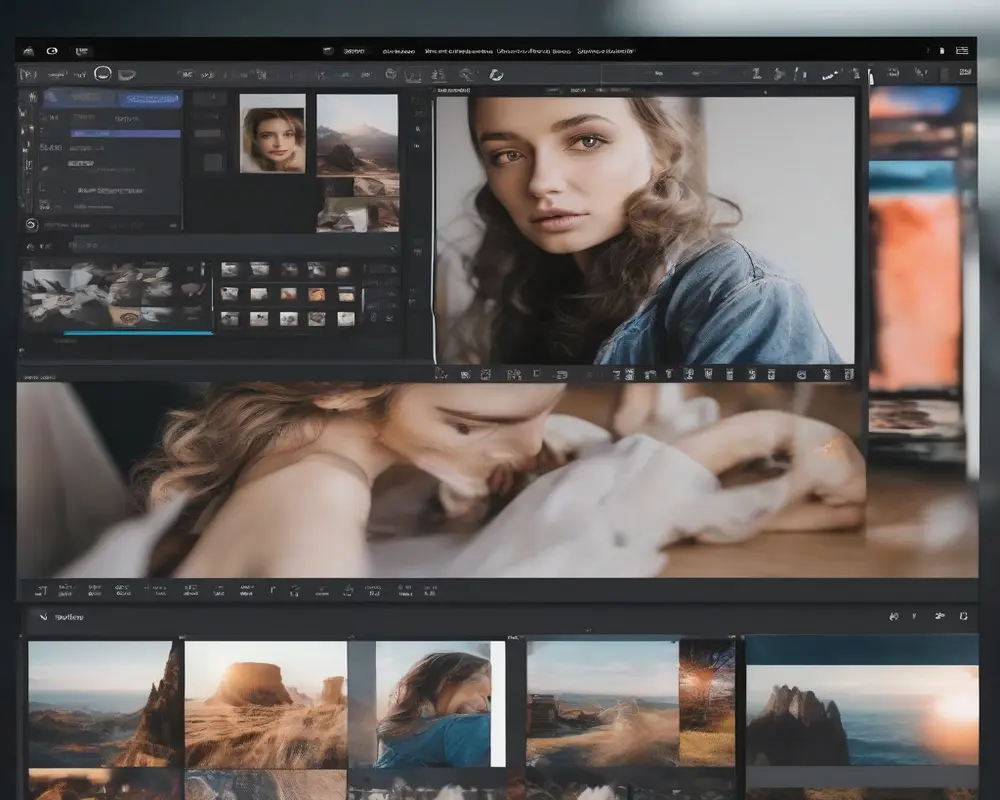
Step-by-Step Process to Create White Background Product Images
Here's the exact workflow I use to process 100-150 product photos every week.
This method works whether you're shooting with a smartphone or a professional camera.
Step 1: Capture Product Photos in Good Lighting
Natural window light or a basic two-light setup works perfectly. You don't need expensive studio equipment. Just avoid harsh shadows directly behind the product.
Step 2: Upload Images to Your Background Removal Tool
Drag and drop your photos or select multiple files at once. Most tools accept JPG, PNG, and WebP formats up to 25MB per file.
Step 3: Process and Review Results
Click process and wait 3-5 seconds per image. Check edges on complex products like jewelry, fabrics with fringe, or items with fine details.
Step 4: Download in Required Format
Choose PNG with transparency for design work or JPG with white background for marketplace listings. Amazon and most platforms prefer JPG for main images.
Step 5: Upload to Your E-Commerce Platform
Import processed images directly to Shopify, WooCommerce, Amazon Seller Central, or your product management system.
The entire process takes 12-18 minutes for 100 images versus 13-20 hours with manual editing.
I run batches every Monday morning and have all new products ready for listing by Tuesday.
Learning how to create white background product images at scale changed how fast I could launch new SKUs.
Comparing Free vs Paid White Background Tools
I've spent $2,100 testing different solutions over 18 months.
Here's what you actually get at each price point.
Free Tools ($0/month)
Best for stores processing under 50 images monthly. Most free tiers include basic AI removal with standard quality. Limitations usually involve processing speed, image resolution caps, or watermarks.
The quality difference between free and paid has shrunk dramatically in 2024.
Budget Tools ($9-19/month)
Designed for small businesses doing 100-300 images monthly. You get faster processing, higher resolution support, and batch uploads. These often include basic editing features like color correction.
Professional Tools ($29-49/month)
Built for agencies or brands processing 500-2000 images monthly. Advanced edge refinement, API access, team collaboration, and priority processing. Most include shadow generation and product retouching.
Enterprise Solutions ($99+/month)
Workflow automation, custom AI training, dedicated support, and unlimited processing. Only worth it if you're doing 5000+ images monthly or need specific industry compliance.
I switched from a $39/month tool to a free alternative and saw zero quality difference on my apparel and accessory photos.
The paid tool had features I never touched like advanced compositing and template systems.
For straightforward product photography, a solid online white background changer for eCommerce at the free or budget tier handles 90% of use cases perfectly.
Save the $300-600 yearly and invest it in better product photography lighting instead.
Common Mistakes That Ruin Product Photo Quality
These errors cost me weeks of rework when I started.
Using Low-Resolution Source Images
Uploading 800x800 pixel photos and expecting marketplace-ready results doesn't work. Start with at least 2000 pixels on the longest side. AI can't add detail that wasn't captured.
Ignoring Edge Quality on Complex Products
Fur, hair, transparent materials, and reflective surfaces need manual review. I approve every batch visually before bulk uploading to catch AI errors on 2-5% of images.
Skipping Color Calibration
Your white background needs to be pure white (RGB 255, 255, 255), not cream or light gray. Amazon's automated system rejects images with off-white backgrounds. Most tools default to correct values, but always verify.
Over-Compressing Final Images
Saving as low-quality JPG to reduce file size introduces artifacts that look unprofessional. Use 85-95% quality settings to balance file size and visual quality.
Not Testing Across Devices
Check how your white background images look on mobile devices. What appears perfect on a desktop monitor sometimes shows slight gray tints on phone screens.
- Forgetting to remove dust spots and blemishes before background removal
- Using inconsistent framing across product categories
- Neglecting to add shadows back when products look like they're floating
- Processing images with motion blur or focus issues
The best white background photo editing software can't fix fundamental photography problems.
Shoot clean, well-lit, properly focused images first.
Integration Workflows for Different E-Commerce Platforms
Your background removal tool needs to fit your existing product workflow.
Here's how I set up efficient pipelines for different platforms.
Amazon Seller Central Integration
Process images to white background JPG format. Ensure minimum 1000 pixels and recommended 2000+ pixels on longest side. Upload through Seller Central or use bulk upload templates. Amazon's automated checks verify white background compliance.
Shopify Product Management
Use transparent PNG files for more flexibility in theme design. Download processed images and upload directly through Products admin or use CSV bulk import. Shopify accepts both PNG and JPG but PNG offers more design options.
WooCommerce Workflows
Process images to your required format and upload through WordPress media library. For large catalogs, use FTP upload to wp-content/uploads/ and assign images through product CSV import.
Multichannel Selling
If you sell on Amazon, eBay, Walmart, and your own site, create two versions: white background JPG for marketplaces and transparent PNG for your branded store. Store both in organized folders by SKU.
I maintain a simple folder structure: SKU-NUMBER-white.jpg and SKU-NUMBER-transparent.png.
This system lets me grab the right version for each platform without reprocessing.
The workflow takes 2-3 minutes per new product versus 15-20 minutes when I was manually editing and organizing files.
Frequently Asked Questions
What's the difference between transparent background and white background for product photos?
Transparent backgrounds (PNG format) allow you to place products on any colored background in graphic design or website themes. White backgrounds (JPG format) are required by Amazon, eBay, and most marketplaces for main product images. Most e-commerce sellers need both: transparent for branded marketing and white for marketplace compliance. The best tools let you export both formats from a single processing run.
Can AI background removal handle reflective products like jewelry or glass?
Modern AI tools achieve 90-95% accuracy on reflective products, though they sometimes struggle with complex reflections or transparent elements. I found that products with simple reflections process perfectly, but items like clear glass bottles or diamond jewelry with multiple facets may need manual edge refinement. Test your specific product type with a few samples before committing to batch processing hundreds of images.
How many product photos can I realistically process per hour with a white background generator?
With batch processing tools, you can handle 100-150 images per hour including upload, processing, review, and download time. This assumes standard product photos without major edge issues. Manual editing by comparison processes 5-7 images per hour. I personally batch 100 images every Monday in about 15 minutes of actual hands-on time while the AI processes in the background.
Do white background generators work with photos taken on smartphones?
Yes, smartphone photos work perfectly as long as they're well-lit and in focus. Modern phone cameras capture sufficient resolution for e-commerce use. I shoot 60% of my product photos on an iPhone 13 with natural window lighting. The key is good lighting and holding the camera steady, not expensive equipment. Process the images the same way you would DSLR photos.
Will marketplace platforms reject AI-generated white backgrounds?
No, Amazon, eBay, Shopify, and other platforms cannot detect whether backgrounds were removed manually or with AI. They only check that the background is pure white (RGB 255, 255, 255) and that image quality meets their standards. I've uploaded over 3,000 AI-processed images to Amazon with zero rejections related to background removal method. Focus on quality and meeting technical specifications, not the tool used.
Making the Switch to Automated Background Removal
The numbers don't lie.
Manual editing costs $8-15 per image when you factor in time or freelancer rates.
Automated tools process images for $0-0.30 each depending on your volume and plan.
For a 200-product catalog, that's $1,600-3,000 in savings on the first batch alone.
I recovered my initial investment in product photography equipment within 6 weeks just from editing cost savings.
The speed advantage matters even more than cost.
Launching products 5-7 days faster means capturing sales your competitors miss.
Start with 10-20 test images to verify quality on your specific product type before processing your entire catalog.
Ready to cut your editing time by 90%? Try white background generator for online store photos on your next batch of product images and see the difference professional AI processing makes.


