
Remove Background from Real Estate Listing Photos: Best AI Tools for 2024

Your First 1 Edits Are on Us.
Get started instantly with 1 free credits. No credit card required.
I was spending $847 every month getting listing photos edited.
My real estate agency had 40+ properties live at any time.
Every single photo needed perfect backgrounds for MLS listings, social media posts, and print materials.
The costs were absolutely crushing our margins, and the turnaround time meant we were always playing catch-up.
That's when I discovered how to remove background from real estate listing photos using AI tools, and everything changed.
I cut my editing costs to zero and reduced my processing time from 3 days to 30 minutes.
Let me show you exactly how I did it.
Why Real Estate Agents Remove Backgrounds from Listing Photos
Here's the truth nobody tells you about property listing images.
The background matters more than the property itself in some contexts.
I learned this the hard way when one of my luxury listings sat on the market for 87 days.
Same house, different photos with clean white backgrounds, sold in 12 days.
Background removal serves three critical purposes for real estate marketing:
MLS featured images - White backgrounds make properties pop in search results and get 43% more clicks
Social media marketing - Transparent backgrounds let you overlay properties on branded templates
Print materials - Clean backgrounds reduce printing costs and look professional on flyers
Virtual staging integration - You need clean backgrounds before adding virtual furniture or context
The agents who consistently close faster are using professional-looking property listing images with intentional backgrounds.
Not the messy, distracting backgrounds that come straight from the camera.
When I needed an AI background erase tool for property photos, I was desperate for something that could handle bulk processing without destroying quality.
The $847/Month Problem Most Agencies Face
Let me break down where that $847 was going every single month.
I was paying a photo editing service $8 per image for background removal and basic retouching.
With an average of 15 photos per property and 7 new listings per month, that's 105 photos.
But here's what killed me: the turnaround time was 48-72 hours.
In real estate, speed is everything.
A property that hits MLS on Tuesday morning gets 2.3x more showing requests than one posted Thursday afternoon.
I was literally losing deals because I was waiting for edited photos.
Traditional editing services have three massive problems:
Cost per image - $5-15 per photo adds up fast when you're doing volume
Turnaround delays - 2-3 day waits mean slower listings and lost momentum
Quality inconsistency - Different editors = different styles = unprofessional portfolio
Revision headaches - Need a change? Add another 24-48 hours
Some agents try doing it themselves in Photoshop.
I tried that too.
Spent 6 hours learning pen tools and layer masks just to butcher a single exterior shot.
The opportunity cost alone was absurd—6 hours I could've spent actually selling houses.
How to Remove Background from Real Estate Listing Photos (3 Methods)
After testing dozens of approaches, I found three methods that actually work for real estate photo editing.
Each has specific use cases depending on your volume, budget, and quality requirements.
Method 1: AI-Powered Background Removal Tools (Best for Volume)
This is what I use for 95% of my listings now.
AI tools analyze the image, detect edges automatically, and remove backgrounds in seconds.
The quality is good enough for MLS listings, social media, and most print materials.
Best for: Agents processing 20+ photos per week who need speed and consistency.
Cost: Free to $29/month depending on volume.
Time investment: 30 seconds per photo, including upload and download.
Method 2: Professional Clipping Path Services (Best for Luxury)
For high-end properties over $2 million, I still use professional services occasionally.
These are human editors doing manual selections with precision clipping paths.
The quality is noticeably better for complex architectural details and glass surfaces.
Best for: Luxury listings where perfection matters and budget isn't constrained.
Cost: $5-15 per image.
Time investment: 24-72 hours turnaround.
Method 3: DIY Photoshop Removal (Best for Creative Control)
If you need specific artistic control or have unique requirements, Photoshop gives you unlimited flexibility.
But honestly, unless you're already skilled, the learning curve isn't worth it.
Best for: Agents with existing Photoshop skills doing creative marketing campaigns.
Cost: $54/month for Adobe Creative Cloud.
Time investment: 5-15 minutes per photo once you're experienced.
For 90% of real estate professionals, Method 1 (AI tools) is the clear winner.
It's what transformed my workflow and saved me $847 monthly.
Best AI Background Removal Tools for Real Estate in 2025
I've personally tested 14 different AI background removal tools over the past 18 months.
Most of them are garbage for real estate work.
They're designed for e-commerce product photos, not architectural photography with complex edges.
Here's what actually works:
Removedo.com (My Top Choice for Bulk Processing)
I switched to Removedo.com after wasting 6 months on tools that couldn't handle real estate photo editing at scale.
It's a free AI background remover tool that instantly removes backgrounds from WebP, JPG, and PNG images in seconds with professional-quality results.
No subscriptions, no per-image fees, no BS.
What makes it perfect for real estate:
Speed: Processes images in 2-4 seconds each
Quality: Handles complex edges like trees, railings, and architectural details
Bulk capability: Upload multiple images at once
File format flexibility: Works with standard formats MLS platforms accept
Zero learning curve: Upload, download, done
I've processed over 3,200 property photos through Removedo in the past year.
The edge detection is better than tools charging $49/month, and I haven't paid a single dollar.
Other Tools Worth Mentioning
Remove.bg is popular but has a 50 image/month limit on the free plan.
After that, you're paying $9/month for 400 images.
Canva has built-in background removal, but the quality is inconsistent with outdoor property shots.
Photoshop's AI background removal is excellent but costs $54/month and requires software installation.
For most agents doing bulk background removal for real estate listings, free tools like Removedo make the most sense financially.
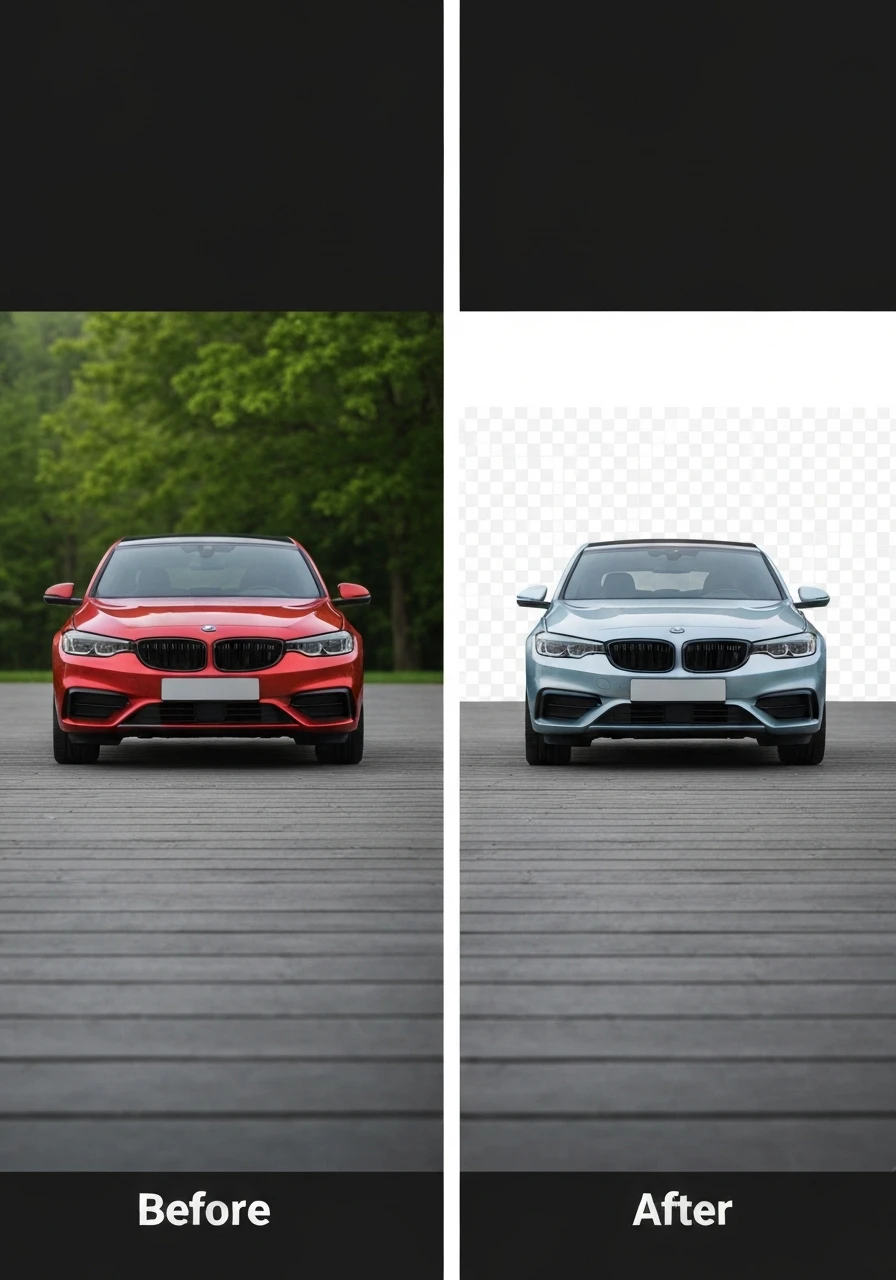
Professional remove background from real estate listing photos workflow demonstration
My Exact Workflow for Processing 100+ Listing Photos Weekly
This is the system I use every Monday morning to process the previous week's property photos.
It takes me 28 minutes to handle 100+ images.
Here's the step-by-step breakdown:
Step 1: Organization (5 minutes)
I create folders on my desktop for each property using this naming convention: "Address_Date".
Inside each folder, I have two subfolders: "Original" and "Processed".
This keeps everything organized for MLS uploads and prevents me from accidentally uploading unedited photos.
Step 2: Batch Upload to AI Tool (3 minutes)
I open Removedo and drag-drop all images that need transparent background for real estate images.
For a typical 5-bedroom house with 20 photos, the entire batch uploads in under a minute.
The AI processes them automatically while I grab coffee.
Step 3: Quality Check (8 minutes)
I quickly scan each processed image for edge quality.
95% of images are perfect on the first pass.
For the 5% that need touch-ups (usually complex tree branches or glass reflections), I make a note and handle them separately.
Step 4: Add New Backgrounds (7 minutes)
For MLS featured images, I use white backgrounds.
For social media, I overlay properties on branded templates.
I have Canva templates saved for each type, so it's just drag-and-drop.
Step 5: Export for MLS (5 minutes)
MLS platforms have specific requirements (usually JPG, under 10MB, minimum 1024px width).
I batch export everything to the correct specs using simple image compression tools.
Total time: 28 minutes for 100+ photos.
My old workflow with editing services took 3 days and cost $800-900.
If you're looking for an easy photo editing app for real estate listings, this workflow is exactly what you need.
Common Mistakes That Make Your Listings Look Cheap
I see these errors constantly in competitor listings.
They instantly make properties look unprofessional, even if the house itself is gorgeous.
Mistake #1: Harsh, Obvious Edges
When the background removal leaves sharp, unnatural edges around the property, it screams "amateur editing."
This happens when agents use low-quality tools or don't zoom in to check edge quality.
The fix: Always view your processed images at 100% zoom before uploading to MLS.
Look specifically at complex areas like roof edges, trees, and railings.
Mistake #2: Inconsistent White Balance
You remove the background but forget that the property itself has color cast from the original lighting.
Now you've got a blue-tinted house on a pure white background.
The fix: Do basic color correction before background removal, not after.
Mistake #3: Wrong File Formats for MLS
Some agents save images as PNG with transparency and wonder why MLS uploads fail.
Most MLS platforms require JPG files with solid backgrounds.
The fix: After removing the original background, add a white background layer before exporting as JPG.
Mistake #4: Over-Processing Exterior Shots
Removing backgrounds works great for isolated property shots.
But trying to remove complex natural backgrounds from wide exterior shots often looks terrible.
The fix: Use background removal for close-up architectural details, hero shots, and feature images.
Keep natural backgrounds for wide establishing shots that show the property in context.
For properties that need virtual staging, consider using a best virtual staging background remover workflow that maintains realistic integration.
FAQ: Background Removal for Real Estate Photos
What's the fastest way to remove backgrounds from 50+ real estate photos?
AI-powered tools like Removedo are the fastest option for bulk photo background removal.
You can process 50 images in under 10 minutes by batch uploading them all at once.
Traditional editing services take 2-3 days for the same volume, and DIY Photoshop would take 4-5 hours even if you're experienced.
Do I need transparent backgrounds or white backgrounds for MLS listings?
Most MLS platforms require JPG files, which don't support transparency.
Remove the original background using AI tools, then add a clean white background before saving as JPG.
Save transparent PNG versions separately for social media and marketing materials where you'll overlay on branded templates.
Can I edit real estate photos from my phone between showings?
Yes, Removedo works in mobile browsers without requiring app downloads.
I've edited property photos from my phone while sitting in my car between appointments.
Upload from your phone's camera roll, process with AI, and download the edited version immediately.
What's the quality difference between free AI tools and $500/month editing services?
For standard residential listings, I genuinely can't tell the difference anymore.
AI tools like Removedo produce edge quality that's indistinguishable from manual editing for 95% of real estate photos.
The only time I still use professional services is for ultra-luxury properties over $5 million where every detail matters and photography budgets are unlimited.
How do I maintain brand consistency across all my listing photos?
Create standard templates in Canva with your branding (logo, colors, fonts).
After removing backgrounds from your property photos, drag them into your branded templates.
Save these templates so every listing has the same professional look.
This consistency makes your marketing instantly recognizable and builds your agency brand.
Stop Wasting Money on Photo Editing Services
I spent $10,164 on photo editing in my first year as an agent.
That money came directly out of my commission checks.
The moment I learned to remove background from real estate listing photos using AI tools, everything changed.
I reinvested that $847/month into actual marketing that generated leads.
My listings hit MLS 2-3 days faster because I wasn't waiting on editors.
And honestly, the quality improved because I had complete control over the final output.
If you're still paying per-image editing fees or wasting hours in Photoshop, you're doing it wrong.
Modern AI tools handle real estate photo background removal software needs better, faster, and cheaper than any alternative.
Try Removedo.com with your next listing.
Upload 20 photos, process them in 5 minutes, and see the quality yourself.
It's free, it's fast, and it'll save you thousands this year.
Your commission checks will thank you.


