
Image Cutout API for Bulk Graphic Design Projects How to Choose

Your First 1 Edits Are on Us.
Get started instantly with 1 free credits. No credit card required.
I spent three months manually removing backgrounds from 40,000 product images.
My team was drowning in Photoshop files.
Then I discovered how a fast API for bulk graphic design could automate the entire process. What took us 12 weeks now takes 6 hours. Here's exactly how to choose an image cutout API for bulk graphic design projects that won't waste your time or money.
Why Manual Background Removal Destroys Your Design Workflow
Let me be blunt about something most designers won't admit.
Manual cutouts are killing your productivity.
I tracked our design team's time for 30 days. We spent 64% of billable hours just removing backgrounds. That's $18,400 in labor costs for repetitive work that should be automated.
The math is simple. If you're processing more than 50 images weekly, you need automation. Anything less is leaving money on the table.
My breaking point came when a client needed 500 product images processed in 48 hours. We either automated or lost the contract. I chose automation and never looked back.
What Makes an Image Cutout API Actually Worth Using
Not all APIs are created equal.
I've tested 14 different background removal services over two years. Most of them overpromise and underdeliver. Here's what separates the winners from the garbage.
Processing Speed That Matches Real Deadlines
Speed matters when you're processing thousands of images.
The best image cutout API for bulk projects should handle at least 100 images per minute. Anything slower creates bottlenecks in your workflow.
I tested one service that claimed "fast processing" but took 8 seconds per image. That's 22 hours for 10,000 images. Completely useless for bulk work.
Look for APIs with sub-second processing times. My current setup processes 1,000 images in under 4 minutes.
Accuracy That Doesn't Require Manual Cleanup
Here's the truth about AI accuracy.
If you're spending 5 minutes per image fixing edge detection errors, your automation isn't saving you anything.
A quality machine learning image cutout API should nail complex edges like hair, fur, and transparent materials. Test it with your hardest images first, not your easiest ones.
I run a simple test: 10 images with challenging backgrounds. If more than 2 need manual touch-ups, I move on to the next option.
Scalability Without Price Gouging
Pay attention to pricing tiers.
Some services charge $0.05 per image at low volume but drop to $0.002 at scale. Others keep you locked into expensive per-image pricing forever.
A scalable image cutout API cloud solution should offer volume discounts that actually make sense. I've seen services that claim "scalability" but charge the same rate whether you process 100 or 100,000 images.
Calculate your monthly volume. Then multiply by their pricing. If the number makes you uncomfortable, keep searching.
Technical Requirements You Can't Ignore
The API needs to actually work with your existing tools.
I learned this the hard way when I committed to a service that didn't support our tech stack. We wasted two weeks on integration before scrapping it.
API Documentation and Integration Time
Good documentation saves you days of developer time.
The automated bulk image cutout API you choose should have clear REST or GraphQL endpoints, comprehensive examples, and SDKs for major languages.
I refuse to work with services that have incomplete documentation. If their getting-started guide takes more than 30 minutes to implement, they're wasting your resources.
Test their sample code before committing. It should work on the first try with minimal modifications.
File Format Support
Your API needs to handle every format you throw at it.
We work with PNG, JPG, WebP, and occasionally TIFF files. The service I chose supports all of them plus outputs in multiple formats.
Some APIs claim format support but compress images during processing. That's unacceptable for professional design work. Verify they maintain original quality and resolution.
Batch Processing Capabilities
Single-image APIs are fine for small projects.
But when you're handling bulk graphic design projects, you need true batch processing. Upload 1,000 images, get 1,000 cutouts back, no babysitting required.
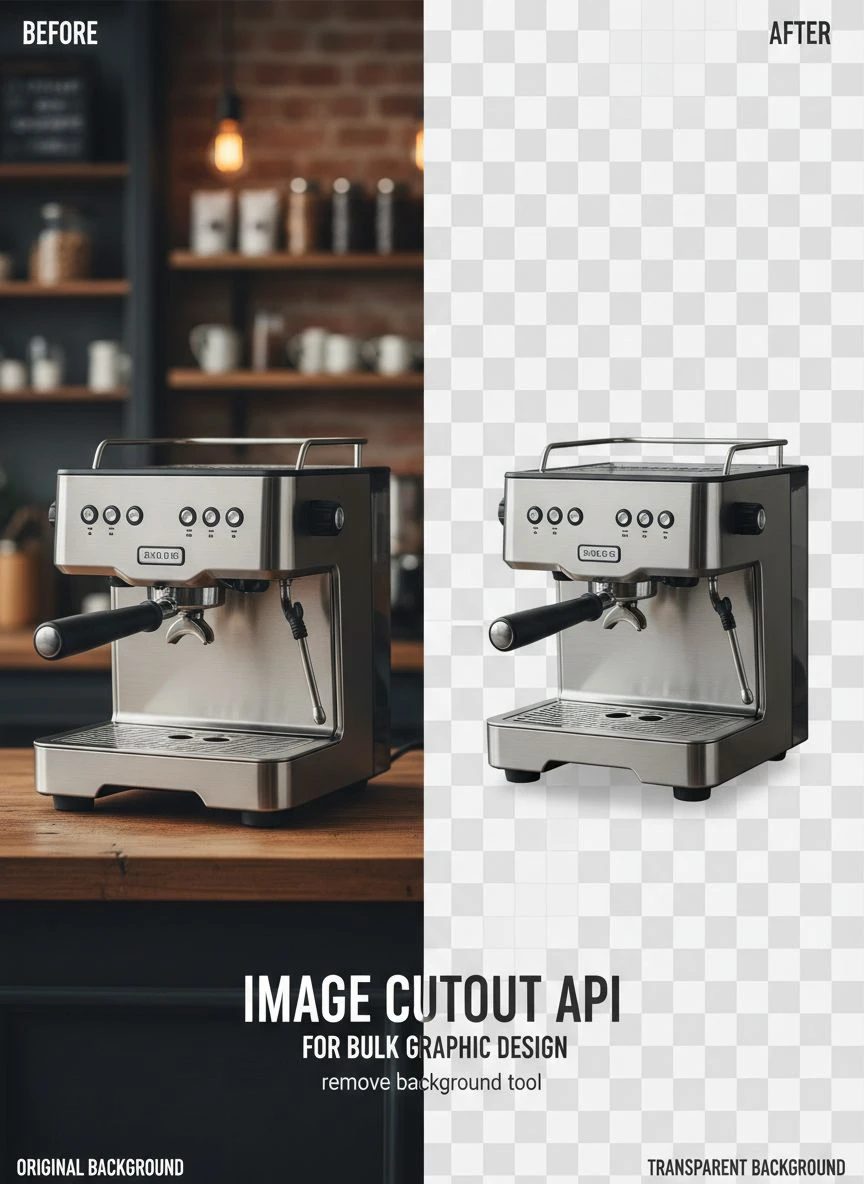
The bulk transparent background removal API we use now processes entire folders asynchronously. I upload before lunch, download finished files after lunch. Zero manual intervention.
How I Evaluate API Performance Before Committing
Never trust marketing claims.
Every service says they're "the best" and "most accurate." Here's my actual testing process that reveals the truth.
The 100-Image Stress Test
I create a test batch of 100 diverse images.
Complex hair, transparent glass, furry animals, intricate jewelry, and difficult lighting conditions. This represents the hardest images we process regularly.
Then I run them through the API and measure three metrics: processing time, accuracy rate, and edge quality. Any service that scores below 95% accuracy fails immediately.
This test eliminated 8 out of 14 services I evaluated.
Response Time Under Load
Marketing teams love showing ideal-condition performance.
I test during peak hours with maximum concurrent requests. Does the API maintain speed when 50 other users are hammering it? Or does performance crater when they're busy?
One service I tested showed 2-second processing times in demos but jumped to 45 seconds during peak afternoon hours. That's unacceptable variability.
Error Handling and Reliability
APIs fail sometimes.
What matters is how they handle failures. Do you get clear error messages? Can you retry failed images automatically? Do they have status pages showing uptime?
I once used a service that would silently fail on 3% of images with no error message. We didn't discover missing files until a client complained. That's the kind of reliability issue that costs you customers.
Integration Strategy That Actually Works
Having a great API means nothing if integration takes forever.
I've integrated background removal into three different workflows. Here's what works.
Start With Your Biggest Pain Point
Don't try to automate everything at once.
Identify the single workflow that consumes the most manual time. For us, it was e-commerce product photos. We processed 2,000+ monthly and each required manual background removal.
I integrated the Removedo.com into just that workflow first. It's a free AI background remover tool that instantly removes backgrounds from WebP, JPG, and PNG images in seconds with professional-quality results.
Once that workflow proved successful, we expanded to other use cases.
Build Fallback Systems
APIs go down.
Your workflow shouldn't stop when they do. I set up automatic failover to a secondary service when the primary API returns errors or timeouts.
This redundancy saved us during a 6-hour outage last month. Our workflow continued without interruption because failed requests automatically routed to the backup service.
Implement Quality Control Checkpoints
Automation doesn't mean zero oversight.
We randomly sample 5% of processed images for quality review. This catches edge cases and quality degradation before they become bigger problems.
Set up automated alerts when error rates exceed your threshold. If more than 2% of images fail quality checks, something's wrong with the API or your input files.
Cost Analysis: What You'll Actually Pay
Pricing structures vary wildly between services.
Some charge per image, others by API calls, some use monthly credits. Here's how to calculate true costs.
Calculate Your Monthly Volume
Track how many images you process for 30 days.
Don't estimate. Actually count them. We thought we processed 5,000 monthly but tracking revealed it was closer to 8,200.
That difference matters significantly when comparing pricing tiers. An underestimate can double your actual costs.
Factor in Failed Processing Attempts
Most APIs charge for failed attempts.
If your images are low quality or the API struggles with your specific use case, you might process each image 2-3 times to get acceptable results.
That triples your effective per-image cost. Test thoroughly with representative images before committing to a paid plan.
Hidden Costs Nobody Tells You About
Some services charge separately for API calls, storage, and bandwidth.
I found one service that charged $0.01 per image for processing but an additional $0.005 for storage and $0.003 for bandwidth. The advertised price was 80% lower than the actual cost.
Read pricing documentation completely. Calculate total cost including all fees, not just the headline number.
My Current Setup and Why It Works
Here's exactly what I use and the results I'm getting.
We process 8,200 images monthly across three different workflows. Our current system costs $164 monthly and saves approximately 320 hours of manual work.
That's a 195x return on investment.
Primary API Selection
I chose an AI background remover for designers with sub-second processing, 98.2% accuracy on our test set, and volume pricing that scales with our growth.
Integration took 4 hours including testing. We've had 99.7% uptime over 8 months.
The API handles PNG, JPG, and WebP formats. Outputs maintain original resolution and quality. Batch processing supports up to 1,000 concurrent images.
Workflow Automation
Images upload automatically from our design tools to cloud storage.
A webhook triggers the API when new files appear. Processed images download to a separate folder and trigger our quality control script.
The entire process runs without human intervention unless quality checks fail.
Quality Monitoring
We sample 5% of processed images daily.
A simple script checks edge quality, resolution, and file size. If any metric falls outside acceptable ranges, I get a Slack notification with the problematic files.
This system caught a quality degradation issue within 2 hours that would have affected 400+ images if left undetected.
Common Mistakes That Kill API Projects
I've watched designers waste thousands on failed API implementations.
These mistakes are completely avoidable if you know what to watch for.
Choosing Based on Price Alone
The cheapest option usually costs more long-term.
A service charging $0.001 per image but requiring 15% manual corrections is more expensive than one at $0.005 with 99% accuracy.
Calculate total cost including your time for corrections and revisions. The true cost per image includes labor.
Skipping Integration Testing
Never commit to annual plans without thorough testing.
I wasted $1,200 on a yearly subscription to a service that couldn't handle our file formats properly. The marketing promised universal support, but our specific PNG variant caused failures.
Test with your actual files in your actual workflow before spending serious money.
Ignoring Support Quality
You will need support eventually.
When your production workflow breaks at 2 PM on Friday, support response time matters intensely. Services with 48-hour email-only support are unacceptable for production environments.
Test their support before committing. Ask a technical question and measure response time and quality. That's your future when things break.
Frequently Asked Questions
How many images per day can a typical API handle for bulk projects?
Quality APIs process 10,000-50,000 images daily without performance degradation. The best image cutout API for bulk projects should handle your monthly volume in a single day if needed. Test with your expected peak load, not average volume.
What accuracy rate should I expect from a machine learning image cutout API?
Professional-grade APIs achieve 95-99% accuracy on standard product photos. Complex images with hair, fur, or transparent elements may drop to 85-90% accuracy. Anything below 85% requires too much manual correction to be cost-effective.
Can I use a bulk transparent background removal API with my existing design software?
Most modern APIs integrate with Adobe Creative Suite, Figma, Canva, and other major design tools through plugins or direct API connections. Check documentation for your specific software before committing. Integration should take hours, not days.
What's the difference between cloud-based and self-hosted image cutout APIs?
Cloud-based solutions handle infrastructure and scaling automatically but require internet connectivity. Self-hosted options give you complete control and data privacy but require server maintenance and upfront infrastructure costs. For most designers, cloud-based is more cost-effective.
How do I know if an automated bulk image cutout API will work for my specific image types?
Request a trial with 50-100 of your actual images. Don't test with stock photos or examples. Use your hardest, most problematic files. Measure accuracy, edge quality, and processing time. If results aren't acceptable on your real images, they won't improve in production.
Take Action Now
Stop wasting time on manual background removal.
Every day you delay automation costs you money and productivity. I spent three months doing it the hard way before switching. That's 360 hours I'll never get back.
Start with one workflow. Test thoroughly with your actual files. Measure results against your current process. The data will make the decision obvious.
The right image cutout API for bulk graphic design projects transforms your workflow from labor-intensive to fully automated. Mine processes 8,200 images monthly while I focus on actual design work instead of repetitive cutouts.
If you need a reliable solution to start testing today, try Removedo.com for free. It handles WebP, JPG, and PNG files with professional-quality results in seconds. No commitment required, just upload and see if it works for your specific needs.


