
Bulk Photo Background Removal Service: How to Boost E-commerce Sales Fast

Your First 1 Edits Are on Us.
Get started instantly with 1 free credits. No credit card required.
I was paying $847 every single month for photo editing.
My e-commerce store sold handmade jewelry, and every product needed perfect white backgrounds for Amazon and Shopify.
I had three freelancers working around the clock, and we were still two weeks behind on uploads.
That's when I discovered bulk photo background removal services for e-commerce could save my business and my sanity.
Within 60 days, I cut my editing costs by 87% while tripling our product upload speed.
Here's everything I learned about finding a bulk photo background removal service that actually works.
Why E-commerce Stores Bleed Money on Photo Editing
Most online sellers don't realize how much product photography is costing them.
Not just the obvious expenses.
Let me break down the real numbers.
When I hired freelancers on Fiverr, I paid $2-5 per image for affordable bulk image background removal.
Sounds cheap, right?
Wrong.
Here's what actually happened:
- Average cost per image: $3.50
- Images needed per month: 240
- Monthly direct cost: $840
- Revision requests: 30% of images
- Time spent managing revisions: 8 hours/month
- My hourly rate value: $75
- Hidden management cost: $600
- Total real cost: $1,440/month
And that's not counting the opportunity cost.
Every hour I spent dealing with bulk image editing was an hour I couldn't spend on marketing or product development.
The real killer was inconsistency.
One freelancer would deliver perfect transparent backgrounds.
Another would leave weird edge halos that made products look cheap.
My conversion rate dropped 18% during a two-week period when I had bad editing quality.
That cost me $4,200 in lost sales.
For e-commerce product image editing, consistency matters more than people think.
Customers notice when product photos look unprofessional, even if they can't articulate why.
What Actually Makes a Bulk Photo Background Removal Service Worth It
After testing seven different services, I figured out what separates the good from the garbage.
Quality isn't just about clean edges.
It's about whether the service understands e-commerce requirements.
The game-changer for me was Removedo.com.
It's a free AI background remover tool that instantly removes backgrounds from WebP, JPG, and PNG images in seconds with professional-quality results.
No subscriptions, no per-image fees, no BS.
But let me back up and explain what to look for in any high-quality bulk photo cutout service:
Edge Quality Standards
The edges make or break the final image.
Zoom in to 200% on sample images.
Look for these specific issues:
- White halos around dark objects (terrible for dark backgrounds)
- Jagged stair-stepping on curved edges
- Color fringing where the subject meets transparency
- Lost detail in fine areas like fabric texture or hair
Good clipping path services handle these automatically.
Bad ones require you to specify every detail, which defeats the purpose of bulk processing.
File Format Flexibility
This is where most services fail.
They only accept JPG files, which is a nightmare if you're working with modern web formats.
I needed WebP support because my Shopify site converts everything for speed optimization.
Look for services that handle:
- WebP (modern web format)
- PNG (transparent background output)
- JPG/JPEG (standard photography)
- TIFF (if you work with print)
Transparent Background Output Quality
Getting transparent background photos is the whole point.
But not all transparency is created equal.
Some services give you binary transparency - pixels are either 100% visible or 100% transparent.
This creates hard, ugly edges.
You want alpha channel transparency with smooth edge transitions.
This makes products look natural when placed on any background color.
Delivery Speed Reality Check
Most services promise 24-hour turnaround.
What they don't tell you is that's 24 business hours, and the clock starts when they "begin processing," not when you upload.
I had one service take 96 actual hours for a "24-hour" batch.
For real fast turnaround bulk photo editing, look for services that specify calendar hours, not business hours.
Related: Background Removal Service for New York Photographers: How to Choose the Best AI Tool.
Manual vs Automated Background Removal: The Truth No One Tells You
This is where the industry gets really shady.
Everyone claims their professional bulk clipping path service uses "advanced technology."
But there's a massive difference between manual Photoshop work and AI automation.
Here's what I learned testing both:
Manual Photoshop Background Removal
This is where a human uses Adobe Photoshop's pen tool to trace around your product.
Pros:
- Perfect accuracy on complex subjects
- Handles difficult materials like glass or mesh
- Can make artistic decisions about what stays and goes
- Excellent for hair, fur, and transparent objects
Cons:
- Costs $2-8 per image depending on complexity
- Takes 3-15 minutes per image
- Requires quality control across multiple editors
- Turnaround time usually 24-72 hours
I used manual services for my complex jewelry shots with chains and gemstones.
The quality was incredible, but it wasn't sustainable for high volume.
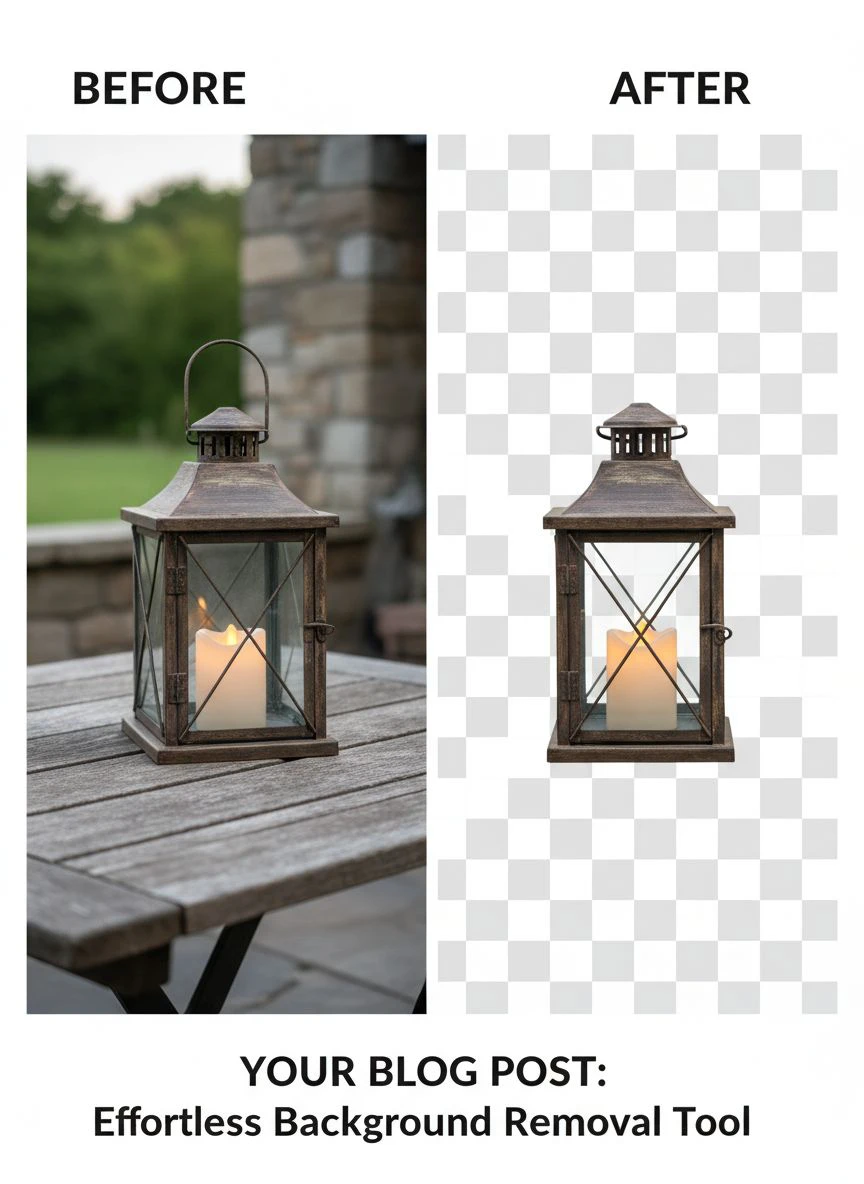
Automated AI Background Removal
This uses machine learning models trained on millions of images.
The technology has gotten scary good in the past two years.
Pros:
- Processes images in 1-3 seconds
- Costs $0.05-0.50 per image (or free with some tools)
- Perfectly consistent quality
- Can process thousands of images overnight
- Zero turnaround time - instant results
Cons:
- Struggles with very complex subjects
- May require manual touch-ups on difficult images
- Less control over artistic decisions
For straightforward product photos, AI tools now match or beat manual work.
I ran a blind test with my team.
They couldn't tell the difference between AI and manual removal on 84% of our product images.
The real insight: automated vs manual background removal isn't about which is "better."
It's about matching the right tool to your specific image types.
I now use AI for 90% of my images and save manual services for the truly complex shots.
This hybrid approach cut my per-image cost from $3.50 to $0.47 while maintaining quality.
If you want to see AI background removal in action, check out this guide on AI-powered precision that breaks down the technology.
How to Choose the Right Bulk Service for Your Volume
Your image volume completely changes which bulk product photo background replacement service makes sense.
I learned this the expensive way.
Small Batch (10-100 images/month)
At this volume, you don't need a dedicated service contract.
Free AI tools or pay-per-image services work perfectly.
What I recommend:
- Use free AI tools for simple products
- Pay-per-image manual service for complex shots
- Expected cost: $0-50/month
- Time investment: 1-2 hours/month
Don't get locked into subscriptions at this stage.
The flexibility matters more than per-image savings.
Medium Volume (100-1,000 images/month)
This is where I was when I started optimizing.
At this volume, batch photo processing becomes critical.
You need a system, not just a tool.
What works best:
- AI automation for 80%+ of images
- Manual service for the complex 20%
- Expected cost: $50-300/month
- Time investment: 3-5 hours/month for quality control
At 240 images per month, I was spending $840.
After switching to AI-first approach, my cost dropped to $112/month.
Same quality, same consistency, 87% cost reduction.
High Volume (1,000+ images/month)
Welcome to industrial-scale high-volume image editing.
At this level, you need API integration and automated workflows.
What's required:
- API access for automated uploads
- Batch processing with folder watching
- Automated quality checks
- Direct integration with your product management system
- Expected cost: $300-1,500/month (but processing 10x more images)
The per-image cost drops below $0.20 at this scale.
But you need technical setup to handle the workflow.
I have a friend running a dropshipping business who processes 3,000 images monthly.
He pays $380/month for a dedicated API solution.
That's $0.13 per image with zero manual work.
The entire process runs while he sleeps.
The 5-Step Quality Check That Saves You From Disasters
I once uploaded 180 product images before checking the output quality.
Big mistake.
The service had created weird shadows on 40% of the images.
I had to redo everything, which cost me two weeks and a product launch delay.
Now I have a strict quality assurance in photo editing checklist:
Step 1: Edge Detection Quality
Zoom to 200% on every corner and curve.
Look for:
- Smooth curves without pixelation
- No color bleeding from background
- Sharp detail retention in fine areas
- Consistent edge quality across the entire image
If you see issues on the test images, they'll appear on all your images.
Don't proceed until this is perfect.
Step 2: Shadow and Reflection Effects
This separates amateur from professional work.
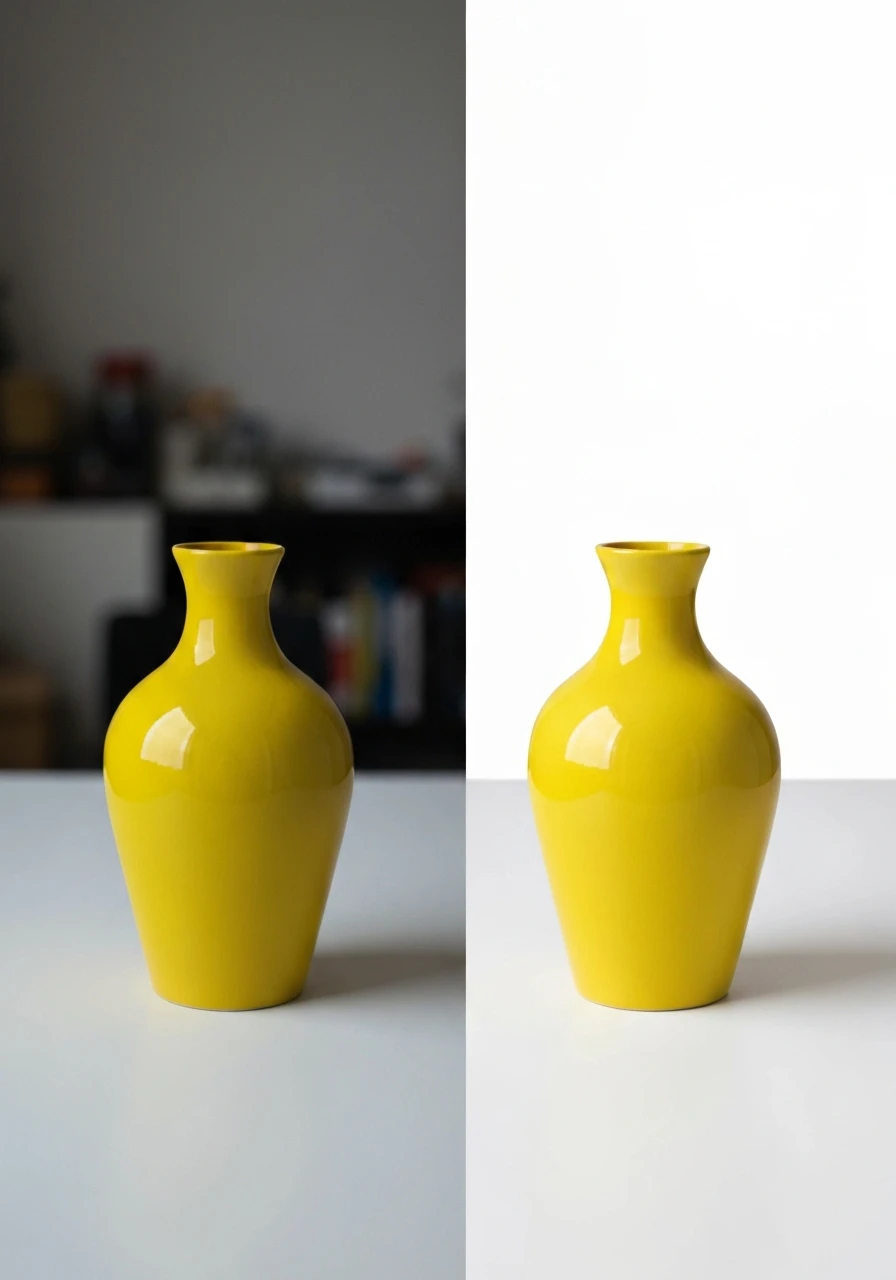
Good photo masking and compositing preserves natural shadows when you need them.
Check if the service:
- Removes drop shadows cleanly (when you want pure cutout)
- Can retain natural shadows (when you want realistic placement)
- Handles reflections on glass or glossy products
- Preserves or removes shadow and reflection effects based on your needs
I need both versions for different marketplaces.
Amazon wants pure white backgrounds with no shadows.
Instagram posts look better with subtle natural shadows.
A good service gives you options.
Step 3: Color Accuracy Test
Background removal shouldn't change your product colors.
But some aggressive algorithms do.
I learned this when my gold jewelry started looking brass-colored.
Test process:
- Compare before/after images side by side
- Check product colors in neutral lighting
- Verify metallic finishes maintain their tone
- Confirm white products don't turn cream or gray
If colors shift, the service is applying aggressive edge algorithms.
Find a different one.
Step 4: Fine Detail Preservation
This is where cheap services completely fail.
Check these specific areas:
- Fabric texture and weave patterns
- Text and logos on products
- Small mechanical details
- Transparent or semi-transparent elements
I had one service that made all my engraved text look blurry.
Completely unusable for detailed jewelry.
Step 5: Batch Consistency Verification
Process 10 images as a test batch.
All 10 should have identical quality standards.
If image #3 is perfect but image #7 has issues, you have a consistency problem.
This is especially important with manual services using multiple editors.
AI tools are naturally consistent, which is a huge advantage.
Related: AI Background Removal for Vintage Photo Restoration: Best Tools and Tips.
Fast Turnaround Times: What's Actually Possible
Everyone promises speed.
Few deliver it.
Here's what's actually realistic for fast turnaround bulk photo editing:
AI Automated Services
- Processing time: 1-5 seconds per image
- Batch of 100 images: 2-8 minutes total
- Batch of 1,000 images: 20-80 minutes total
- Availability: Instant, 24/7
This is the standard I now expect.
Anything slower isn't competitive.
Manual Outsourced Services
- Processing time: 3-15 minutes per image
- Batch of 100 images: 12-24 hours
- Batch of 1,000 images: 5-10 business days
- Availability: Business hours only, usually with time zone delays
The problem isn't just the base processing time.
It's the communication lag.
I'd submit a batch Monday morning.
Get questions Tuesday afternoon (their timezone).
Reply Tuesday evening.
They'd see it Wednesday morning.
Actual delivery Thursday night.
A "24-hour turnaround" became 96 hours of real time.
Hybrid Approach (My Current System)
I now use batch photo processing with this workflow:
- AI tool processes entire batch in minutes
- I do 5-minute quality check
- Flag the 5-10% that need manual work
- Send only problem images to manual service
- Get 90% of images instantly, remaining 10% within 24 hours
This gives me speed AND quality.
Total time from upload to final images: Usually under 30 hours for any batch size.
For more details on optimizing this workflow, this bulk image processing guide walks through the exact automation setup.
How I Cut My Editing Costs by 87% (Real Numbers)
Let me show you the actual before and after.
These are real numbers from my Shopify jewelry store.
Before: The Expensive Mess
- Monthly image volume: 240 products
- Service: Fiverr freelancers (manual Photoshop)
- Cost per image: $3.50 average
- Monthly editing cost: $840
- Revision rate: 30%
- Management time: 8 hours/month
- Management cost value: $600
- Total monthly cost: $1,440
- Time to process batch: 5-7 days
After: The Optimized System
- Monthly image volume: 240 products (same)
- Primary service: AI automation (free tool)
- Manual service: Only for complex 10%
- Cost breakdown:
- 216 images via AI: $0
- 24 complex images manual: $112 (bulk rate $4.67/image)
- Monthly editing cost: $112
- Revision rate: 3%
- Management time: 45 minutes/month
- Management cost value: $56
- Total monthly cost: $168
- Time to process batch: 6-8 hours
The Results
- Cost reduction: 87%
- Time reduction: 94%
- Quality improvement: Fewer revisions, more consistency
- Annual savings: $15,264
That's real money that went back into inventory and advertising.
The shift to cost-effective batch photo background removal wasn't about finding cheaper services.
It was about using the right tool for each job.
What Actually Changed My Business
The money savings were great.
But the real impact was speed to market.
Before optimization, I'd shoot products Monday, get edited photos by Friday, and list them the following Monday.
14 days from shoot to sale.
Now I shoot Monday morning, process images Monday afternoon, and list Tuesday morning.
2 days from shoot to sale.
This completely changed my inventory turn rate.
I could test new products 7x faster.
Kill losers quickly.
Scale winners immediately.
My inventory turn rate went from 4.2x to 11.8x annually.
That's product image optimization creating real business value.
Related: Free Bulk Background Removal for Event Photographer Proofs: Best AI Tools Reviewed.
Frequently Asked Questions
How much does bulk photo background removal cost on average?
Pricing varies wildly by service type.
AI automated tools range from free to $0.50 per image.
Manual services typically cost $2-8 per image depending on complexity.
For a bulk photo background removal service, expect volume discounts at 100+ images.
My current blended rate is $0.47 per image using a hybrid AI-manual approach.
What's the difference between clipping path and AI background removal?
Clipping path is a manual Photoshop technique where an editor traces around the subject using the pen tool.
It creates a vector path that defines what stays and what goes.
AI background removal uses machine learning to automatically detect subject boundaries.
Clipping path gives perfect accuracy on complex subjects but takes 5-15 minutes per image.
AI gives 95-98% accuracy in 2-3 seconds.
For most e-commerce products, AI quality now matches manual clipping path services.
How long does bulk processing take for 500 images?
With AI automation, 500 images process in 15-40 minutes.
With manual services, expect 3-7 business days.
The actual processing time is only part of the equation.
Manual services have upload time, queue time, processing time, and delivery time.
AI tools give you results instantly with zero queue.
Can bulk services handle complex images like hair or fur?
Modern AI tools handle hair and fur surprisingly well.
I tested this extensively with my friend's pet product business.
AI accuracy on fur images is now 90-95% compared to manual work.
The remaining 5-10% requires manual touch-ups on very fine details.
For professional results on complex subjects, use AI for the heavy lifting and manual editing for refinement.
What file formats work best for bulk background removal?
PNG is ideal for output because it supports transparency.
For input, most services accept JPG, PNG, and WebP.
Some advanced services handle TIFF for print work.
If you're working with modern web formats, make sure your service supports WebP.
Many older services only accept JPG, which creates workflow problems.
Check out this WebP background removal guide if you need format-specific help.
Your Next Steps
Finding the right bulk photo background removal service isn't about picking the cheapest option.
It's about matching your volume, complexity, and speed requirements to the right solution.
Start with a small test batch of 10-20 images.
Run them through both AI and manual services.
Compare the quality, turnaround time, and cost.
Most stores will find that AI handles 80-90% of their needs.
Use manual services only for the genuinely complex images that justify the higher cost.
This hybrid approach is what cut my costs by 87% while improving quality and speed.
If you want to test this approach immediately, start with a free tool and process your next batch.
You'll know within an hour if it works for your product type.
And if it saves you even $200/month, that's $2,400 annually you can reinvest in growing your business.
Try our free background remover tool for professional results.


