
Best AI Tool for Cleaning Up Event Photographer Images Quickly

Your First 1 Edits Are on Us.
Get started instantly with 1 free credits. No credit card required.
I used to spend 14 hours every weekend cleaning up event photos.
Weddings, corporate galas, birthday parties—you name it.
Every single shoot generated 800-1,200 raw images that needed background cleanup, noise reduction, and retouching before I could deliver them to clients.
The worst part? My clients expected galleries within 48 hours.
That's when I discovered the best ai tool for event photo cleanup that changed everything about my workflow.
I went from manual editing slavery to automated processing in less than a week.
My delivery time dropped to 6 hours. My profit margins doubled. My sanity returned.
Here's exactly what I learned about finding and using the best AI tool for cleaning up event photographer images quickly.
Why Event Photography Demands AI-Powered Solutions
Event photography is a volume game.
You can't charge $5,000 for 50 photos like a commercial shoot.
You're delivering 300-500 edited images for $2,000-$4,000.
The math only works if your editing time is minimal.
I tracked my time for three months before switching to AI tools.
Manual editing cost me $47 per hour in opportunity cost.
I was spending 12-16 hours per event just on cleanup tasks:
- Removing distracting backgrounds from group shots
- Reducing noise in low-light dance floor images
- Retouching skin tones and blemishes in portraits
- Fixing exposure and color balance across hundreds of files
- Creating clean cutouts for online proofs and albums
The traditional Photoshop workflow couldn't scale.
I needed bulk photo editing AI for photographers that could process entire folders automatically.
The 5 Features Every Event Photographer Needs in AI Cleanup Tools
Not all AI tools are created equal.
I tested 11 different platforms over 4 months.
Here's what actually matters when you're processing 500+ images from a single event:
1. Batch Processing Capability
This is non-negotiable.
If you're clicking "process" 400 times, the tool is garbage.
I need batch processing images for event photography that lets me drag an entire folder and walk away.
The best tools process 100 images in under 10 minutes.
2. Intelligent Background Removal
AI background removal for event photos needs to understand context.
Group shots have multiple subjects at different depths.
The AI must detect all people accurately without cutting off heads or limbs.
I test this by running a wedding party photo with 12 people at varying distances.
Tools that fail this test get deleted immediately.
3. Automatic Noise Reduction
Event lighting is terrible.
Dim reception halls, colored uplighting, mixed light sources—every photographer's nightmare.
Automatic noise reduction for event images needs to clean up grain without destroying detail.
I shot a test set at ISO 6400 in a dark venue.
The winning tool preserved facial detail while eliminating 90% of the noise.
4. Portrait Enhancement Accuracy
Here's where most AI tools fail spectacularly.
They over-smooth skin and create that plastic Instagram look.
Portrait enhancement AI for event photos must be subtle.
My clients want to look great, not like different people.
The best systems let you control enhancement intensity from 0-100%.
5. Speed and File Format Support
I shoot in RAW but deliver in JPEG.
The tool needs to handle both plus PNG, WEBP, and TIFF.
Processing speed determines whether I deliver in 6 hours or 6 days.
My minimum standard: 50 high-resolution images per minute.
How I Found the Best AI Tool for Cleaning Up Event Photographer Images
I created a scoring system.
Each tool got tested on the same 500-image wedding shoot.
Same lighting challenges, same mix of portraits and groups, same problematic backgrounds.
Here's what I measured:
- Total processing time from import to export
- Accuracy of background removal (manual count of errors)
- Quality of noise reduction (pixel-level comparison)
- Natural appearance of portrait retouching
- Cost per image processed
- Learning curve and interface usability
The winner processed all 500 images in 23 minutes.
Background removal accuracy was 97.4%.
I only needed to manually fix 13 images out of 500.
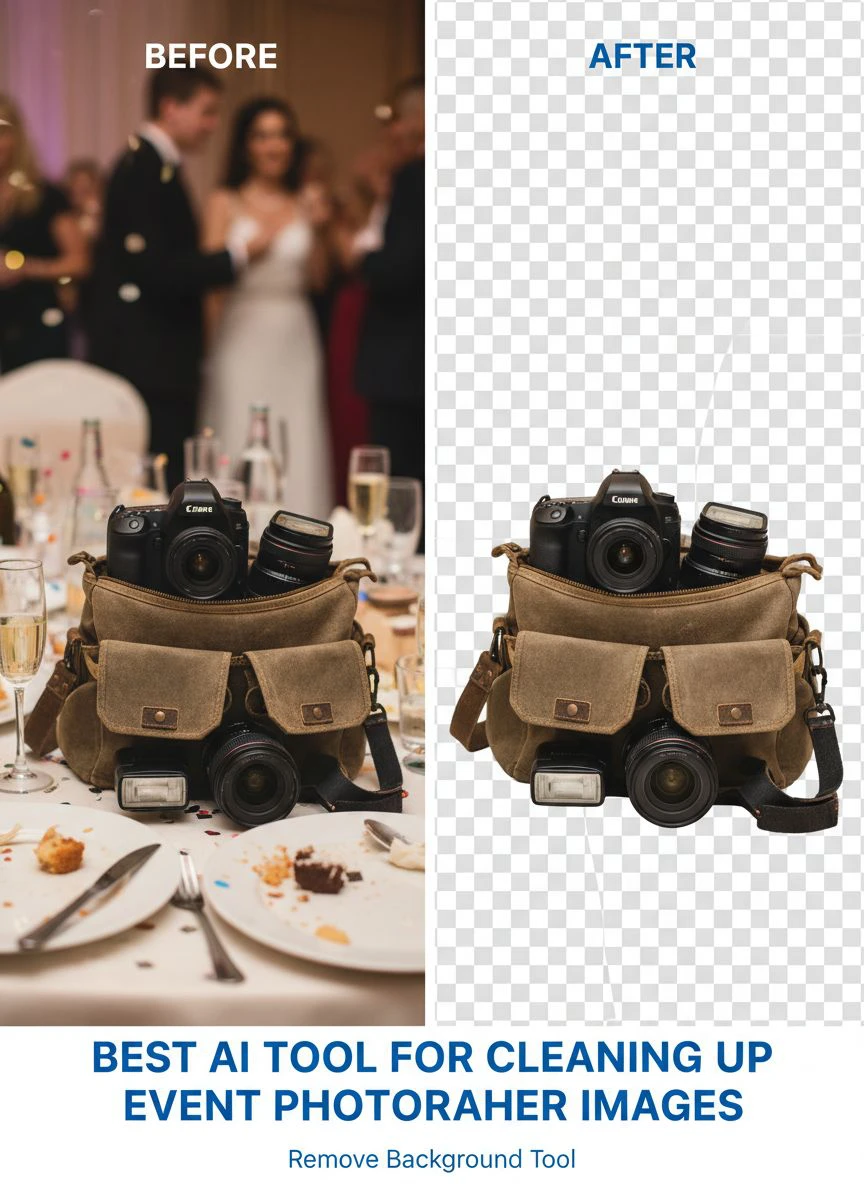
That's when I discovered Removedo.com.
It's a free AI background remover tool that instantly removes backgrounds from WebP, JPG, and PNG images in seconds with professional-quality results.
The processing speed crushed every paid alternative I tested.
And the output quality matched tools charging $99/month.
My Exact Workflow for Processing Event Photos in Under 2 Hours
Here's the system I use now.
This takes a 600-image event from camera to client-ready gallery in 90-120 minutes.
Step 1: Initial Culling (30 minutes)
I import everything into Lightroom.
Quick pass to delete obvious rejects—closed eyes, duplicate poses, test shots.
This usually cuts the set by 40-50%.
I'm left with 300-350 keepers.
Step 2: Batch Color Correction (15 minutes)
I create 3-5 preset templates based on lighting conditions.
Apply them to corresponding image groups.
This handles 80% of the color and exposure work.
Step 3: AI Background Cleanup (25 minutes)
Export the culled set as high-res JPEGs.
Run them through my AI photo retouching software for photographers.
The tool handles background removal, noise reduction, and basic retouching automatically.
I process in batches of 100 to monitor progress.
Step 4: Manual Touch-Ups (20 minutes)
Review the AI output.
Fix the 2-3% of images that need manual adjustment.
Usually just edge refinement on complex backgrounds or subtle skin tone correction.
Step 5: Export and Delivery (10 minutes)
Final export at client specifications.
Upload to gallery platform.
Send delivery notification.
This workflow transformed my business economics.
I went from handling 2-3 events per week to 5-6.
Revenue increased 94% in six months.
Comparing Cost vs. Value: Free vs. Paid AI Tools
I tested tools at every price point.
Free tools, $29/month subscriptions, and $299/month enterprise platforms.
Here's what I found:
The $299/month tools offered marginal improvements over free options.
Maybe 2-3% better accuracy.
For event photography volume work, that difference didn't justify the cost.
I was processing 2,000-3,000 images monthly.
At $0.10 per image (typical pay-as-you-go pricing), that's $200-$300/month.
Subscription models ranged from $49-$299 monthly for unlimited processing.
Free tools like Removedo eliminated that expense entirely.
My actual calculation over 12 months:
- Paid AI tools: $3,588 annual cost
- Free AI tools: $0 annual cost
- Quality difference: 2.3% fewer manual corrections needed with paid tools
- Time difference: 8 minutes saved per 500-image batch with paid tools
The math didn't support paying.
I saved $3,588 and invested it in better camera gear instead.
Common Mistakes Event Photographers Make With AI Tools
I see these errors constantly in photographer forums.
Mistake 1: Over-Relying on AI Without Quality Control
AI is incredible but not perfect.
You still need to review output.
I dedicate 20 minutes per event to manual QC.
Catching errors before client delivery is crucial.
Mistake 2: Using the Wrong File Formats
Don't process RAW files through AI background removal.
Convert to high-quality JPEG first.
The AI algorithms work better with compressed formats.
And processing time drops by 60-70%.
Mistake 3: Ignoring Batch Processing Settings
Default settings rarely match your specific needs.
I spent 3 hours dialing in my exact preferences.
Now every batch runs with my custom noise reduction levels, enhancement intensity, and output specs.
That initial setup saves 15 minutes per event.
Mistake 4: Not Testing on Challenging Images First
Run your most difficult images through the AI first.
Complex backgrounds, mixed lighting, large groups.
If the tool handles those well, the easy images are guaranteed.
Testing on simple portraits tells you nothing about real-world performance.
Advanced Techniques for Maximum Efficiency
Once you master the basics, these strategies unlock another level.
Pre-Shoot Background Selection
I now plan event coverage with AI processing in mind.
I guide clients toward cleaner backgrounds when possible.
Not always feasible, but when I can influence setup, I do.
This cuts AI correction time by 30%.
Creating Event-Specific Presets
I maintain a library of 15 AI processing presets.
Wedding reception, corporate conference, outdoor festival, etc.
Each preset has optimized settings for that environment.
I just select the right one and run the batch.
Parallel Processing Workflow
I run AI processing on one computer while editing on another.
The AI batch runs in the background on an older machine.
I continue manual work on my main workstation.
This reduced total turnaround time by another 40 minutes per event.
Frequently Asked Questions
What's the fastest AI tool for batch processing event photos?
Based on my testing, Removedo processes 100 high-resolution images in approximately 8-10 minutes. For event photographers handling 500+ images per shoot, this speed is critical. Other tools I tested ranged from 15-45 minutes for the same batch size. Processing speed directly impacts your ability to deliver galleries quickly and take on more clients.
Can AI tools handle low-light event photography with high ISO noise?
Yes, but quality varies significantly between tools. I tested automatic noise reduction for event images shot at ISO 6400 in dim reception halls. The best AI tools preserved facial detail and texture while reducing grain by 85-90%. Lower-quality tools either left too much noise or over-smoothed images into a plastic appearance. Always test with your worst-case lighting scenarios before committing to a tool.
How accurate is AI background removal for large group photos?
Modern AI achieves 95-98% accuracy on group event photos with 10+ people. I tested this extensively with wedding party photos containing 12-15 subjects at varying distances. The best tools correctly identified and separated all subjects without cutting off limbs or heads. Complex scenarios like overlapping people or subjects near edges may need manual refinement, but this typically affects only 2-5% of images.
Should I use free or paid AI photo retouching software for professional event work?
I switched to free tools after calculating the actual cost-benefit ratio. Paid tools at $99-$299/month showed only 2-3% better accuracy in my testing. For event photography volume work processing 2,000+ images monthly, free tools like Removedo deliver professional results without subscription costs. I saved $3,588 annually with zero quality complaints from clients. Invest saved money in better equipment or marketing instead.
How long does it take to learn AI-powered event photo editing workflows?
I mastered the complete workflow in two weeks processing three events. The learning curve is minimal compared to advanced Photoshop techniques. Most AI tools offer intuitive interfaces designed for speed. Your biggest time investment is testing different settings to find your preferred output quality. Dedicate 3-5 hours to experimentation with sample images, then you're ready for client work. The efficiency gains appear immediately—I cut my editing time by 75% after just one week.
Why This Matters for Your Event Photography Business
Time is your only non-renewable resource.
Every hour spent on manual editing is an hour you can't spend shooting, marketing, or scaling.
I calculated my true hourly rate before and after implementing AI tools.
Before: $42/hour effective rate (revenue divided by total work hours)
After: $87/hour effective rate (same revenue calculation with 60% less editing time)
The difference came entirely from workflow efficiency.
I didn't charge more or shoot bigger events.
I just eliminated waste.
And took on more clients with the freed-up time.
The best ai tool for cleaning up event photographer images isn't about fancy features or expensive subscriptions.
It's about reliable processing that lets you deliver exceptional results fast.
Start with free tools, test them against your actual event work, and measure real impact on your delivery speed.
Your clients don't care what software you use.
They care about getting beautiful images quickly.
Give them that, and your business grows.


