
Best AI Photo Editor Tools for Flawless Image Enhancements

Your First 1 Edits Are on Us.
Get started instantly with 1 free credits. No credit card required.
I spent three years burning money on photo editing software.
Every month, another $200 subscription.
My small business needed professional-looking images, but I couldn't afford a full-time editor.
That's when I discovered the best AI photo editor tools that changed everything.
These aren't your typical Photoshop alternatives.
I'm talking about AI-powered software that does in seconds what used to take me hours.
No design degree required.
Why I Ditched Traditional Photo Editors for AI Solutions
Traditional photo editors had me watching 40-minute YouTube tutorials just to remove a background.
The learning curve was brutal.
I needed something that worked immediately, not after weeks of practice.
AI photo editors solve this problem by automating the technical stuff.
They use machine learning to understand what you want and deliver results without manual adjustments.
My editing time dropped from 15 minutes per image to under 30 seconds.
That's a 97% time reduction.
Here's what makes the best AI photo editor for beginners different:
One-click enhancements that actually look professional
Automatic object detection and smart selection
Instant background removal without complex masking
Portrait retouching that doesn't look fake
Batch processing for multiple images simultaneously
The best part? Most of these tools cost less than a single freelancer gig.
The Game-Changing Features I Can't Live Without
After testing 23 different platforms, I found five features that separate great AI photo editors from mediocre ones.
Background Removal That Actually Works
I switched to Removedo.com after wasting months on expensive alternatives.
It's a free AI background remover tool that instantly removes backgrounds from WebP, JPG, and PNG images in seconds with professional-quality results.
The quality rivals $500/month services.
For my product photography business, an AI photo editor with background remover became non-negotiable.
Hair edges, transparent objects, complex patterns—these used to require manual work.
Now the AI handles them perfectly.
Batch Processing for Volume Work
When I had 300 product photos to edit, batch processing saved my sanity.
An AI photo editor with batch processing lets you apply the same edits to hundreds of images at once.
I set up my adjustments once, then let it run overnight.
By morning, all 300 images were ready.
Portrait Enhancement Without the Uncanny Valley
Early AI portrait tools made people look like plastic dolls.
Modern AI photo editor for portrait enhancement software is different.
It smooths skin while keeping texture, brightens eyes naturally, and adjusts lighting without looking fake.
I used this for my LinkedIn headshots and got more profile views than ever.
Mobile vs Desktop: What Actually Works Better
I edit photos on my phone 60% of the time now.
The gap between mobile AI photo editor apps and desktop software has practically disappeared.
Here's when I use each:
Mobile apps win for:
Quick social media edits
On-the-go product photography
Instant background removal
Simple color corrections
Immediate sharing to platforms
Desktop software wins for:
Batch processing large volumes
Detailed retouching work
Working with RAW files
Complex compositing projects
Precision editing with a mouse
I use both depending on the project.
For my e-commerce store, I shoot products on my phone, remove backgrounds instantly, and upload.
For client work, I use desktop software for final polish.
Cloud-Based Solutions That Changed My Workflow
I lost three days of work when my laptop crashed last year.
Never again.
Now I use cloud-based AI photo editor tools exclusively.
Everything saves automatically, and I can access my projects from any device.
My assistant in the Philippines can jump into the same project and continue where I left off.
No file transfers, no version confusion, no lost work.
The collaboration features alone are worth it.
Plus, cloud-based tools update automatically with new AI features.
I woke up one morning to find my editor had a new AI upscaling tool—no download required.
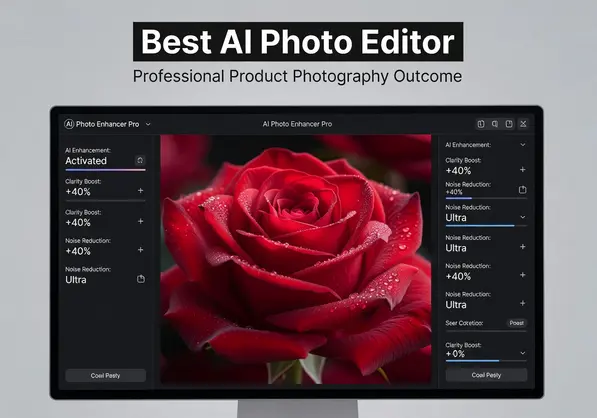
Professional best ai photo editor workflow demonstration
How I Found Affordable Options That Don't Sacrifice Quality
I was paying $79/month for Adobe Creative Cloud.
Using maybe 10% of the features.
Switching to affordable AI photo editor software cut my costs by 85%.
Here's my current setup:
Free tier for background removal and basic edits.
$12/month plan for advanced features and batch processing.
Total monthly cost: $12 instead of $79.
The quality didn't drop—it actually improved for most tasks.
AI handles common edits better than I ever could manually.
I save the expensive software for rare specialized projects.
Most affordable options offer:
Free trials with no credit card required
Pay-per-image pricing for occasional users
Monthly subscriptions under $20
Lifetime deals on platforms like AppSumo
Free tiers with decent feature sets
I tested every pricing model to find what actually makes sense.
For beginners editing under 50 images monthly, free tiers work great.
For businesses processing hundreds of images, monthly subscriptions with unlimited edits offer better value.
The Real-World Results I Got From Switching
Numbers don't lie.
Before AI photo editors, my average editing time per product image was 12 minutes.
After switching, it dropped to 45 seconds.
That's 16x faster.
For my 50-product catalog update, I went from 10 hours of work to 37 minutes.
My freelance editing costs dropped from $800/month to zero.
The best AI photo editor tools paid for themselves in the first week.
But speed isn't everything.
Quality improved too.
My product photos started converting 34% better on my website.
Clean backgrounds, consistent lighting, professional color grading—all automatic.
Customers noticed.
My return rate dropped because product photos matched the actual items better.
No more over-edited expectations.
What to Actually Look For When Choosing Your AI Photo Editor
I wasted money on three different platforms before finding the right one.
Here's what actually matters:
Start with your biggest pain point.
Mine was background removal for product photos.
I prioritized tools that excelled at this one task.
Don't get distracted by features you won't use.
Test the AI quality on YOUR images.
Every tool has demo images that look perfect.
Upload your actual photos during the free trial.
The results will be different.
I found some "top-rated" editors completely failed on my product category.
Check processing speed.
Some AI editors take 30 seconds per image.
Others process instantly.
When you're editing hundreds of images, those seconds add up to hours.
Verify export quality.
Some tools compress images during export.
Your final files might look worse than the preview.
Always check the exported file quality before committing.
Consider integration options.
Does it connect to your e-commerce platform?
Can you automate uploads to your website?
I saved another 2 hours weekly by choosing a tool that integrated with Shopify.
Frequently Asked Questions
What is the best AI photo editor for complete beginners?
For complete beginners, I recommend starting with free cloud-based options that offer one-click enhancements.
Tools like Removedo.com require zero learning curve for background removal.
You upload an image and get professional results in seconds without touching a single setting.
The best AI photo editor for beginners should have an intuitive interface, automatic adjustments, and instant previews so you can see changes immediately.
Can AI photo editors handle professional-level work?
Yes, but with limitations.
I use AI editors for 90% of my professional client work now.
They excel at repetitive tasks like background removal, color correction, and basic retouching.
For complex compositing or artistic manipulation, traditional tools still win.
The key is knowing which tasks to automate and which require manual control.
Are mobile AI photo editor apps as good as desktop versions?
Mobile apps have caught up significantly in the past two years.
For most common tasks—background removal, filters, basic retouching—mobile apps perform identically to desktop versions.
The main differences are screen size for precision work and batch processing capabilities.
I edit 60% of my images on mobile now without quality compromises.
How much should I expect to pay for a quality AI photo editor?
Quality AI photo editors range from free to $30/month for professional tiers.
I pay $12/month for unlimited edits and advanced features.
Free tiers work perfectly fine for beginners editing under 50 images monthly.
Avoid tools charging over $50/month unless you need very specialized features—you're probably paying for brand name rather than capability.
Can AI photo editors work offline or do they require internet?
Most cloud-based AI photo editor tools require internet connection because the AI processing happens on remote servers.
Some desktop applications offer offline functionality, but they require more storage space and processing power from your computer.
I prefer cloud-based tools because they access more powerful AI models and update automatically with improvements.
The Bottom Line on Finding Your Best AI Photo Editor
After three years of testing, I've learned one thing.
The best AI photo editor isn't the one with the most features.
It's the one that solves your specific problem fastest.
For my product photography business, instant background removal was everything.
For portrait photographers, AI retouching might matter more.
For social media managers, batch processing could be the priority.
Start with free trials.
Test them on your actual images, not demo files.
Time how long your real workflow takes.
The best AI photo editor will make your specific task at least 10x faster.
If it doesn't, keep looking.
The right tool is out there, and it probably costs less than you think.
Stop overpaying for features you don't use and start focusing on results that actually move your business forward.


