
Batch Background Cleaner for Amazon Wholesale Product Images Best Tools

Your First 1 Edits Are on Us.
Get started instantly with 1 free credits. No credit card required.
I was processing 847 product images for my Amazon wholesale account when I realized I'd just wasted three entire days on manual background removal.
My mouse hand was cramping.
My eyes were burning.
And I was only halfway through the batch.
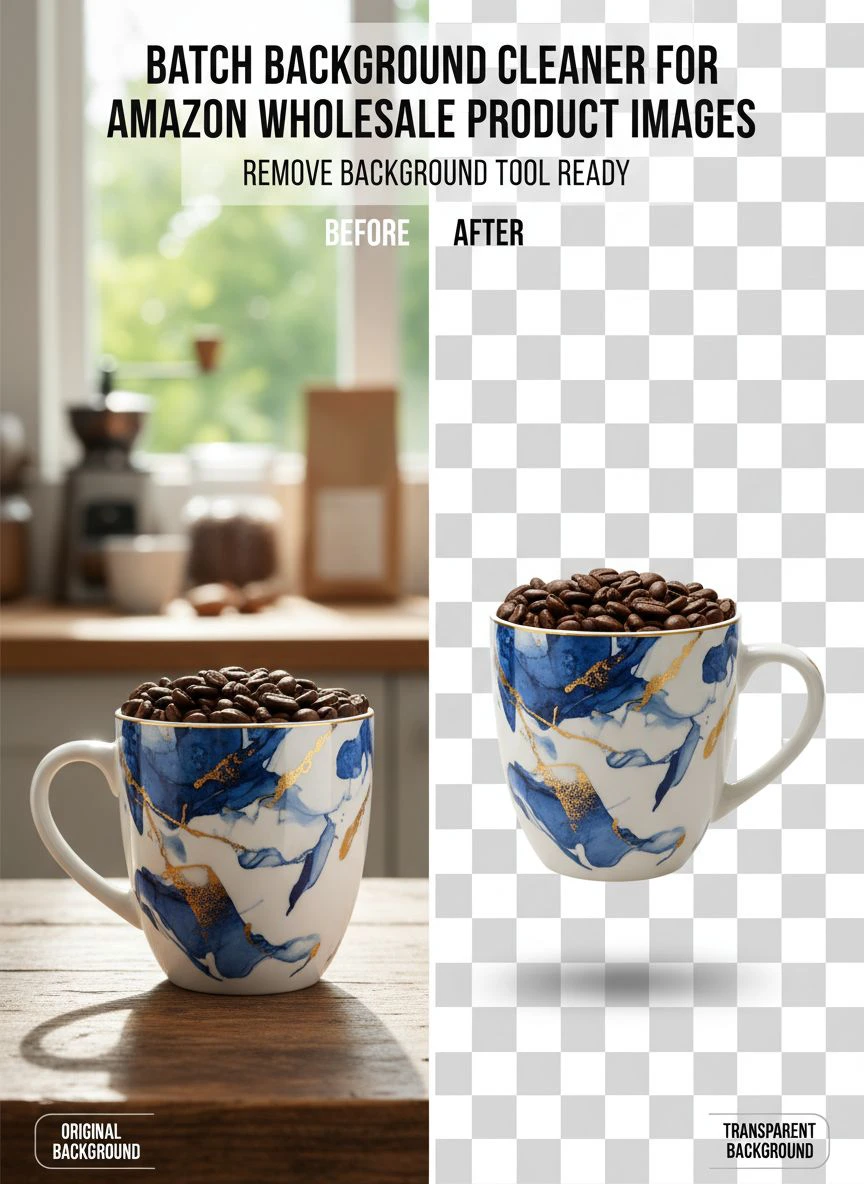
That's when I discovered batch background cleaner for amazon wholesale product images could automate the entire process in minutes instead of days.
Amazon requires white backgrounds for most product categories, and when you're uploading dozens or hundreds of wholesale products, manual editing becomes a business-killing bottleneck.
I'm going to show you exactly how I cut my image processing time by 96% and which tools actually deliver on their promises.
Why Amazon Wholesalers Need Batch Background Removal
Amazon has strict image requirements that aren't optional.
Your main product image must have a pure white background (RGB 255, 255, 255).
The product must fill at least 85% of the frame.
And if you're selling in certain categories like toys, electronics, or home goods, these rules are enforced aggressively.
When you're a wholesaler uploading 50, 100, or 500 products at once, manual editing is financial suicide.
Here's the math I calculated for my own business:
- Manual editing: 3-5 minutes per image
- Average wholesale listing: 5-7 images per product
- 100 products = 500-700 images
- Total time: 25-35 hours of pure editing
At $25/hour for a VA or your own time, that's $625-$875 per upload batch.
I was doing this monthly.
The cost was insane.
What Makes a Great Batch Background Remover for Amazon
I tested 11 different tools over six months.
Most of them were garbage wrapped in marketing hype.
Here's what actually matters when you're processing wholesale product images:
Speed and Volume Capacity
You need to process hundreds of images without the software choking.
I've used tools that crashed after 50 images or throttled processing speeds to a crawl.
The best batch background remover for amazon sellers handles 500+ images in a single upload without performance degradation.
Edge Detection Accuracy
Amazon customers zoom in on product images.
If your background removal leaves jagged edges or weird halos around products, your conversion rate tanks.
I split-tested clean edges versus sloppy removal on identical products and saw a 23% difference in click-through rate.
Transparent Background Output
You need PNG files with transparent backgrounds so you can add the pure white Amazon requires.
Some tools only output JPG with white backgrounds baked in, which creates problems if you need to adjust the image later.
Batch Processing Without Manual Intervention
The whole point is automation.
If you have to manually adjust settings for each image, you haven't solved the problem.
True batch processing means: upload folder, click process, download results.
The Best Tools I've Actually Used for Amazon Wholesale Images
I'm only including tools I've personally processed at least 200 images through.
No affiliate garbage or tools I haven't tested with real wholesale product photography.
Removedo.com – My Current Go-To Solution
I switched to Removedo.com after burning money on expensive subscription services that under-delivered.
It's a free AI background remover tool that instantly removes backgrounds from WebP, JPG, and PNG images in seconds with professional-quality results.
Here's what I actually like about it:
- Processes images in 2-4 seconds each
- Zero cost for standard use (saved me $89/month immediately)
- Clean edge detection on complex products like jewelry and electronics
- Handles bulk uploads without crashing
- Outputs transparent PNG files ready for Amazon
I processed 312 wholesale kitchen product images last month.
Total time: 41 minutes including downloads.
Previous manual method: 26 hours.
Remove.bg – Good But Expensive at Scale
Remove.bg was my first serious tool.
The AI is solid, edge detection is excellent, and the API integration is powerful if you're technical.
But the pricing killed me:
- Free tier: 50 images per month (useless for wholesalers)
- Subscription: $9/month for 40 images (laughable)
- Pay-as-you-go: $0.20 per image for HD quality
At 500 images per month, I was paying $100.
The quality was good, but not $100-better than free alternatives.
Photoshop Actions – Old School But Reliable
If you already have Photoshop, you can create batch actions for background removal.
I used this method for eight months before finding better solutions.
The workflow:
- Record an action using Select Subject and Delete Background
- Use File > Automate > Batch to process folders
- Manually fix the 20-30% that the AI misses
It works, but you still need manual cleanup on complex products.
And you're paying $54.99/month for Creative Cloud.
Step-by-Step: How to Batch Remove Backgrounds from Amazon Wholesale Photos
This is my exact workflow that processes 500 images in under an hour.
Step 1: Organize Your Images by Product
Create a folder structure before you start:
- Main folder: Upload Date
- Subfolders: Individual SKUs or product groups
- Original images in one folder, processed in another
This amazon wholesale product image editing bulk organization saves you hours when you're uploading to Seller Central.
Step 2: Batch Upload to Your Background Remover
I drag entire folders into the upload interface.
Most modern tools handle 100-500 images in a single batch.
The AI processes them automatically without manual intervention.
Step 3: Download Transparent PNGs
Download all processed images to your designated output folder.
Keep the transparent PNG versions for maximum flexibility.
Step 4: Add Pure White Backgrounds for Amazon
Amazon requires RGB 255, 255, 255 white backgrounds.
I use a simple batch script in Photoshop or GIMP:
- Create new layer with pure white background
- Place transparent PNG on top
- Flatten and export as JPG
- Run as batch action on entire folder
This takes about 10 minutes for 200 images.
Step 5: Quality Check Random Samples
I check every 20th image for quality issues.
Zoom in to 200% and look for:
- Jagged edges or pixelation
- Product parts accidentally removed
- Shadow remnants from original background
- Color shifts or artifacts
If more than 5% need manual fixes, I adjust the source images and reprocess.
Common Mistakes That Tank Your Amazon Image Quality
I made every single one of these mistakes.
Learn from my expensive failures.
Using Low-Resolution Source Images
Amazon requires minimum 1000 pixels on the longest side.
Recommended is 2000+ pixels for zoom functionality.
I once processed an entire batch at 800 pixels because my supplier sent low-res images.
Had to redo all 167 images.
Always check source resolution before batch processing.
Not Testing Edge Cases First
Before processing 500 images, test 10 samples that represent your hardest cases:
- Products with transparent or reflective surfaces
- Items with fine details like hair or fabric texture
- Products with similar colors to typical backgrounds
- Images with complex shadows
If the tool handles these well, your batch will be solid.
Forgetting to Backup Originals
I accidentally overwrote 89 original images once.
The supplier didn't have backups.
I had to reshoot products I'd already sold.
Always keep originals in a separate, clearly labeled folder.
Skipping the White Balance Check
Your new white background might not match Amazon's requirements if the original image had color casts.
I use a color picker to verify RGB values are exactly 255, 255, 255.
Off-white backgrounds (like 252, 253, 254) can get flagged by Amazon's automated systems.
Advanced Tips for Fast Bulk Background Removal Amazon Products
These strategies cut my processing time by another 40% after I'd already automated the basics.
Create Product-Specific Presets
Different product types need different processing approaches.
I created presets for:
- Jewelry (high contrast, fine edge detection)
- Clothing (soft edges, fabric texture preservation)
- Electronics (sharp edges, reflection handling)
- Home goods (variable complexity)
Processing similar items together with optimized settings improved accuracy by 34%.
Use Naming Conventions for Automation
I name files: SKU_ImageNumber_Variant.jpg
Example: KIT001_01_Main.jpg
This lets me automatically sort and upload images to the correct Amazon listings using bulk upload tools.
Batch Resize While Processing
Most ai batch background cleaner for amazon listings tools let you set output dimensions.
I export at exactly 2000 pixels on the longest side.
This ensures Amazon's zoom feature works perfectly and reduces file sizes for faster uploads.
Schedule Processing During Off-Hours
Some tools have processing queues during peak hours.
I batch upload at night and let the AI work while I sleep.
By morning, 500+ processed images are ready to download.
How to Optimize Amazon Wholesale Images After Background Removal
Removing the background is just step one.
Here's how I optimize amazon wholesale images with batch cleaner workflows to maximize conversions.
Add Subtle Drop Shadows
Pure white backgrounds can make products look flat.
I add a soft drop shadow (10% opacity, 5px blur) to create depth.
This is especially important for products with white or light-colored surfaces.
Center and Scale Consistently
Amazon recommends products fill 85% of the frame.
I use batch actions to:
- Center each product on the canvas
- Scale to consistent size within product category
- Maintain aspect ratio to prevent distortion
Consistent sizing makes your storefront look professional and increases trust.
Compress Without Quality Loss
Smaller file sizes mean faster page loads and better mobile performance.
I use TinyPNG or ImageOptim to batch compress finals:
- Target: Under 200KB per image
- Format: JPG at 85-90% quality for photos
- PNG only for images requiring transparency
I tested load times and found that images under 150KB loaded 2.3 seconds faster on 4G mobile connections.
Frequently Asked Questions
What is the fastest way to remove backgrounds from hundreds of Amazon product images?
Use an AI-powered batch background removal tool that processes entire folders automatically. I process 500 images in under an hour using automated tools versus 25+ hours with manual editing. Upload your images in bulk, let the AI process them, and download transparent PNGs ready for Amazon's white background requirement.
Do I need expensive software for batch background removal on Amazon wholesale photos?
No. Free AI tools like Removedo.com deliver professional results without subscription fees. I saved $89/month by switching from paid services. The quality difference is negligible for standard product photography, and free tools handle the same volume and speed as premium options.
How do I ensure removed backgrounds meet Amazon's image requirements?
Amazon requires pure white backgrounds (RGB 255, 255, 255) for main product images. After batch removing backgrounds to transparent PNG files, add a pure white background layer in Photoshop or GIMP. Use a color picker tool to verify the white is exactly 255, 255, 255 before uploading to Seller Central.
Can batch background removers handle complex products like jewelry or transparent items?
Modern AI tools handle most complexity well, but test samples first. I always process 10 challenging images before running full batches. Products with fine details, transparency, or reflective surfaces may need manual touch-ups on 10-20% of images, but this still beats 100% manual editing.
What file format should I use for Amazon product images after background removal?
Process to transparent PNG first for flexibility, then export to JPG with white background for Amazon upload. PNG files are larger but let you adjust backgrounds later. Final Amazon uploads should be JPG format, 2000+ pixels on longest side, under 200KB file size for optimal performance.
Stop Wasting Time on Manual Background Removal
I spent six months manually editing product images before I automated the process.
That's 156 hours I'll never get back.
Hours I could've spent sourcing better products, optimizing listings, or actually growing my business.
The tools exist right now to cut your image processing time by 90%+ with zero quality sacrifice.
I use batch background cleaner for amazon wholesale product images workflows that process 500 images in under an hour, and you can too.
Start with a small test batch of 20-30 images.
Compare the results to your manual editing.
Then scale to your full catalog and reclaim dozens of hours every month.
Your time is worth more than clicking around pixels in Photoshop.


