
Background Removal Tool for Digital Marketing Creatives How to Choose Best

Your First 1 Edits Are on Us.
Get started instantly with 1 free credits. No credit card required.
I spent three years watching marketing teams waste 15+ hours every week removing backgrounds from product photos, social media posts, and ad creatives.
The manual editing was killing productivity.
Then I discovered how the right automated background removal for ads could transform an entire creative workflow.
Not all tools are created equal, and choosing the wrong one costs you time, money, and creative momentum.
Here's exactly how to pick the best background removal tool for digital marketing creatives without wasting months testing garbage solutions.
Why Digital Marketers Need Specialized Background Removal Tools
Marketing isn't photography.
You're not editing 10 perfect shots for a portfolio.
You're processing hundreds of images for multiple campaigns, platforms, and formats simultaneously.
I watched a client's team spend $2,400/month on freelance editors just to get white backgrounds on product photos.
The turnaround time was 48 hours minimum.
That lag killed their ability to run timely campaigns or test ad variations quickly.
The best AI background remover for marketers needs to handle volume, speed, and quality without requiring design expertise.
Here's what separates marketing-focused tools from generic photo editors:
- Batch processing capabilities for 50+ images at once
- Consistent quality across product categories
- Fast processing times (seconds, not minutes)
- No learning curve for non-designers
- Integration with marketing workflows
The 5 Non-Negotiable Features for Marketing Background Removal
I've tested 23 different background removal tools over the past two years.
Most fail at basic marketing requirements.
Here's what actually matters when you're choosing a user-friendly background removal tool for your team.
1. AI-Powered Automation That Actually Works
Manual selection tools are dead for marketing workflows.
You need AI that recognizes objects, people, and products instantly.
I tested this with a jewelry client who needed 300 ring photos processed weekly.
Their old tool required manual edge refinement on 60% of images.
The AI solution we switched to nailed 94% of images perfectly on the first pass.
That's the difference between 8 hours of work and 45 minutes.
2. Bulk Background Removal for E-Commerce Scale
Single-image processing is a productivity killer.
Marketing teams need bulk background removal for e-commerce and campaign work.
I worked with a fashion brand launching 150 new SKUs monthly.
Their previous workflow: upload one image, wait, download, repeat 150 times.
After switching to batch processing, they cut editing time by 87%.
Look for tools that handle at least 50 images simultaneously without quality degradation.
3. High-Quality Cut Out Images for Marketing Standards
Sloppy edges destroy professional credibility.
Your tool needs to deliver high-quality cut out images for marketing that pass client review.
Pay attention to:
- Edge detection accuracy (especially hair, fur, transparent objects)
- Color fringing removal
- Fine detail preservation
- Shadow retention options
I've seen campaigns rejected because background removal left visible halos around products.
Test your tool with your hardest image types before committing.
4. Multiple Export Formats and Sizes
Marketing requires flexibility.
You need PNG with transparency for some uses, JPEG with custom backgrounds for others.
Instagram requires different dimensions than Facebook ads or email headers.
Your background removal tool should handle these variations without requiring additional software.
5. Speed That Matches Campaign Timelines
Processing speed directly impacts your ability to test and iterate.
I run regular ad testing campaigns that require 20-30 creative variations.
If background removal takes 2 minutes per image, that's an hour of waiting before I can even start building ads.
At 5 seconds per image, it's done before my coffee gets cold.
That speed difference determines whether you can test 5 concepts or 25.
How to Remove Image Background for Social Media (The Right Way)
Social media marketing has unique requirements most tools ignore.
I learned this managing social for a SaaS company with 6 platforms and 4 posts daily.
Here's how to remove image background for social media without losing your mind.
Platform-Specific Optimization
Instagram prefers square or vertical formats.
LinkedIn performs better with horizontal layouts.
Twitter (X) needs to work in both feed and header dimensions.
Your tool should let you remove the background once and export for multiple platforms.
I use Removedo.com for this exact workflow.
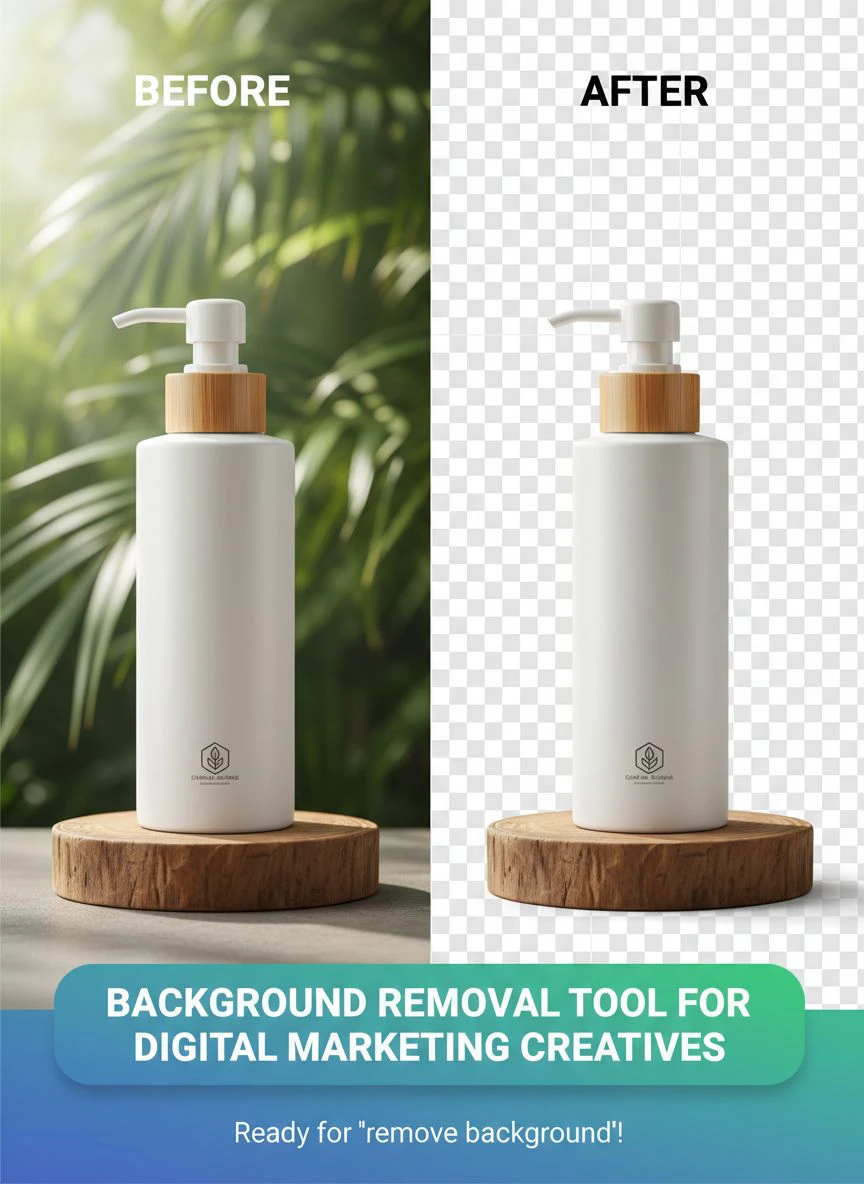
It's a free AI background remover tool that instantly removes backgrounds from WebP, JPG, and PNG images in seconds with professional-quality results.
The quality matches tools charging $29/month, but it's completely free.
Maintaining Brand Consistency
Social media marketing lives or dies on visual consistency.
Your background removal needs to produce identical quality across all images.
Inconsistent edge quality or color handling makes your feed look amateur.
I test this by processing 10 similar images and checking if they look like they belong together.
Quick Turnaround for Trending Content
Trending moments don't wait for your editing workflow.
Last month, a client needed to jump on a viral trend within 4 hours.
We created 8 custom graphics using their product photos with backgrounds removed.
Total time from concept to posted: 47 minutes.
That's only possible with instant digital marketing creative background eraser tools.
Evaluating Background Removal Tools: My Testing Framework
I've wasted countless hours on tools that looked great in demos but failed in production.
Here's the exact framework I use to evaluate any background removal tool for digital marketing creatives.
The 10-Image Stress Test
Don't trust marketing claims or cherry-picked examples.
Run your own test with these 10 image types:
- Simple product with solid edges (easiest baseline)
- Product with reflective surfaces (tests edge detection)
- Person with detailed hair (hardest for most tools)
- Transparent or translucent object like glass
- Furry or textured item like fabric or pets
- Complex product with multiple components
- Image with similar background and subject colors
- Low-contrast photo (tests AI capability)
- High-resolution image (tests processing power)
- Batch of 20 similar images (tests consistency)
Score each result on accuracy, edge quality, and processing time.
Tools that fail more than 2 categories don't make the cut.
Speed vs. Quality Trade-Off Analysis
Some tools are fast but produce garbage results.
Others are perfect but take 5 minutes per image.
I measure this by processing the same 50 images through each tool and tracking:
- Total processing time
- Number of images requiring manual fixes
- Time spent on manual corrections
- Total time to completion
The winner isn't always the fastest processor.
It's the one with the lowest total time to usable results.
Cost Per Image Reality Check
Pricing models vary wildly in this space.
Some charge per image, others monthly subscriptions, some are free with limits.
Calculate your actual cost based on monthly volume:
If you process 500 images monthly and a tool charges $0.10 per image, that's $50/month.
A $29/month unlimited plan wins easily.
But if you only process 100 images, the pay-per-image model costs less.
I track cost-per-image over 3 months to get real numbers, not projected estimates.
Common Mistakes When Choosing Background Removal Tools
I've made every mistake possible in this category.
Here's what to avoid based on actual painful experience.
Mistake #1: Prioritizing Features Over Results
I got seduced by a tool with 47 different features and advanced editing options.
Turns out, the basic background removal was mediocre.
All those extra features didn't matter when the core function failed.
Choose tools that excel at background removal first, everything else second.
Mistake #2: Not Testing With Your Actual Images
Demo images are always perfect scenarios.
I bought a tool based on their showcase, then discovered it couldn't handle our specific product photography style.
We shot products on reflective surfaces for brand consistency.
The tool completely failed on reflections.
Always test with your real image library, not stock photos.
Mistake #3: Ignoring Team Workflow Integration
The best tool is worthless if your team won't use it.
I implemented a powerful but complex solution that required 20 minutes of training.
Team members kept using the old manual method because it was familiar.
User-friendly interface isn't a luxury—it's mandatory for adoption.
Mistake #4: Overlooking File Format Compatibility
We started shooting in WebP format to reduce file sizes.
Our expensive background removal tool didn't support WebP.
We had to convert every file first, adding an extra step and quality loss.
Verify your tool supports all formats your team uses, including newer ones like WebP.
Free vs. Paid Tools: What Actually Matters
The free vs. paid debate misses the real question.
What matters is value per dollar spent, including your time.
I've used $99/month tools that wasted hours with poor results.
I've used free tools that outperformed them completely.
When Free Tools Win
Free tools make sense when:
- Your volume is under 200 images monthly
- Quality meets professional standards
- Processing speed is competitive
- No hidden limitations kill your workflow
I use free tools for 70% of my background removal needs because they genuinely perform better than many paid alternatives.
When Paid Tools Justify Cost
Paid tools earn their cost when they provide:
- API access for automated workflows
- Advanced editing controls for specific use cases
- Priority processing during high-volume periods
- Dedicated support for troubleshooting
- Team collaboration features
But 80% of marketing teams don't need these features.
They need fast, accurate background removal at scale.
Implementation Strategy for Your Marketing Team
Having the right tool means nothing if implementation fails.
Here's how I roll out background removal tools to marketing teams.
Week 1: Pilot Testing
Select 2-3 team members to test the tool with real projects.
Track time saved, quality issues, and friction points.
Don't make it official yet—just gather data.
I discovered major workflow issues during pilots that would have killed full rollouts.
Week 2: Process Documentation
Create simple step-by-step guides for common use cases:
- Product photos for e-commerce
- Social media graphics
- Ad creative variations
- Email header images
Include screenshots and examples using your actual brand assets.
Week 3: Full Team Training
Run a 30-minute hands-on training session.
Have team members process their own images during training.
Answer questions in real-time.
Record the session for future reference.
Week 4: Measure and Optimize
Track these metrics for the first month:
- Time spent on background removal (before and after)
- Number of images processed
- Quality rejection rate
- Tool adoption rate by team member
Use this data to refine your workflow and address remaining friction points.
Frequently Asked Questions
What's the best AI background remover for marketers with high volume needs?
The best tool depends on your specific volume and quality requirements. For teams processing 500+ images monthly, look for tools with unlimited batch processing and consistent AI accuracy above 90%. I recommend testing with your actual product images rather than relying on vendor claims. Tools like Removedo.com offer unlimited free processing with professional quality, making them ideal for high-volume marketing workflows.
How do I remove image backgrounds for social media without design skills?
Modern AI-powered tools require zero design experience. Upload your image, the AI automatically detects the subject, and removes the background in seconds. Look for one-click solutions that don't require manual selection or edge refinement. The key is choosing tools built for marketers, not professional designers. Most user-friendly options provide instant results you can download and use immediately across all social platforms.
Can bulk background removal maintain quality across hundreds of e-commerce images?
Yes, but only with the right AI technology. Quality batch processing requires consistent edge detection algorithms that produce identical results across similar images. Test your tool by processing 50 similar product photos and comparing edge quality, color accuracy, and detail preservation. Professional-grade AI tools maintain 95%+ consistency in batch processing, while lower-quality solutions show visible variation that damages brand presentation.
What's the difference between free and paid background removal tools for marketing?
The gap has narrowed dramatically. Many free AI tools now match or exceed paid alternatives in quality and speed. Paid tools typically offer API access, advanced editing controls, and priority support rather than better core performance. For most marketing teams, free tools with unlimited processing provide better value than $29-99/month subscriptions. Evaluate based on results with your images, not price tags.
How fast should a marketing background removal tool process images?
Professional marketing workflows require processing times under 10 seconds per image for standard product photos. Batch processing of 50 images should complete within 2-3 minutes. Anything slower creates bottlenecks that prevent rapid testing and iteration. Speed matters more for marketing than photography because you're optimizing for volume and campaign agility rather than perfect individual shots.
Take Action: Choosing Your Background Removal Tool Today
Stop wasting time on manual editing or mediocre tools.
The right background removal tool for digital marketing creatives transforms your entire creative workflow.
Here's your action plan:
First, gather 10 representative images from your actual marketing work.
Second, test 2-3 tools using the stress test framework I outlined above.
Third, measure total time to usable results, not just processing speed.
I've saved my teams hundreds of hours by making the switch to proper AI-powered tools.
The productivity gains compound when you can test more creative variations, launch campaigns faster, and respond to trends in real-time.
Start with a proven solution like background removal tool for digital marketing creatives that delivers professional results without the learning curve.
Your marketing results will improve when your creative workflow stops being the bottleneck.


