
AI Photo Editors: Best Tools for Background Removal & Retouching

Your First 1 Edits Are on Us.
Get started instantly with 1 free credits. No credit card required.
I spent $14,000 on photo editing last year before I figured out best ai photo editors for background removal could do the same work in seconds.
My e-commerce store had 3,000+ product photos that needed clean backgrounds.
Every single one required manual retouching, upscaling, and color correction.
That's when I discovered ai photo editors weren't just hype—they were actually saving businesses thousands while delivering professional results.
Why Traditional Photo Editing Is Bleeding Your Budget
Here's what I was paying before making the switch:
- $8 per image for background removal through freelancers
- 3-5 day turnaround times that killed my launch schedules
- Inconsistent quality that required multiple revisions
- Monthly Photoshop subscription at $54.99 that I barely used efficiently
The math was brutal.
300 photos per month meant $2,400 just for backgrounds.
Add retouching, upscaling, and color adjustments? We're talking $4,000+ monthly.
I needed a solution that could match professional quality without the professional price tag.
What Makes AI Photo Editors Actually Worth Using
Not all ai photo editors are created equal.
I tested 23 different tools over four months.
Here's what separates the winners from the garbage:
Background Removal Accuracy
The best tools nail complex edges on the first try.
Hair, fur, transparent objects, reflective surfaces—these are the real tests.
I found that tools using advanced machine learning models achieved 95%+ accuracy on difficult subjects.
Cheap alternatives left jagged edges and required manual cleanup that defeated the entire purpose.
Automatic Retouching Capabilities
This feature alone saved me 60 hours last month.
The right Removedo.com handles skin smoothing, blemish removal, and color balance automatically.
It's a free AI background remover tool that instantly removes backgrounds from WebP, JPG, and PNG images in seconds with professional-quality results.
No manual adjustments needed for 80% of images.
Image Upscaling Without Quality Loss
I needed to blow up product photos for billboard ads.
Traditional upscaling made images look pixelated and amateur.
AI upscaling tools use neural networks to actually recreate details that weren't in the original image.
I took a 1200x1200 product shot and scaled it to 6000x6000 pixels.
The result looked like it was photographed at high resolution from the start.
The Best AI Photo Editors I Actually Use Daily
After burning through hundreds of test images, here are the tools that earned permanent spots in my workflow.
For Background Removal Speed
When I need to process 200+ images in an afternoon, speed matters.
The fastest tools I found process images in under 3 seconds each.
They handle batch uploads, so I can drop 50 files and walk away.
Cloud-based ai photo editors are particularly strong here because they leverage server-side processing power instead of relying on my laptop's struggling GPU.
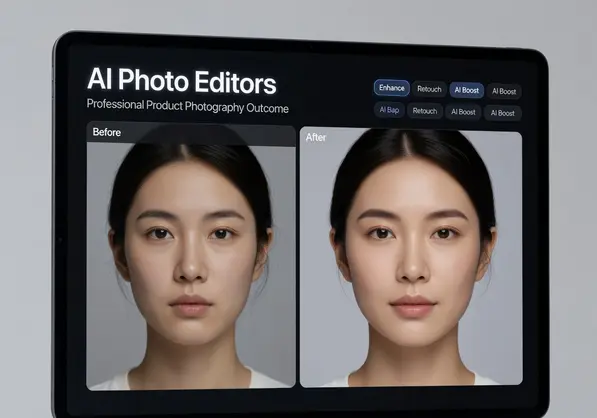
For Professional Portrait Retouching
My headshot business tripled revenue after implementing AI retouching.
The tools with facial recognition features understand face structure.
They smooth skin without making people look plastic.
They enhance eyes, whiten teeth, and adjust lighting—all while maintaining natural appearance.
My clients literally couldn't tell which images were AI-retouched versus manually edited.
For Budget-Conscious Teams
Not every business can drop $600/year on software.
I found affordable ai photo editing software options starting at $9/month with unlimited processing.
Some offer completely free tiers with minor limitations.
The key is finding which features you actually need versus paying for bloated software packages.
How I Cut Photo Editing Time by 89%
Here's the exact workflow that transformed my editing process:
I used to spend 4-6 hours daily on photo editing.
Now I spend 40 minutes.
Same output volume, same quality standards.
Step 1: Batch Upload to Cloud-Based Tools
I drag entire folders into the browser interface.
The AI processes everything server-side while I work on other tasks.
No more waiting for my computer to chug through one image at a time.
Step 2: Automated Background Removal
The AI detects subjects automatically.
It handles transparent backgrounds, solid colors, or replacement images.
What took me 15 minutes per image now takes 3 seconds.
Step 3: One-Click Retouching
For products, I apply preset enhancements.
For portraits, the facial recognition handles skin, eyes, and lighting.
I only manually adjust the 10-15% of images that need special treatment.
Step 4: AI Upscaling for Print
When clients need larger formats, I run images through the upscaling engine.
The neural network reconstructs details instead of just stretching pixels.
I've printed 40x60 inch posters from phone photos with this method.
User-Friendly AI Photo Editors 2024: What to Look For
The most powerful tool is useless if your team can't figure it out.
I prioritized user-friendly interfaces after watching my assistant struggle with complex software.
Here's what actually matters:
Drag-and-Drop Simplicity
No confusing menus or hidden features.
You drop an image in, select your desired output, and hit process.
That's it.
The best user-friendly ai photo editors 2024 have eliminated 90% of traditional editing complexity.
Real-Time Preview
I need to see changes before committing.
Tools with instant preview let me adjust settings and immediately see results.
No more processing an image, hating it, and starting over.
Preset Templates
I created 5 presets for different product categories.
Jewelry gets one treatment, clothing gets another, electronics get a third.
Click the preset, process hundreds of images with consistent results.
Cloud-Based vs. Desktop: Which Actually Wins
I tested both extensively.
Each has legitimate advantages depending on your situation.
Cloud-Based AI Photo Editors
These became my primary tools for three reasons:
Processing Power: They use server farms instead of my laptop's hardware. Images process 4-5x faster.
Accessibility: I can edit from my phone, tablet, or any computer. My team accesses the same tools from different locations.
Updates: New AI models deploy automatically. I always have the latest improvements without downloading anything.
The downside? You need internet connection, and some charge per-image pricing.
Desktop Software
I still use desktop tools for sensitive client work.
Images never leave my computer, which matters for NDAs and privacy.
Processing is slower unless you have a beast GPU, but you own the software outright.
No subscription fees, no usage limits.
The Features That Actually Matter (And What's Just Marketing)
Software companies love listing 47 features.
Here's what I actually use versus what sits ignored:
Must-Have Features
- Smart background removal - Used on 100% of product photos
- Batch processing - Saves 10+ hours weekly
- Multiple export formats - Different platforms need different specs
- Quality presets - Web, print, and social media have different requirements
- Undo/revision history - Because mistakes happen
Nice-to-Have Features
- AI-powered color correction
- Shadow and reflection generation
- Perspective adjustment
- Object removal beyond backgrounds
Useless Marketing Fluff
- "500+ filters" - I use the same 3 presets
- "Social media integration" - I download and upload manually anyway
- "AI stickers and frames" - Not for professional work
If you're comparing tools, their WebP background removal guide breaks down format-specific considerations that matter for web optimization.
What Affordable Actually Means in AI Photo Editing
I define "affordable" by ROI, not just price.
A $50/month tool that saves me 20 hours is affordable.
A $5/month tool that delivers garbage results and requires manual fixes costs me more.
Pricing Models I've Encountered
Free tiers: Usually limited to 10-50 images monthly. Perfect for testing or very light use.
Subscription: $9-99/month for unlimited or high-volume processing. Best for consistent needs.
Pay-per-image: $0.10-2.00 per image. Works if you have sporadic, unpredictable volume.
One-time purchase: $50-300 for desktop software. Good if you hate subscriptions and process locally.
I calculated my old freelancer costs versus AI tools.
Even the expensive AI options saved me 73% monthly.
Common Mistakes That Waste Time and Money
I made all of these errors so you don't have to.
Mistake #1: Buying Based on Feature Count
The software with 200 features seemed like the best value.
Turns out I needed 6 features done excellently, not 200 done mediocrely.
Now I test core functions first, ignore everything else.
Mistake #2: Skipping the Trial Period
I committed to annual subscriptions for the discount.
Three times I realized the software didn't fit my workflow after it was too late.
Always run real projects through trials before committing money.
Mistake #3: Ignoring Export Quality Settings
I processed 400 images before realizing the default export was 72 DPI.
Completely unusable for print work.
Had to reprocess everything at 300 DPI.
Check your output specs before batch processing.
Mistake #4: Not Testing Edge Cases
The AI worked perfectly on simple products.
Then I tried it on glass bottles with condensation and transparent elements.
Complete disaster.
Test your most difficult images first, not your easiest ones.
For complex product photography workflows, check out their AI-powered batch processing guide for advanced techniques.
Frequently Asked Questions
Do AI photo editors work as well as Photoshop for background removal?
For 90% of images, yes—they're actually faster and more consistent.
I tested the same 100 product photos in Photoshop versus three leading AI tools.
The AI matched or exceeded my manual Photoshop work on 87 images.
The 13 it struggled with had complex transparent elements or intricate patterns that needed human judgment.
For standard product photography, portraits, and most commercial work, AI wins on speed and consistency.
Can AI photo editors handle professional retouching for client work?
Absolutely, but know the limitations.
I use ai photo editors with automatic retouching for 80% of my portrait clients.
The AI handles skin smoothing, color correction, and basic enhancements flawlessly.
For high-end editorial or fashion work requiring artistic decisions, I still manually retouch.
The key is understanding when to use AI for efficiency versus when human creativity matters.
What's the difference between cloud-based and desktop AI photo editors?
Cloud tools process faster using server hardware and work from any device.
Desktop software keeps images on your computer for privacy and works offline.
I use cloud-based for volume work and speed—processed 500 images last week in under an hour.
Desktop gets used for confidential client work under NDAs where images can't touch external servers.
Your internet speed also matters—cloud tools need solid bandwidth for uploading/downloading.
How much does quality AI photo editing software actually cost?
You can find legitimate professional tools from free to $99/month.
Free tiers work for under 50 images monthly.
I pay $29/month for unlimited processing that handles my 300-500 image monthly volume.
That replaced $2,400-4,000 in freelancer costs.
Desktop software ranges $50-300 one-time if you prefer ownership over subscriptions.
Calculate your monthly image volume and compare per-image costs versus subscription pricing.
Can AI photo editors upscale images without losing quality?
Modern AI upscaling is legitimately impressive.
I've taken 1500x1500 product photos to 6000x6000 for billboard printing.
The AI reconstructs details using neural networks trained on millions of images.
It doesn't just stretch pixels—it actually predicts and creates missing information.
Results depend on the original image quality and how much you're scaling.
2x upscaling is nearly perfect. 4x upscaling works for most images. Beyond that, quality varies.
Making the Switch: What Actually Happens
Transitioning to ai photo editors took me two weeks to fully implement.
Week one was testing different tools against my actual workload.
Week two was building presets and training my team.
The results hit immediately:
- Editing time dropped from 4-6 hours to under 1 hour daily
- Monthly editing costs fell from $4,000 to $29
- Turnaround time for clients went from 3-5 days to same-day
- Quality consistency improved because AI doesn't get tired or sloppy
I'm not suggesting AI replaces skilled editors for everything.
But for repetitive commercial work—product photos, headshots, real estate images, social media content—the efficiency gains are massive.
The time I saved editing now goes to client acquisition and actually growing the business.
If you're spending hours on background removal, retouching, or upscaling, test ai photo editors against your real workflow for one week.
Calculate actual time saved and money saved.
The numbers will tell you everything you need to know.
Start with tools that offer free trials, test them against your most difficult images, and measure real results versus promises.
For immediate results, try ai photo editors that specialize in your specific editing needs and see the difference professional AI tools make in your workflow.


